1. Ensure your site or shared folder in one Content Source.
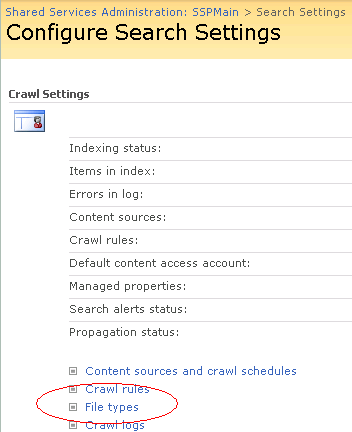
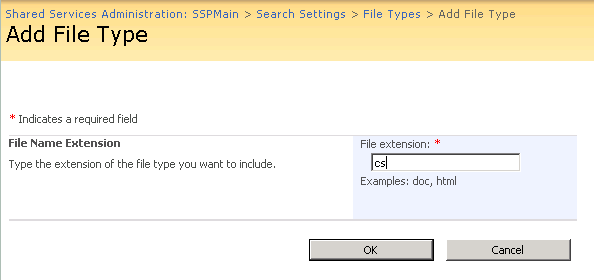
2. Add file types.
3. The second step in getting the file extensions recognised is to add it to the registry entries the SharePoint Server Search service reads when it starts up. This key is located at
HKEY_LOCAL_MACHINESOFTWAREMicrosoftOffice Server12.0SearchSetupContentIndexCommonFiltersExtension
Add a new key, enter the extension including the dot i.e. .ps1.
Save and set its default value to be {4A3DD7AB-0A6B-43B0-8A90-0D8B0CC36AAB}. This means use the text parser Ifilter tquery.dll for this extension.

4. And a new key for each file extension you want indexed in this case cs,ps1 and aspx but you can add vb vbs or whatever other text files you need indexed.
Stop and start the search service with these commands
net stop osearch
net start osearch
5. Now do a full crawl of your content type and your files should have been full text indexed. The crawl log is useful in seeing if the filtering barfed on your files.
Reference Blog: http://blogs.flexnetconsult.co.uk/colinbyrne/2008/06/23/FullTextSearchingYourCSAndPowerShellCodeWithSharePointSearch.aspx