最近要使用python调用C++编译生成的DLL动态链接库,因此学习了一下ctypes库的基本使用。
ctypes是一个用于Python的外部函数库,它提供C兼容的数据类型,并允许在DLL或共享库中调用函数。
一、Python调用DLL里面的导出函数
1.VS生成dll
1.1 新建动态链接库项目
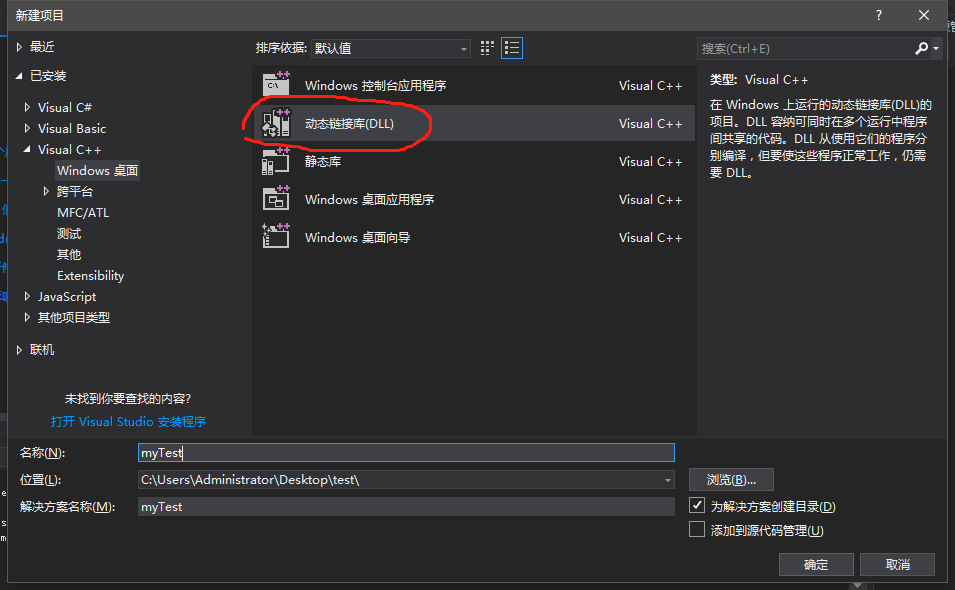
1.2 在myTest.cpp中输入以下内容:
// myTest.cpp : 定义 DLL 应用程序的导出函数。
//
#include "stdafx.h"
#define DLLEXPORT extern "C" __declspec(dllexport) //放在 #include "stdafx.h" 之后
//两数相加
DLLEXPORT int sum(int a, int b) {
    return a + b;
}
注意:导出函数前面要加 extern "C" __declspec(dllexport) ,这是因为ctypes只能调用C函数。如果不用extern "C",构建后的动态链接库没有这些函数的符号表。采用C++的工程,导出的接口需要extern "C",这样python中才能识别导出的函数。
1.3生成dll动态链接库
因为我的python3是64位的,所以VS生成的dll要选择64位的,如下所示:
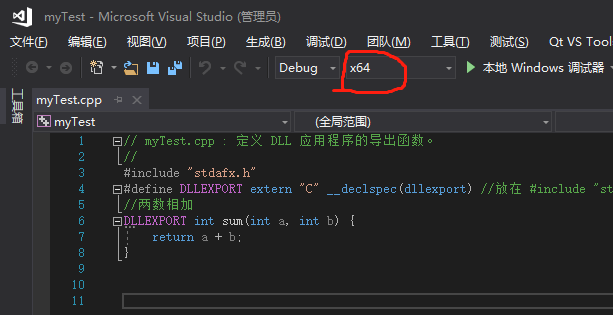
点击标题栏的 生成 -> 生成解决方案

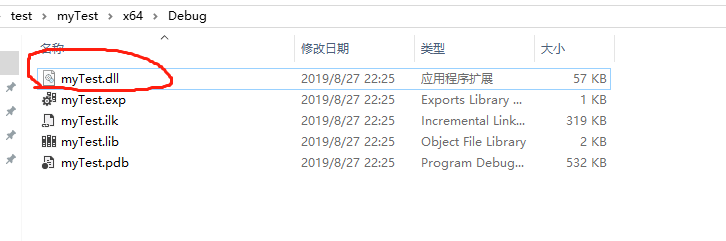
1.4 查看生成的dll动态链接库
2.Python导入dll动态链接库
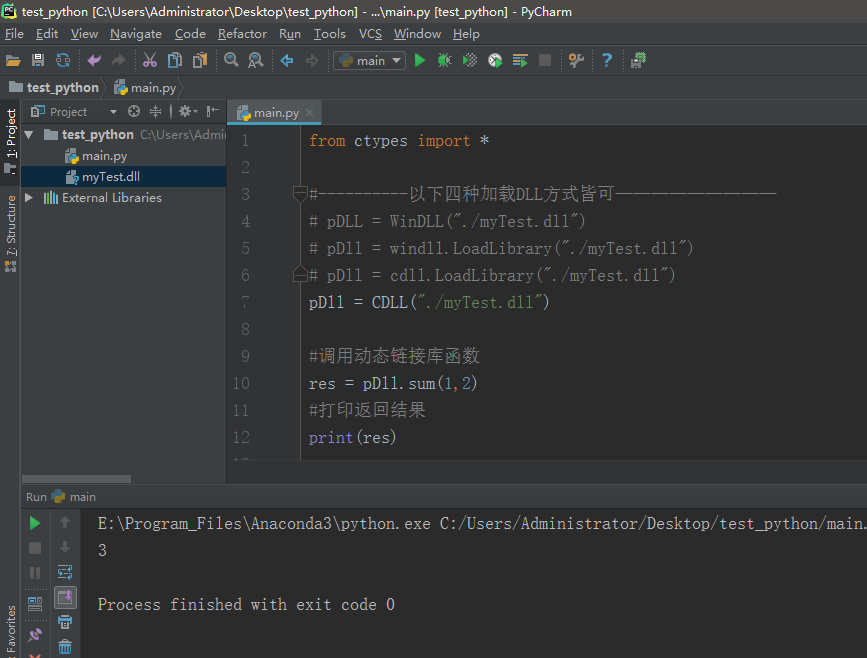
用python将动态链接库导入,然后调用动态链接库的函数。为此,新建main.py文件,输入如下内容:
from ctypes import *

#----------以下四种加载DLL方式皆可—————————
# pDLL = WinDLL("./myTest.dll")
# pDll = windll.LoadLibrary("./myTest.dll")
# pDll = cdll.LoadLibrary("./myTest.dll")
pDll = CDLL("./myTest.dll")

#调用动态链接库函数
res = pDll.sum(1,2)
#打印返回结果
print(res)
运行结果如下所示:
二、Python调用DLL里面的实例方法更新全局变量值
1.VS生成dll
1.1 添加 mainClass 类,内容如下:
mainClass.h:
#pragma once

extern int dta;
class mainClass
{
public:
    mainClass();
    ~mainClass();
    void produceData();
};
mainClass.cpp:
#include "stdafx.h"
#include "mainClass.h"

int dta = 0;

mainClass::mainClass()
{
}

mainClass::~mainClass()
{
}

void mainClass::produceData() {
    dta = 10;
}
1.2 更改 myTest.cpp 内容
myTest.cpp:
#include "stdafx.h"
#define DLLEXPORT extern "C" __declspec(dllexport) //放在 #include "stdafx.h" 之后
#include "mainClass.h"

//返回实例方法里面更新数据后的值
DLLEXPORT int getRandData() {
    mainClass dataClass = mainClass();
    dataClass.produceData();
    return dta;
}
1.3 生成64位dll
2.Python导入dll动态链接库
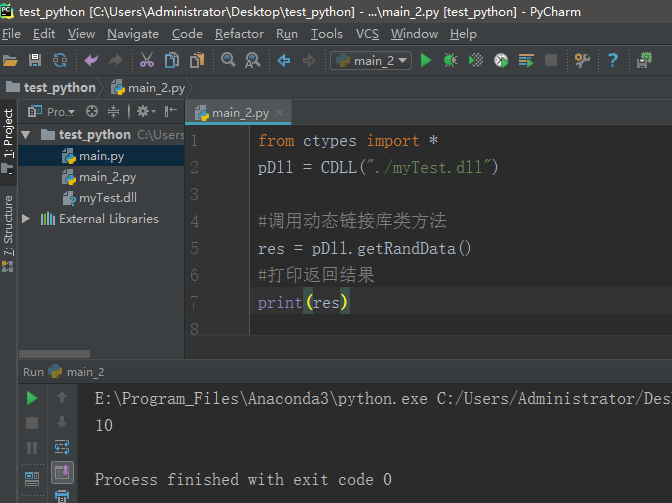
明显可以看出,在C++里设置的全局变量的值已经从0变为10了,说明python可以通过调用dll里面的实例方法来更新全局变量值
三、Python_ctypes 指定函数参数类型和返回类型
前面两个例子C++动态链接库导出函数的返回类型都是int型,而Python 默认函数的参数类型和返回类型为 int 型,所以Python 理所当然的 以为 dll导出函数返回了一个 int 类型的值。但是如果C++动态链接库导出的函数返回类型不是int型,而是特定类型,就需要指定ctypes的函数返回类型 restype 。同样,通过ctypes给函数传递参数时,参数类型默认为int型,如果不是int型,而是特定类型,就需要指定ctypes的函数形参类型 argtypes 。
接下来,我将举一个简单例子来说明一下
myTest.cpp:
#include "stdafx.h"
#define DLLEXPORT extern "C" __declspec(dllexport) //放在 #include "stdafx.h" 之后
#include <string>    //使用string类型 需要包含头文件 <string>
using namespace std; //string类是一个模板类,位于名字空间std中
//字符串
DLLEXPORT char *getRandData(char *arg) {
    return arg;
}
python代码:
from ctypes import *
pDll = CDLL("./myTest.dll")

########## 指定 函数的参数类型 #################
pDll.getRandData.argtypes = [c_char_p]
#第一个参数
arg1 = c_char_p(bytes("hello", 'utf-8'))

########## 指定 函数的返回类型 #################
pDll.getRandData.restype = c_char_p

########### 调用动态链接库函数 ##################
res = pDll.getRandData(arg1)

#打印返回结果
print(res.decode()) #返回的是utf-8编码的数据,需要解码
或者如下形式:
from ctypes import *
pDll = CDLL("./myTest.dll")

########## 指定 函数的返回类型 #################
pDll.getRandData.restype = c_char_p

########### 调用动态链接库函数 ##################
res = pDll.getRandData(b'hello') # 或者变量.encode()

#打印返回结果
print(res.decode()) #返回的是utf-8编码的数据,需要解码
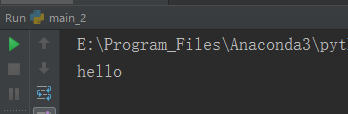
运行结果:
四、Python_ctypes dll返回数组_结构体
在ctypes里,可以把数组指针传递给dll,但是我们无法通过dll获取到c++返回的数组指针。由于python中没有对应的数组指针类型,因此,要获取dll返回的数组,我们需要借助结构体。
myTest.cpp:
#include "stdafx.h"
#define DLLEXPORT extern "C" __declspec(dllexport) //放在 #include "stdafx.h" 之后
#include <string>    //使用string类型 需要包含头文件 <string>
using namespace std; //string类是一个模板类,位于名字空间std中


typedef struct StructPointerTest
{
    char name[20];
    int age;
    int arr[3];
    int arrTwo[2][3];
}StructTest, *StructPointer;


//sizeof(StructTest)就是求 struct StructPointerTest 这个结构体占用的字节数
//malloc(sizeof(StructTest))就是申请 struct StructPointerTest 这个结构体占用字节数大小的空间
//(StructPointer)malloc(sizeof(StructTest))就是将申请的空间的地址强制转化为 struct StructPointerTest * 指针类型
//StructPointer p = (StructPointer)malloc(sizeof(StructTest))就是将那个强制转化的地址赋值给 p
StructPointer p = (StructPointer)malloc(sizeof(StructTest));

//字符串
DLLEXPORT StructPointer test()    // 返回结构体指针
{
    strcpy_s(p->name, "Lakers");
    p->age = 20;
    p->arr[0] = 3;
    p->arr[1] = 5;
    p->arr[2] = 10;

    for (int i = 0; i < 2; i++)
        for (int j = 0; j < 3; j++)
            p->arrTwo[i][j] = i*10+j;

    return p;
}
python代码:
# 返回结构体
import ctypes

path = r'./myTest.dll'
dll = ctypes.WinDLL(path)

#定义结构体
class StructPointer(ctypes.Structure):  #Structure在ctypes中是基于类的结构体
    _fields_ = [("name", ctypes.c_char * 20), #定义一维数组
                ("age", ctypes.c_int),
                ("arr", ctypes.c_int * 3),   #定义一维数组
                ("arrTwo", (ctypes.c_int * 3) * 2)] #定义二维数组

#设置导出函数返回类型
dll.test.restype = ctypes.POINTER(StructPointer)  # POINTER(StructPointer)表示一个结构体指针
#调用导出函数
p = dll.test()

print(p.contents.name.decode())  #p.contents返回要指向点的对象   #返回的字符串是utf-8编码的数据,需要解码
print(p.contents.age)
print(p.contents.arr[0]) #返回一维数组第一个元素
print(p.contents.arr[:]) #返回一维数组所有元素
print(p.contents.arrTwo[0][:]) #返回二维数组第一行所有元素
print(p.contents.arrTwo[1][:]) #返回二维数组第二行所有元素
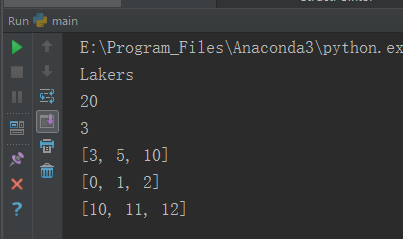
运行结果: