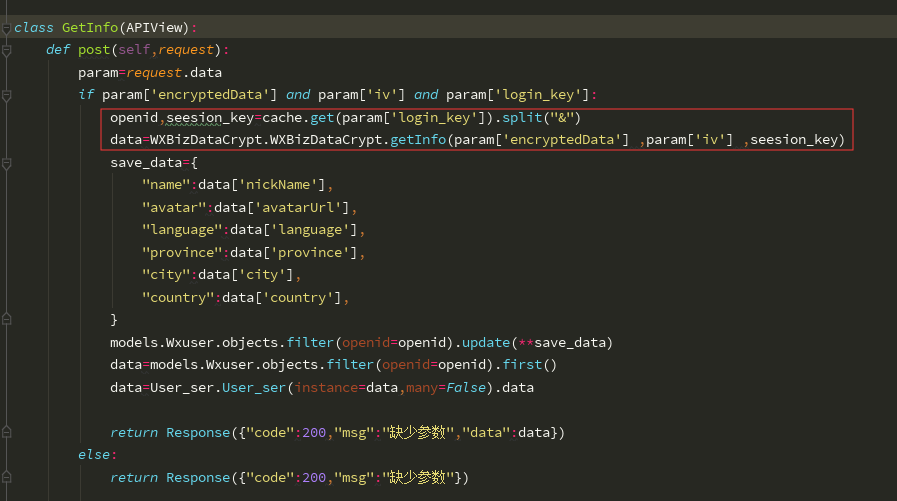
wx.request
相当于发送ajax请求

官方文档示例代码
wx.request({
  url: 'test.php', //仅为示例,并非真实的接口地址
  data: {
    x: '',
    y: ''
  },
  header: {
    'content-type': 'application/json' // 默认值
  },
  success (res) {
    console.log(res.data)
  }
})
前台连接后台的实现
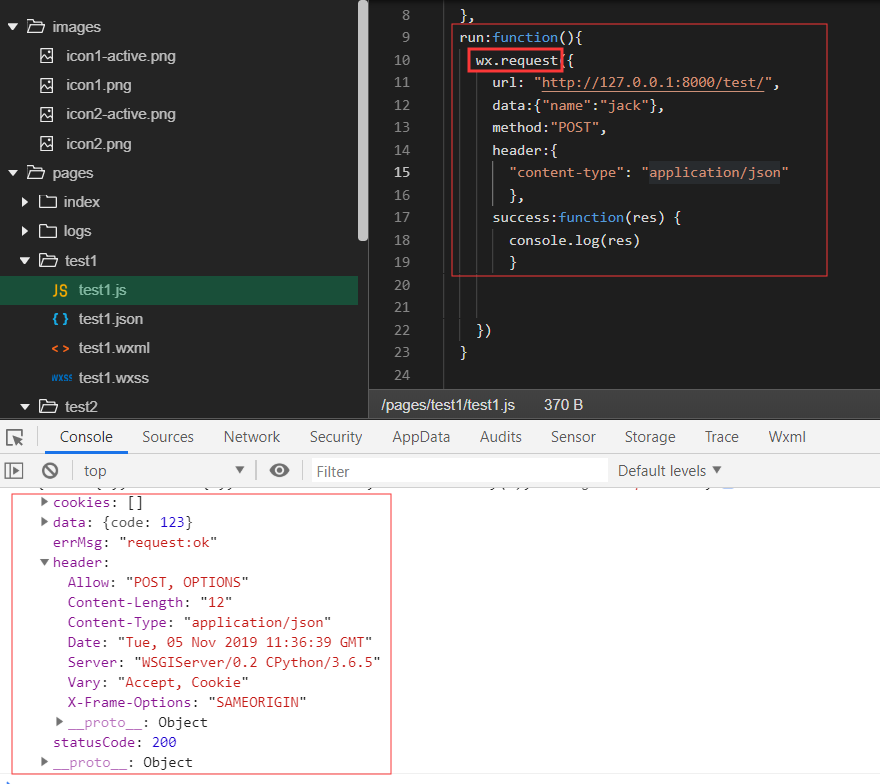
重要的参数:wx.request、object.success回调函数、url绑定路由、metheod请求方法。
小程序路由跳转

wx.switchTab(Object object):跳转到taBar页面,并关闭其他所有非taBar。
示例代码
{
  "tabBar": {
    "list": [{
      "pagePath": "index",
      "text": "首页"
    },{
      "pagePath": "other",
      "text": "其他"
    }]
  }
}
wx.switchTab({
  url: '/index'
})
wx.reLaunch(Object object)
关闭所有页面、打开到应用内的某个页面
wx.reLaunch({
  url: 'test?id=1'
})
// test
Page({
  onLoad (option) {
    console.log(option.query)
  }
})
登录wx.login
根据官方开发文档书写后台程序
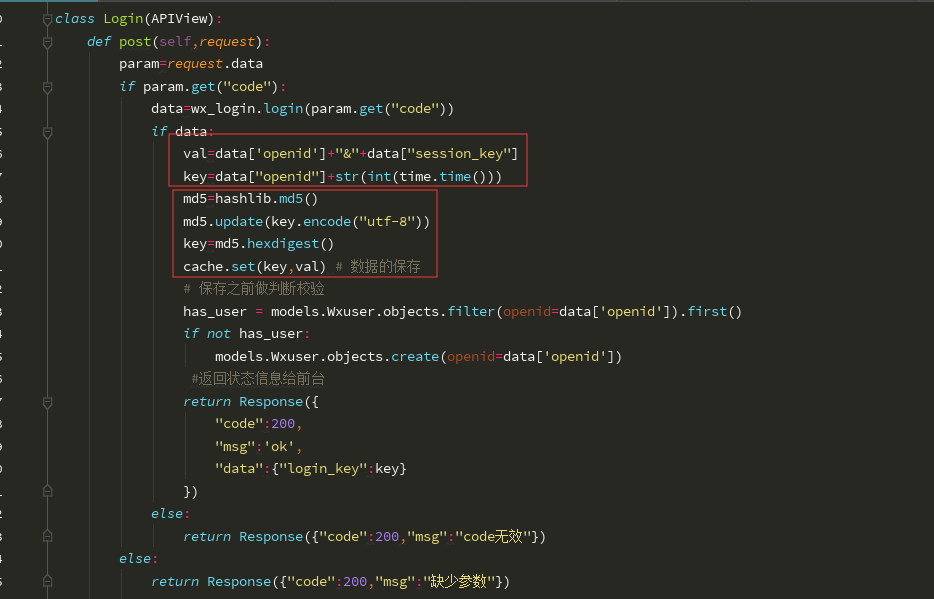
小程序前台app.js
通过用户认证使用录音功能
  lu: function () {
    wx.getSetting({
      success(res) {
        if (!res.authSetting['scope.record']) {
          wx.authorize({
            scope: 'scope.record',
            success() {
              // 用户已经同意小程序使用录音功能,后续调用 wx.startRecord 接口不会弹窗询问
              wx.startRecord()
            }
          })
        } else {
          wx.startRecord()
        }
      }
    })
  },
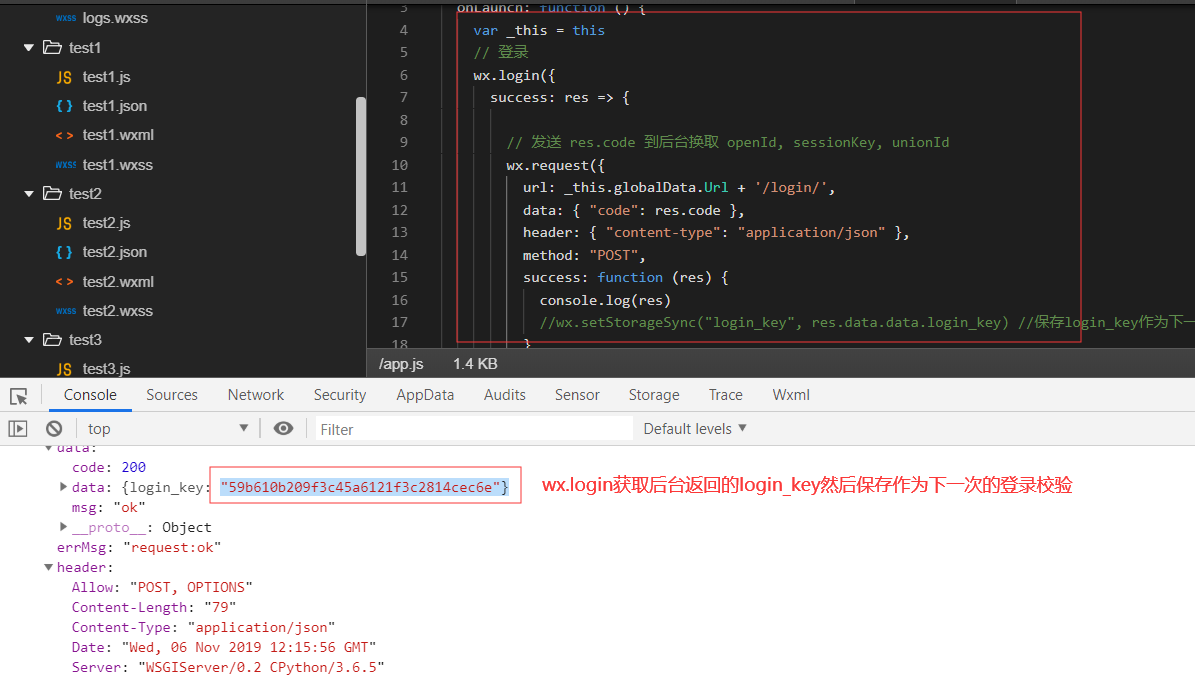
用户授权数据功能接口
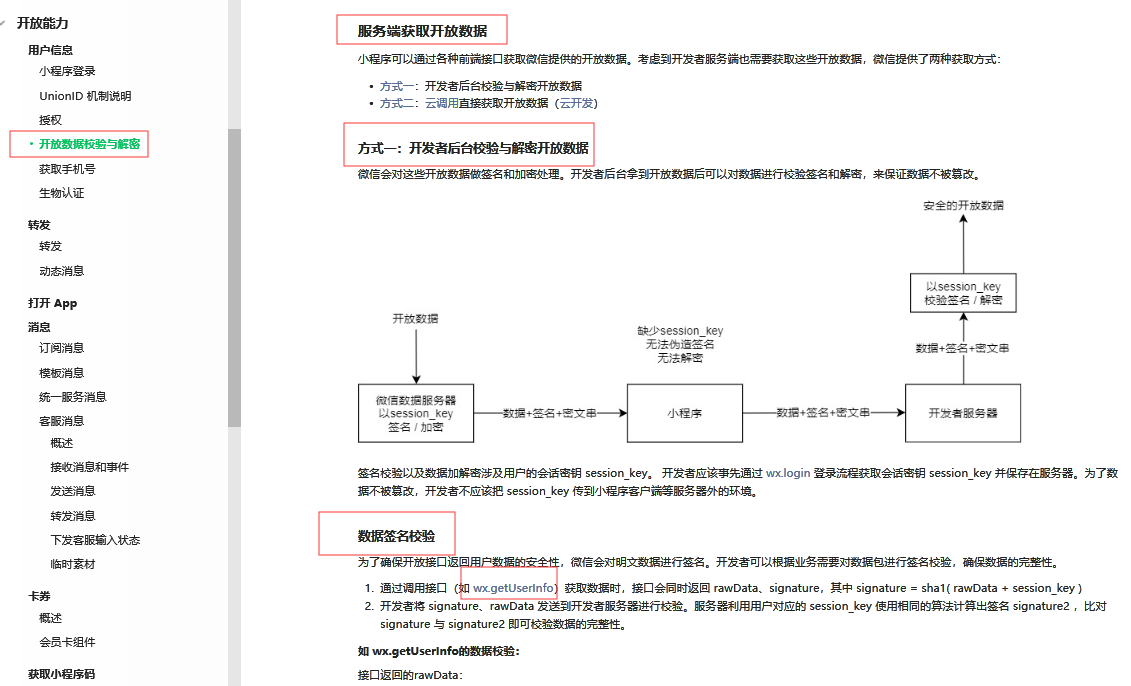
解密
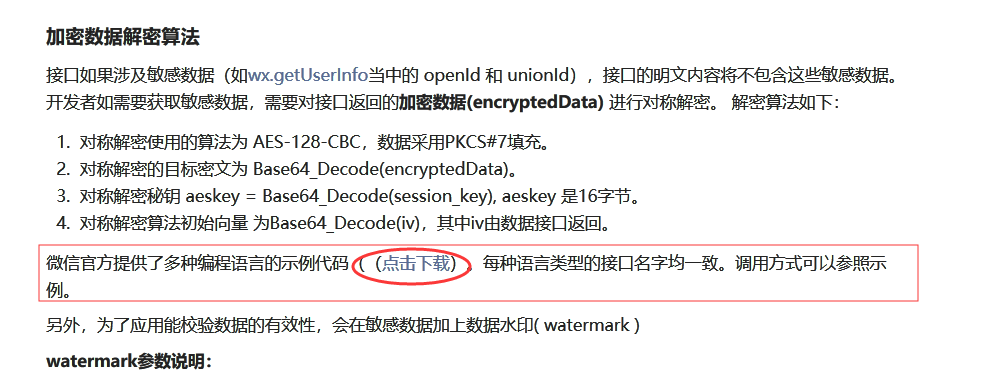
前台
 后台核心部分