C#:.net/方法/字符串/数组,那点事
首先还是先说下(几个概念的东西)c#下的.net平台的构造快及其功能作用和程序集:
.net:
.net平台是由:a:运行库+b:全面基础类库(这个是从程序员的角度来看的)
CLR(公共语言运行库):定位加载管理.net类型,同事也负责一些底层细节的工作,如:内存,委托,线程的管理;
CTS(公共类型系统):描述了运行库支持的所有数据类型,编程结构,指定了这些实体的交互和在元数据中格式的表示。
CLS(公共语言规范):规定所有.net语言支持的公共类型和编程结构的子集。
b:全面基础类库:不仅包含了各种基本类型的封装,还支持一些实际应用中的服务。
什么是程序集:包含.net运行库下的托管代码的二进制单元;
程序集扩展名:*.dll和*.exe二进制文件,和windows中的二进制文件有着相同的扩展名,但是他们内部是完全不同的,.net二进制文件不包含特定的平台指令,包含的是(CIL)中间语言和类型元数据。
下面首先说下:
1.string字符串:是一个引用类型,在垃圾回收堆上分配对象;
1.1. 告诉你个秘密其实他是不可改变的,真的我没有忽悠你,下面就开始说明下这一现象;
首先写个代码,说说:

 1 using System;
 2 using System.Collections.Generic;
 3 using System.Linq;
 4 using System.Text;
 5 using System.Threading.Tasks;
 6
 7
 8
 9 namespace ConsoleApplication1
10 {
11     class Program
12     {
13         static void Main(string[] args)
14         {
15            System.String  str = "lixiaofeng";
16             //输出初始化后的值:
17             Console.WriteLine("str is : {0}",str );
18
19             //大写str初始化值中的小写字母;
20             str.ToUpper();
21
22             Console.WriteLine("大写str后,str is:{0}", str);
23             Console.ReadLine();
24
25         }
26
27
28
29     }
30 }
运行:

1.2.逐字字符串@:
优点;1.自动转义符,2.保留空白的空间,3.允许插入“”;
 1 using System;
 2 using System.Collections.Generic;
 3 using System.Linq;
 4 using System.Text;
 5 using System.Threading.Tasks;
 6 using System.Data.SqlClient;
 7 using System.Data;
 8
 9
10
11 namespace ConsoleApplication1
12 {
13     class Program
14     {
15
16         static void Main(string[] args)
17         {
18             //注意看“Data Source=WIN-4CMVQAJ4ACD\SQLEXPRESS;Initial”中间有2个‘’,第二个是我手动加的,
19          System.String sqlstr= "Data Source=WIN-4CMVQAJ4ACD\SQLEXPRESS;Initial Catalog=SERVER;Integrated Security=True;Connect Timeout=15;Encrypt=False;TrustServerCertificate=False";
20          sqlconnn(sqlstr );
21          Console.ReadLine();
22
23         }
24         public static void sqlconnn(string sqlstr)
25         {
26             SqlConnection sqlcnn = new SqlConnection(sqlstr  );
27             try
28             {
29                 sqlcnn.Open();
30                 if (sqlcnn.State == ConnectionState.Open)
31                 {
32                     Console.WriteLine("连接成功!");
33                     sqlcnn.Close();
34                 }
35             }
36             catch (Exception ex)
37             {
38                 Console.WriteLine(ex );
39                 sqlcnn.Close();
40             }
41
42         }
43
44
45
46     }
47 }
运行:

方法2:
1         static void Main(string[] args)
2         {
3             //注意看“Data Source=WIN-4CMVQAJ4ACDSQLEXPRESS;Initial”中间有1个‘’,
4          System.String sqlstr= @"Data Source=WIN-4CMVQAJ4ACDSQLEXPRESS;Initial Catalog=SERVER;Integrated Security=True;Connect Timeout=15;Encrypt=False;TrustServerCertificate=False";
5          sqlconnn(sqlstr );
6          Console.ReadLine();
7
8         }
运行:

在介绍一个可变字符串:
 1         static void Main(string[] args)
 2         {
 3
 4             System.Text.StringBuilder strb = new StringBuilder("liyifeng",100);
 5             Console.WriteLine("初始化值是:{0}",strb );
 6             //在初始化值后加上”123“;
 7             strb.AppendLine("123");
 8             Console.WriteLine("添加后 :{0}",strb );
 9             Console.ReadLine();
10
11         }
运行;

2.数组;隐式数组:
 1         static void Main(string[] args)
 2         {
 3
 4             //常规情况下定义初始化 整形数组;
 5             int[] array_int = {1,2,3,4,5 };
 6             //输出:
 7             foreach (int ss in array_int)
 8                 Console.Write(ss+"	");
 9             Console.Write("
"+"下面是隐式类型:"+"
");
10             //使用隐式数组;
11             var var_int = new []{1,2,3,4,5 };
12             foreach (var vv in var_int)
13                 Console.Write(vv +"	");
14             Console.ReadLine();
15
16         }
运行:

其实在LINQ中会用的很多;
1         static void Main(string[] args)
2         {
3             var array_int = new[] {12,33,50,68,89 };
4             var vv = from i in array_int where i > 50 select i;
5             foreach (var ss in vv)
6                 Console.WriteLine(ss );
7             Console.ReadLine();
8         }
运行:

3.方法;
3.1.常见用到的方法有(输入2个值,返回一个值):
 1         static void Main(string[] args)
 2         {
 3             Console.WriteLine("a+b={0}",add(2,3));
 4             Console.ReadLine();
 5         }
 6         //输入a,b两个整形变量的值,返回他们的和;
 7         public static int add(int a,int b)
 8         {
 9             return a + b;
10         }
运行:

3.1.1.如果用这种常规的方法,在方法里面对参数对应的数据进行修改的话,结果会是什么呢?
 1         static void Main(string[] args)
 2         {
 3             int a = 2, b = 3;
 4             Console.WriteLine("a is:{0}", a);
 5             Console.WriteLine("b is:{0}", b);
 6             add(a ,b );
 7             Console.WriteLine("a is:{0}",a );
 8             Console.WriteLine("b is:{0}",b );
 9             Console.ReadLine();
10         }
11         //输入a,b两个整形变量的值,返回他们的和;
12         public static void add(int a,int b)
13         {
14             a = 100; b = 88;
15         }        static void Main(string[] args)
16         {
17             int a = 2, b = 3;
18             Console.WriteLine("a is:{0}", a);
19             Console.WriteLine("b is:{0}", b);
20             add(a ,b );
21             Console.WriteLine("a is:{0}",a );
22             Console.WriteLine("b is:{0}",b );
23             Console.ReadLine();
24         }
25         //输入a,b两个整形变量的值,返回他们的和;
26         public static void add(int a,int b)
27         {
28             a = 100; b = 88;
29         }
运行:

结果:a还是2,b还是3;边有改变;
3.2.1.ref方法(试试):
 1         static void Main(string[] args)
 2         {
 3             int a = 2, b = 3;
 4             Console.WriteLine("a is:{0}", a);
 5             Console.WriteLine("b is:{0}", b);
 6             add(ref a ,ref b );
 7             Console.WriteLine("a is:{0}",a );
 8             Console.WriteLine("b is:{0}",b );
 9             Console.ReadLine();
10         }
11         //输入a,b两个整形变量的值,返回他们的和;
12         public static void add(ref int a,ref int b)
13         {
14             a = 100; b = 88;
15         }        static void Main(string[] args)
16         {
17             int a = 2, b = 3;
18             Console.WriteLine("a is:{0}", a);
19             Console.WriteLine("b is:{0}", b);
20             add(ref a ,ref b );
21             Console.WriteLine("a is:{0}",a );
22             Console.WriteLine("b is:{0}",b );
23             Console.ReadLine();
24         }
25         //输入a,b两个整形变量的值,返回他们的和;
26         public static void add(ref int a,ref int b)
27         {
28             a = 100; b = 88;
29         }
运行:

这样就改变了参数对应值;需要注意的是在传递方法前要初始化参数值;
3.3.1.out方法:在传递参数前不给参数进行初始化;
 1         static void Main(string[] args)
 2         {
 3             int a, b;
 4             add(out a,out b );
 5             Console.WriteLine("a is:{0},b is:{1}",a,b );
 6             Console.ReadLine();
 7
 8         }
 9
10
11         //输入a,b两个整形变量的值,返回他们的和;
12         public static void add(out int a,out int b)
13         {
14             a = 100; b = 88;
15         }
运行:

3.4.1.方法中参数是数组形式(params):
 1         static void Main(string[] args)
 2         {
 3             System.Int32[] data = {1,2,3,4,5 };
 4             Console.WriteLine("avg is:{0}",avg(data ));
 5             Console.ReadLine();
 6         }
 7
 8         //输入一个整形数组,求其平均值:
 9         public static double avg(params int[] values)
10         {
11             double avgg = 0;
12             Console.WriteLine("一共输入有{0}个数",values.Length.ToString());
13             if (values.Length == 0)
14             {
15                 return avgg;
16             }
17             else
18             {
19                 for (int i = 0; i < values.Length; i++)
20                 {
21                 avgg+=values[i];
22                 }
23
24                 return (avgg/values.Length) ;
25
26             }
27         }        static void Main(string[] args)
28         {
29             System.Int32[] data = {1,2,3,4,5 };
30             Console.WriteLine("avg is:{0}",avg(data ));
31             Console.ReadLine();
32         }
33
34         //输入一个整形数组,求其平均值:
35         public static double avg(params int[] values)
36         {
37             double avgg = 0;
38             Console.WriteLine("一共输入有{0}个数",values.Length.ToString());
39             if (values.Length == 0)
40             {
41                 return avgg;
42             }
43             else
44             {
45                 for (int i = 0; i < values.Length; i++)
46                 {
47                 avgg+=values[i];
48                 }
49
50                 return (avgg/values.Length) ;
51
52             }
53         }
运行:

3.5.1.方法参数的重命名:
 1         static void Main(string[] args)
 2         {
 3             int a = 1, b = 2;
 4             string c = "我就是c啊!";
 5
 6             Console.WriteLine("a is:{0}
b is:{1}
 c is:{2}", a.ToString(), b.ToString(), c);
 7
 8             //这里需要注意的是:位置参数要在命名参数前,第一个一定要是位置参数:
 9             sp(a,c :c,b :b );
10             Console.ReadLine();
11         }
12
13         public static void sp(int a, int b, string c)
14         {
15             System.Int32 olda = new int();
16             System.Int32 oldb = new int();
17
18             olda = a;
19             oldb = b;
20
21             Console.WriteLine("a=olda is:{0}
b=oldb is:{1}
 c is:{2}",olda.ToString(),oldb.ToString(),c  );
22         }
运行:

今天就说这吧!
6个免费的C++图形和游戏库
继上一篇,本篇同样出自zoomzum.com,具体可见http://zoomzum.com/6-free-c-graphics-and-game-libraries/,介绍了6个免费的C++图形和游戏库,同样出自zoomzum.com。GUI库对应了微软的MFC,提供了程序与用户交互的图形化界面,而图形和游戏库则对应了微软的DirectX和跨平台的OpenGL。以下是原文的翻译:
C++是一种多范式,遵循自由的形式,并且通用的一门强大的编程语言,这门语言被视为是中间层次的语言,之所以这样认为,是因为它拥有高层语言和底层语言的一些特性。
C++之所以成为最流行的语言之一是有许多原因的,它的应用范围包括系统软件,设备驱动,应用程序软件和许多其他包含客户端程序和娱乐的软件,最好的一个例子是视频游戏。

在下面的列出的几项中我们介绍了一些超级有用的C++图形和游戏库,这些库能为开发者的工程或应用程序提供良好的接口来增加其功能性。C++的用户将会喜欢使用这些库为了他们的下一个工程。
今天,我们将会开发者分享C++图形和游戏库,我希望这些库能够帮助开发者,在他们的下一个项目中能够让他们的应用程序拥有让人印象深刻和吸引力的布局。访问下面的目录,并且在留言板中分享你的想法。
Anti-Grain Geometry(AGG) 是一个开放源码,免费的图形库,采用商业标准的C++来写。在许可证页面描述了使用AGG的条件和相关项,AGG没有依靠任何图形的API接口或技术,基本上,你能想象AGG作为一个渲染引擎,可以从一些向量数据产生了一些像素图像。

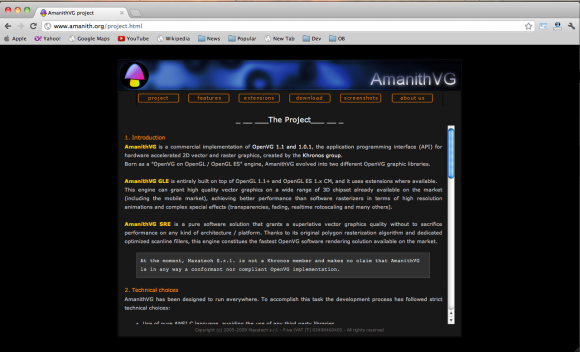
2)Amanith
AmanithVG SRE是一个纯粹的软件解决方案,授予了一个最高级别的矢量图形质量,而没有在任何一种平台或架构上牺牲了性能。由于它的原始的多边形光栅化算法和专用的优化扫描线过滤,这个引擎在市场上组成了最快的OpenVG软件渲染解决方案。
3)Codehead
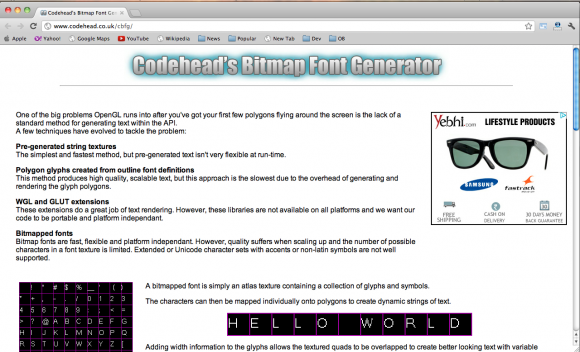
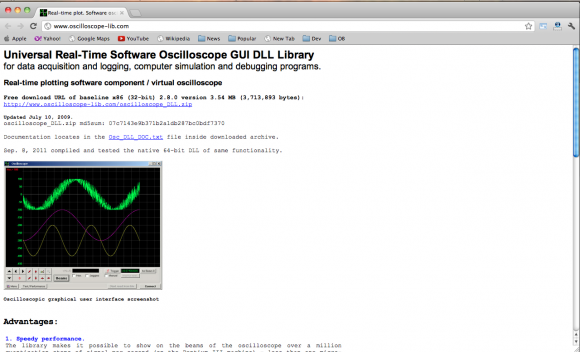
5)Lib SDL
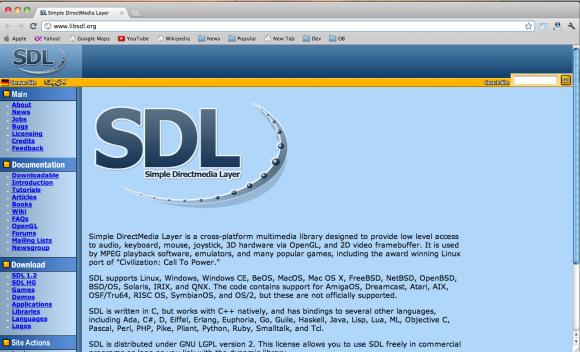
SDL是一个跨平台的多媒介的库,被设计来为音频,键盘,鼠标,手柄,3D硬件提供低级别的访问,其通过OpenGL和2D视频帧缓冲来完成。它被MPEG播放软件,模拟器,和许多受欢迎的游戏使用,包括获奖的Linux端口:“文明:呼叫电源。”( It is used by MPEG playback software, emulators, and many popular games, including the award winning Linux port of “Civilization: Call To Power.”)
6)Ogre 3d
OGRE(面向对象的图形渲染引擎)是一个用C++编写的,面向场景,灵活的3D引擎,被设计来使开发者更加容易和更直观地使用它来开发利用硬件加速的3D图形应用程序。该类库抽象了一些使用底层系统库的细节,如Direct3D和OpenGL,并提供了一个基于世界对象和其他直观类的接口。

如有所需,请看原文:http://zoomzum.com/6-free-c-graphics-and-game-libraries/