实现在xml中对自定义View进行属性赋值
1)新建存放属性值xml文件,attrs.xml
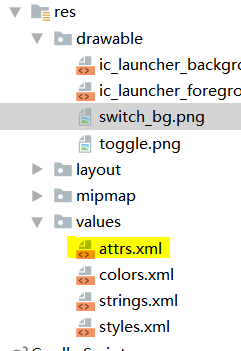
文件中添加属性名称和类型
<?xml version="1.0" encoding="utf-8"?>
<resources>
    <declare-styleable name="ToggleView">
        <attr name="switchBackground" format="reference" />
        <attr name="slideBackground" format="reference" />
        <attr name="toggle_state" format="boolean" />
    </declare-styleable>
</resources>
2)在MainActivity的布局文件中对自定义的控件添加属性
需注意在文件开头,添加命名空间,com.f.customeview为我的项目package名
<?xml version="1.0" encoding="utf-8"?>
<android.support.constraint.ConstraintLayout
    xmlns:android="http://schemas.android.com/apk/res/android"
    xmlns:customView="http://schemas.android.com/apk/res/com.f.customeview"
    xmlns:app="http://schemas.android.com/apk/res-auto"
    xmlns:tools="http://schemas.android.com/tools"
    android:layout_width="match_parent"
    android:layout_height="match_parent">
    <com.f.customeview.Custome.ToggleView
        android:id="@+id/toggleBtn"
        android:layout_width="0dp"
        android:layout_height="9dp"
        android:layout_marginTop="30dp"
        app:layout_constraintTop_toBottomOf="@+id/textView1"
        customView:slideBackground="@mipmap/ic_launcher"
        customView:switchBackground="@drawable/switch_bg"
        customView:toggle_state="false"
        tools:ignore="MissingConstraints"
        tools:layout_editor_absoluteX="205dp" />
3)在ToggleView类中第二个构造方法,获取xml中的属性,调用方法
    /**
     * 用于xml创建,可指定自定义属性
     */
    public ToggleView(Context context, AttributeSet attrs) {
        super(context, attrs);
        //获取xml中自定义的属性
        String namespace = "http://schemas.android.com/apk/res/com.f.customeview";
        int defaultValue =-1;
        int switchBackgroundResource = attrs.getAttributeResourceValue(namespace,"switchBackground",defaultValue);
        int slideButtonResource = attrs.getAttributeResourceValue(namespace,"slideBackground",defaultValue);
        boolean toggleState = attrs.getAttributeBooleanValue(namespace,"toggle_state",false);

        setSwitchBackgroundResource(switchBackgroundResource);
        setSlideButtonResource(slideButtonResource);
        setSwitchState(toggleState);

    }
就搞定啦