<!DOCTYPE html>
<html lang="en">
<head>
    <meta charset="UTF-8">
    <title>Title</title>
    <style>
        body{
            background-color: #000000;
        }
        #box{
            width: 400px;
            height: 400px;
        }
        #box div{
            width: 300px;
            height: 200px;
            display: none;
            background-color: #ffffff;
            padding: 0.5em;
        }
        #box div img{
            max-width: 300px;
            max-height: 200px;
        }
        input{

            border: none;
            padding: 0.5em 1em;
            cursor: pointer;
            background-color: #767676;
            text-align: center;
            color: #ffffff;
            border-radius: 5px 5px 0 0;
        }
        .on{
            color: #000;
            background-color: #fff;
        }
    </style>
</head>
<body>
<div id="box">
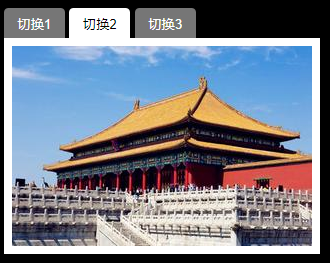
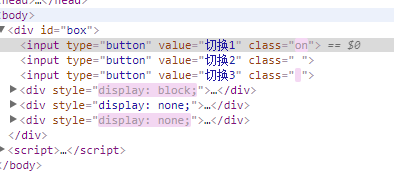
    <input type="button" value="切换1">
    <input type="button" value="切换2">
    <input type="button" value="切换3">
    <div style="display: block;">
        <img src="../img/1.png">
    </div>
    <div><img src="../img/2.png"></div>
    <div><img src="../img/3.png"></div>
</div>
<script>
    var oInput = document.getElementsByTagName("input");
    var oBox = document.getElementById("box");
    var oDiv = oBox.getElementsByTagName("div");

    function change(curIndex) {
        for(var i=0;i<oInput.length;i++){
            oInput[i].className = " ";
            oDiv[i].style.display = "none";
        }
        oInput[curIndex].className = "on";
        oDiv[curIndex].style.display = "block";
    }

    var index=0;
    var timer = null;

    timer = setInterval(play,1000);

    function play() {
        index++;
        if (index == oInput.length) {
            index = 0;
        }
        change(index);
    }


    play();
    for(var i=0;i<oInput.length;i++){
        oInput[i].onmouseover = function () {
            clearInterval(timer)
        };
        oInput[i].onmouseout = function () {
            timer = setInterval(play,1000);
        }

    }
</script>
</body>
</html>