autoPlay属性失效的原因
chrome 66以上的版本为了避免多媒体标签产生随机噪音,规定了不为静音的标签不能自动播放,需手动触发开始播放,标签定义为静音(muted: true)才可以自动播放
强行调用play方法会报错
当用户与页面交互时允许调用play方法
通过诱使用户与页面交互使音频自动播放
- CSS:
    <style>
        * {
            padding: 0;
            margin: 0;
            box-sizing: border-box;
            user-select: none;
        }

        html,
        body {
            height: 100%;
            overflow: hidden;
        }

        #main {
            position: relative;
            height: 100%;
        }

        #music {
             500px;
            height: 500px;
            border: 1px solid black;
            border-radius: 5px;
            position: absolute;
            top: 50%;
            left: 50%;
            margin-top: -250px;
            margin-left: -250px;
        }

        #audio1 {
            position: absolute;
            top: 50%;
            left: 50%;
            margin-top: -27px;
            margin-left: -150px;
            outline: 0;
        }

        #loading {
             100%;
            height: 100%;
            z-index: 50;
            background-color: lightcoral;
            position: relative;
            opacity: 0.5;
        }

        #btn {
             150px;
            height: 50px;
            border: 1px solid black;
            background-color: white;
            border-radius: 10px;
            cursor: pointer;
            transition: all 0.2s ease;
            position: absolute;
            top: 30%;
            left: 50%;
            margin-top: -25px;
            margin-left: -75px;
            outline: 0;
        }

        #btn:hover {
            border: 1px solid white;
            background-color: black;
            box-shadow: 3px 3px 5px grey;
            color: white;
        }
    </style>
- HTML:
    <div id="main">
        <div id="loading">
            <button id="btn">欢迎来到XX页面</button>
        </div>
        <div id="music">
            <audio src="音频文件.mp3" preload="auto" loop controls id="audio1"
                autoplay></audio>
        </div>
    </div>
- javascript:
        window.onload = function () {
            var oLoading = document.querySelector('#loading');
            var aBnt = oLoading.querySelector('#btn');
            var oAudio1 = document.querySelector('#audio1');
            var onoff = true;
            showLoading();

            function showLoading() {
                aBnt.addEventListener('click', loadingChange, false);

                function loadingChange() {
                    oLoading.parentNode.removeChild(oLoading);
                    if (oAudio1.paused) {
                        oAudio1.play();
                    }
                }
            }
        }
- 演示
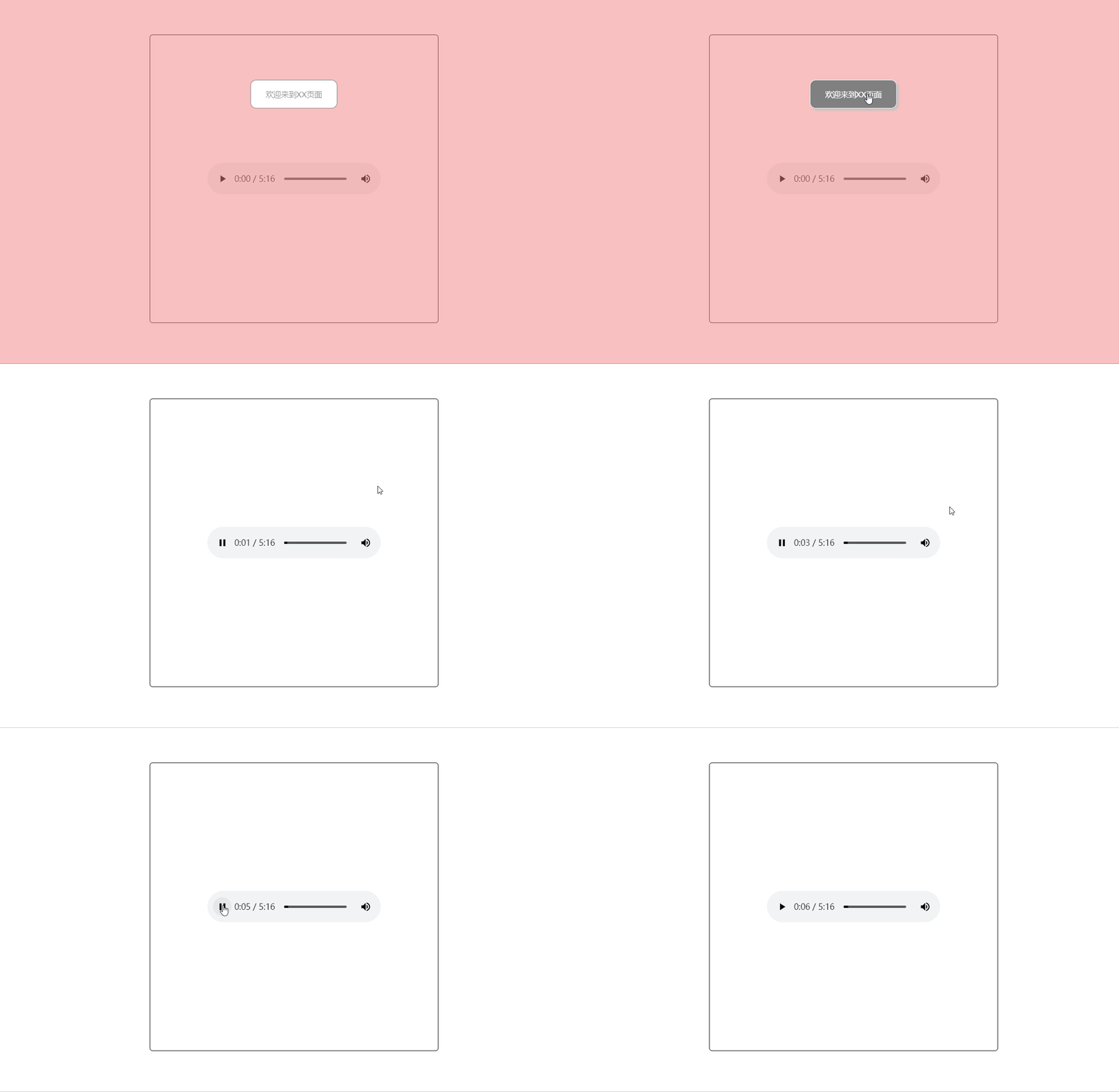
- video同上允许通过页面交互来自动播放
通过添加静音属性muted来自动播放视频
<video src="视频文件.mp4" muted autoplay controls></video>
一个失败的方法————通过添加iframe标签来获取页面自动播放权限
    <iframe src="music.mp3" allow="autoplay" style="display: none;"></iframe>
    <audio controls></audio>
    <script>
        var ifm = document.getElementsByTagName('iframe')[0];
        var ado = document.getElementsByTagName('audio')[0];
        ifm.onload = function () {
            ado.src = "music.mp3";
            ado.oncanplay = function () {
                if (ado.paused) {
                    ado.play();
                }
            }
        }
    </script>
以上方法在网络上流传很广,但事实上已经失效。