controller
 1 using Aspose.Words;
 2 using Aspose.Words.Saving;
 3 using System.IO;
 4
 5
 6         ///
 7         /// 获取导入Word 文档
 8         ///
 9         ///
10         ///
11         public ActionResult GetWord(int PaperId)
12         {
13             try
14             {
15                 var __data = _paperApp.GetWord(PaperId);
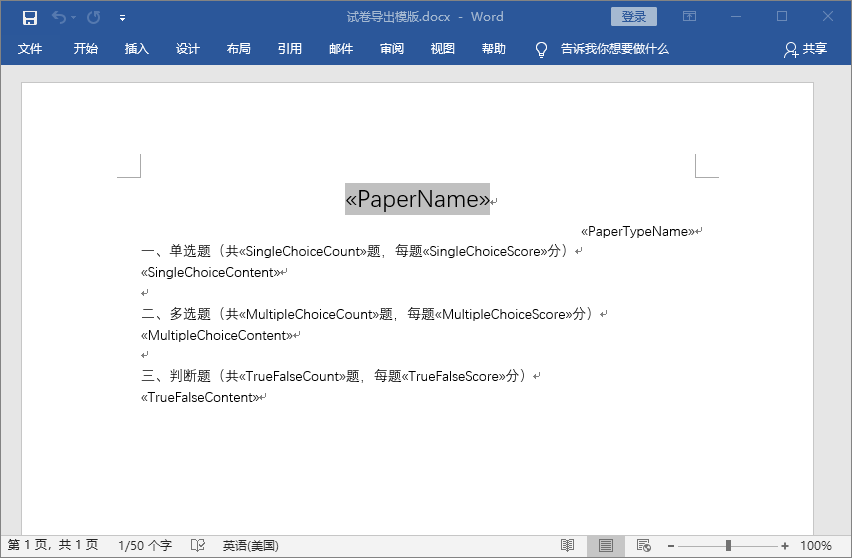
16                 string tempPath = Server.MapPath("~/Template/导出模版.docx");
17                 string outputPath = Server.MapPath("~/Resources/Output/模版_temp.doc");
18                 //载入模板
19                 var doc = new Document(tempPath);
20                 //提供数据源
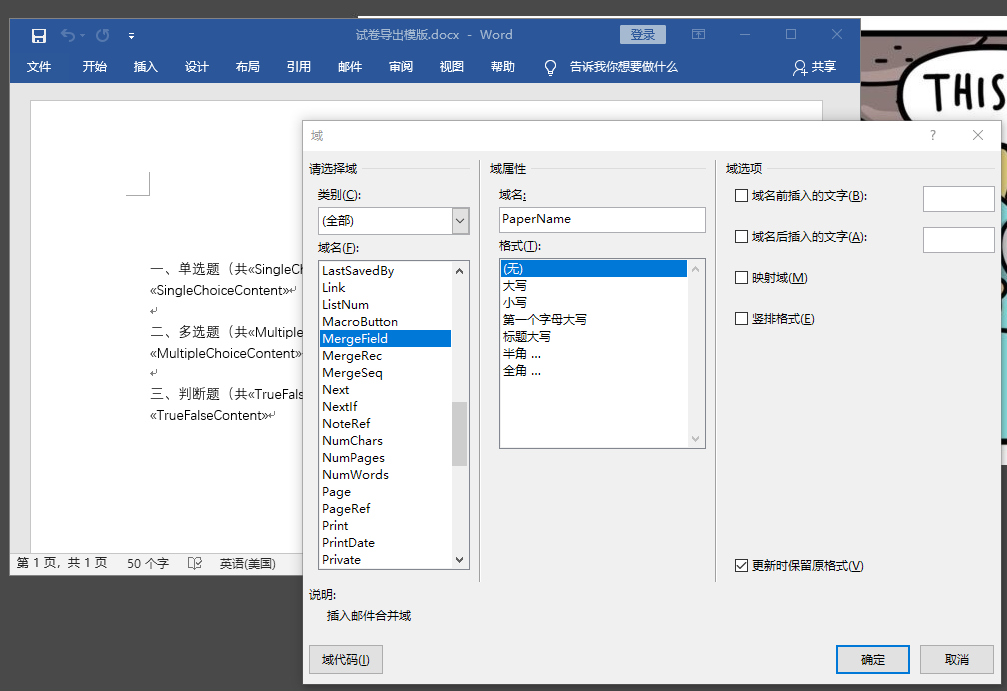
21                 String[] fieldNames = new String[] { "PaperName", "PaperTypeName", "SingleChoiceCount", "SingleChoiceScore", "SingleChoiceContent",
22                 "MultipleChoiceCount", "MultipleChoiceScore", "MultipleChoiceContent", "TrueFalseCount", "TrueFalseScore", "TrueFalseContent" };
23                 Object[] fieldValues = new Object[] { __data.PaperName, __data.PaperTypeName, __data.SingleChoiceCount, __data.SingleChoiceScore, __data.SingleChoiceContent,
24                 __data.MultipleChoiceCount, __data.MultipleChoiceScore, __data.MultipleChoiceContent, __data.TrueFalseCount, __data.TrueFalseScore, __data.TrueFalseContent };
25                 //合并模版,相当于页面的渲染
26                 doc.MailMerge.Execute(fieldNames, fieldValues);
27                 //保存合并后的文档
28                 doc.Save(outputPath);//在MVC中采用,保存文档到流中,使用base.File输出该文件
29                 var docStream = new MemoryStream();
30                 doc.Save(docStream, SaveOptions.CreateSaveOptions(SaveFormat.Doc));
31                 return base.File(docStream.ToArray(), "application/msword", "试卷" + __data.PaperName + ".doc");
32             }
33             catch (Exception ex)
34             {
35                 return Error(ex.Message);
36             }
37         }
我会经常修改 不希望被转载!