3. 使用 netcat 数据源测试 Flume
cd /usr/local/flume
sudo vim ./conf/example.conf
# example.conf: A single-node Flume configuration

# Name the components on this agent
a1.sources = r1
a1.sinks = k1
a1.channels = c1

# Describe/configure the source
a1.sources.r1.type = netcat
a1.sources.r1.bind = localhost
a1.sources.r1.port = 44444

# Describe the sink
a1.sinks.k1.type = logger

# Use a channel which buffers events in memory
a1.channels.c1.type = memory
a1.channels.c1.capacity = 1000
a1.channels.c1.transactionCapacity = 100

# Bind the source and sink to the channel
a1.sources.r1.channels = c1
a1.sinks.k1.channel = c1
/usr/local/flume/bin/flume-ng agent --conf ./conf --conf-file ./conf/example.conf --name a1 -Dflume.root.logger=INFO,console
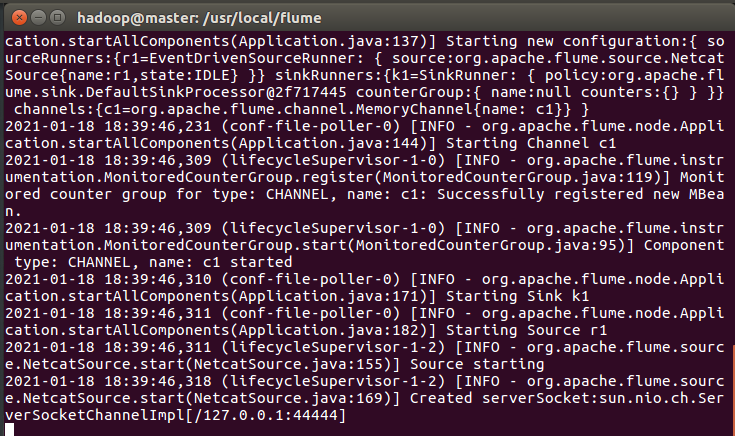
启动flume agent出现如下:
再打开一个终端,输入命令
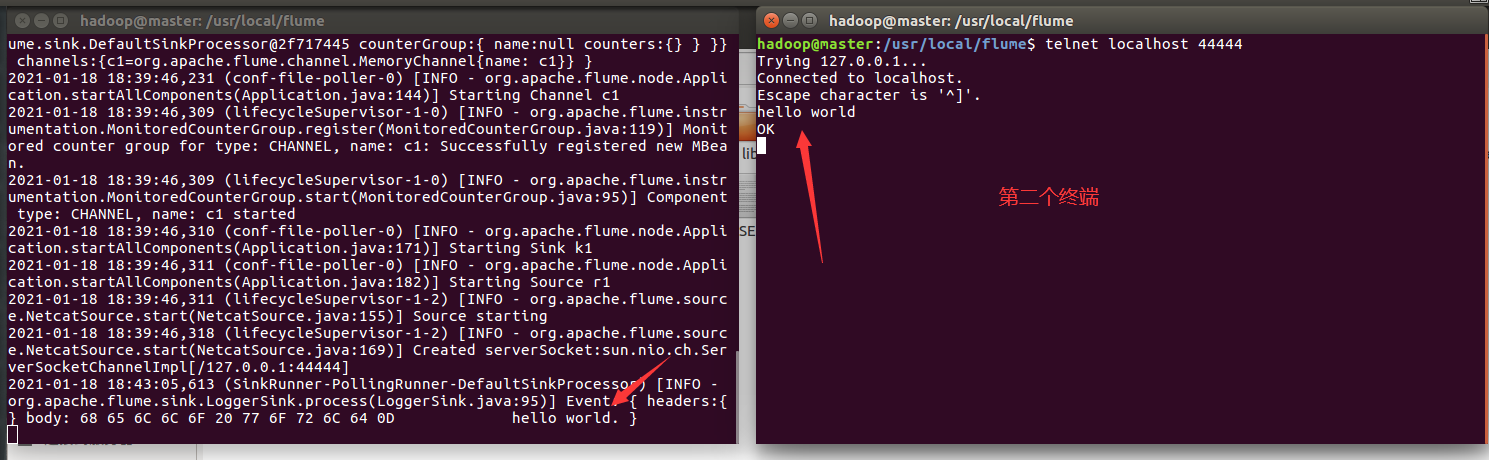
telnet localhost 44444
在第二个终端输入英文或字符 ,回车。在第一个终端会有显示