Project Web App by Project Server 2010 with SharePoint Server 2010, step by step configuration
What is Project Web Application by Project Server 2010 with SharePoint Server 2010 look like:
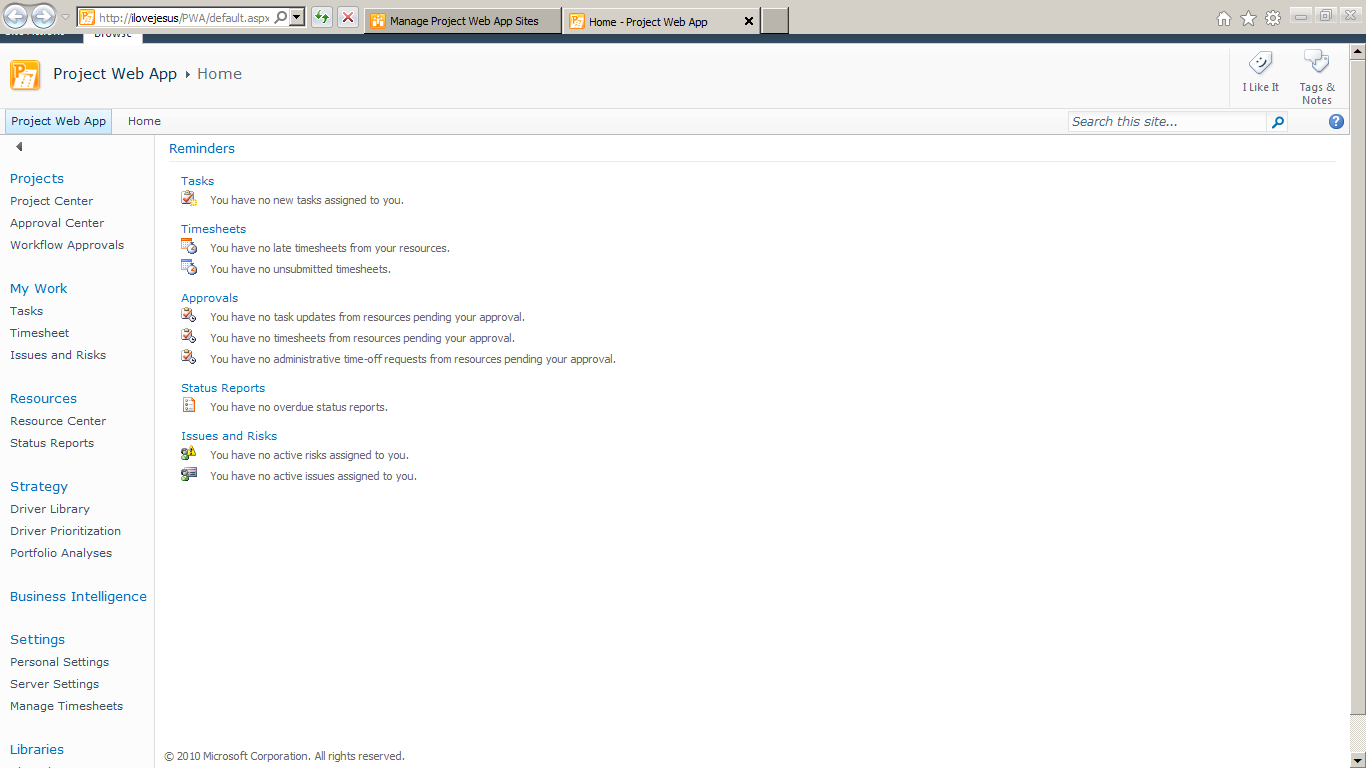
Here are step by step we setup and configure Project Server 2010 on a SharePoint Server 2010 farm
1. Down load Project Server 2010 trial with key
http://technet.microsoft.com/en-US/evalcenter/ee410540.aspx
With trial key: W7FTF-FPKGY-WHYHD-JCQ9B-K8H2F
2. Install software prerequisites

3. Install Project Server

4. After enter key and validate OK and setup OK
5. Configure Project Server 2010 as a SharePoint Product

6. Project Server 2010 use the same SharePoint 2010 configuration data base

7. Configuration Successful
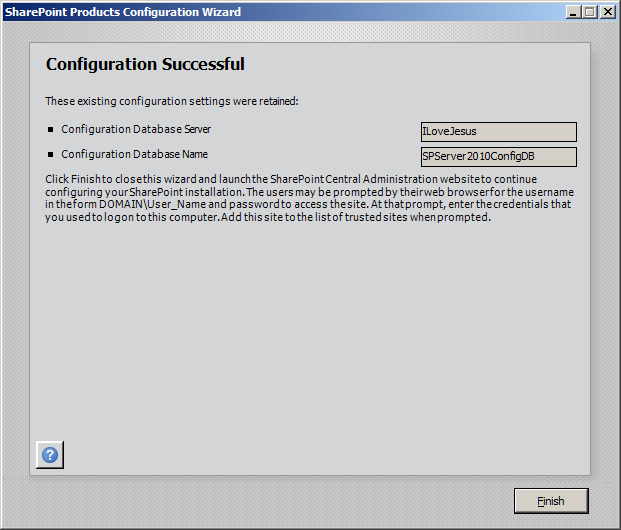
8. After setup and reconfigure well
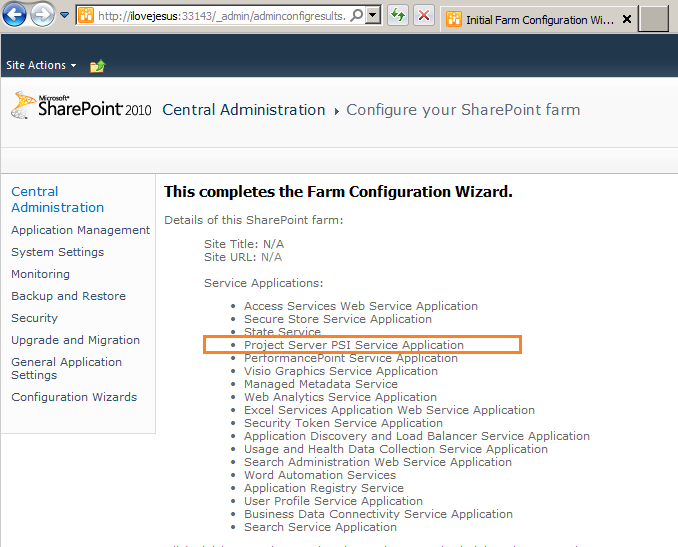
9. Click on Manage content databases
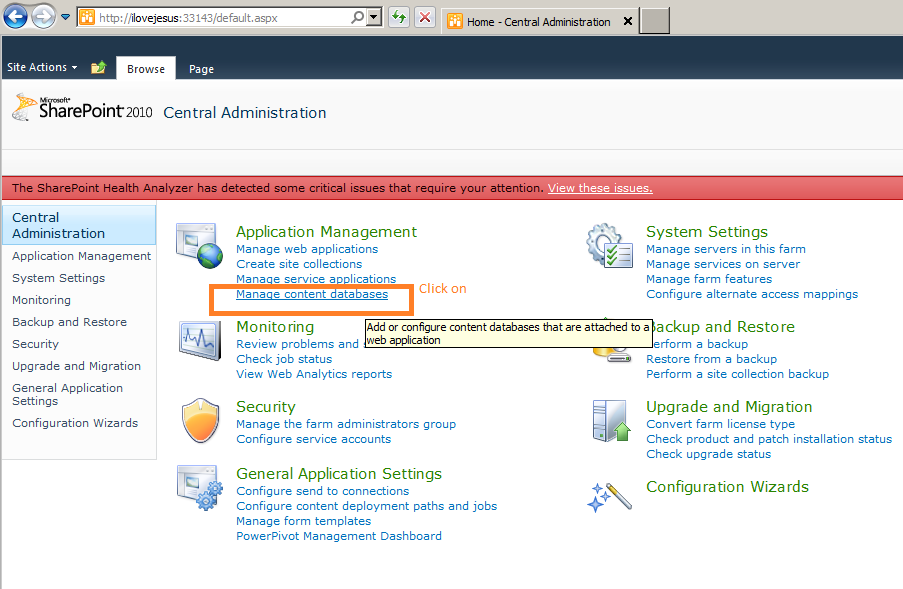
10. Click on Add a content database
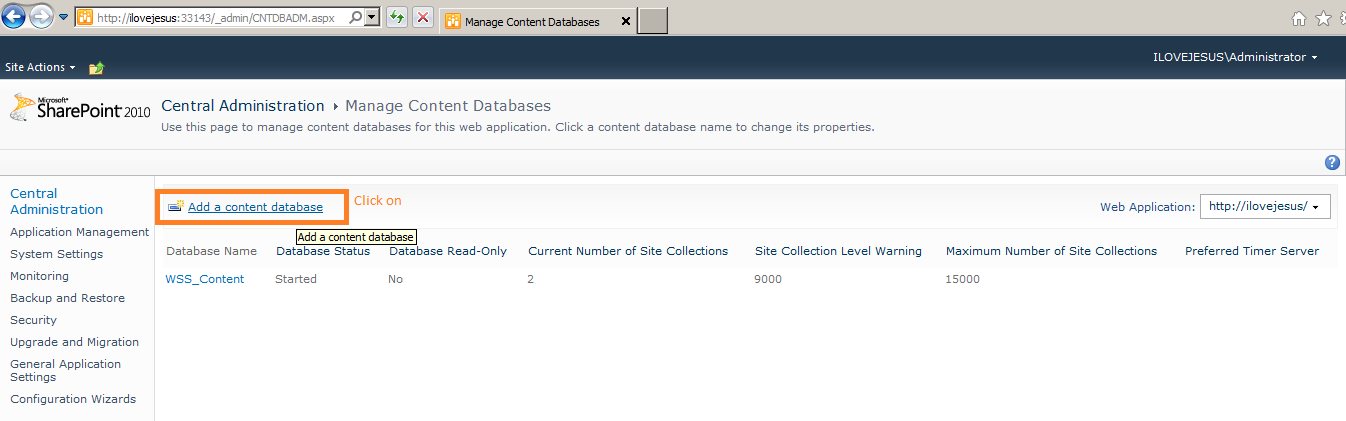
11. Choose ProjectServer_PWA as a Project Web Application database name

12. Project Web Application database is ready

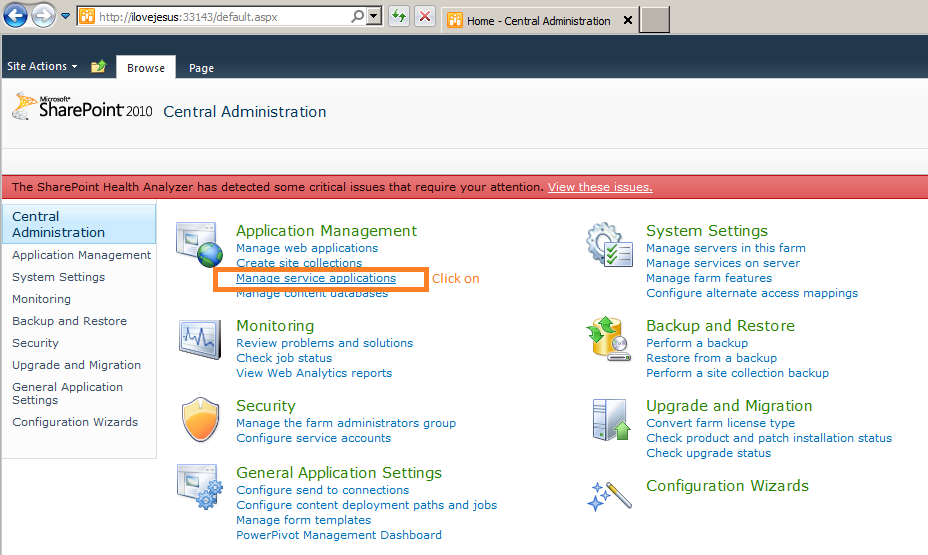
13. Click on Manage service applications
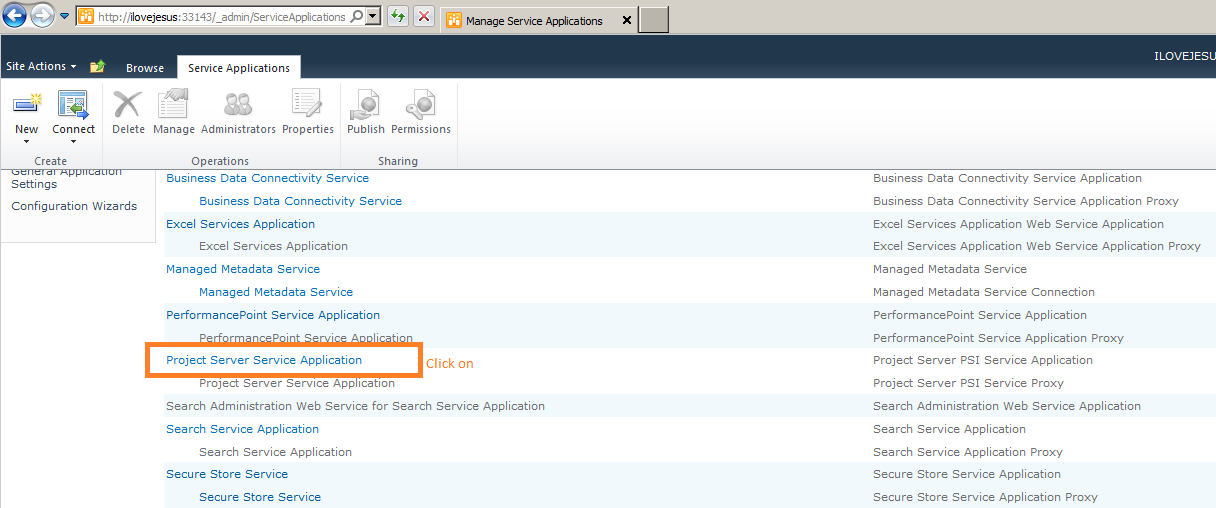
14. Click on Project Server Service Application
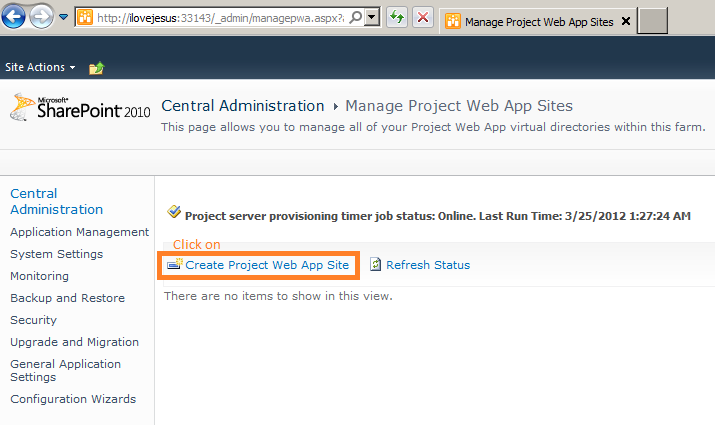
15. Click on Create Project Web App Site
16. Database list before create a Project Web App

17. Use a domain account to configure Project Web Application

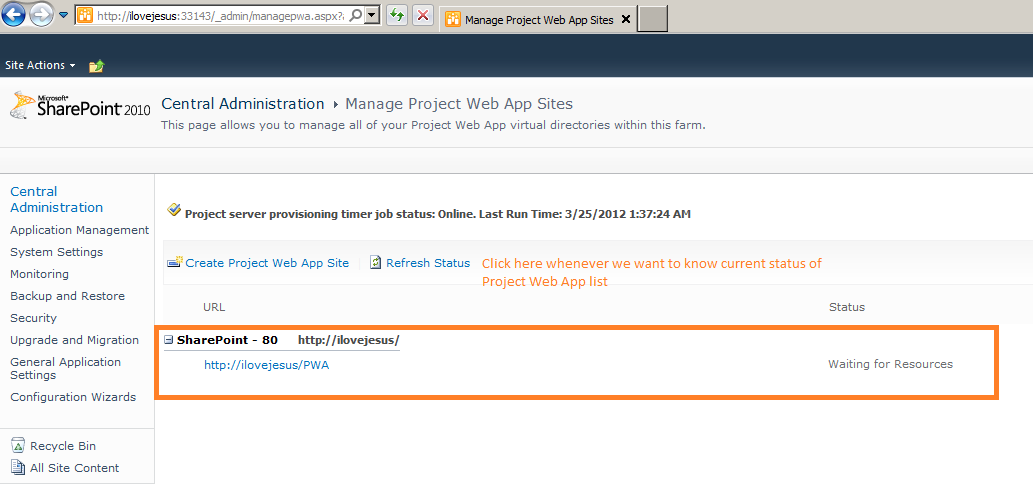
18. Waiting for Resource status
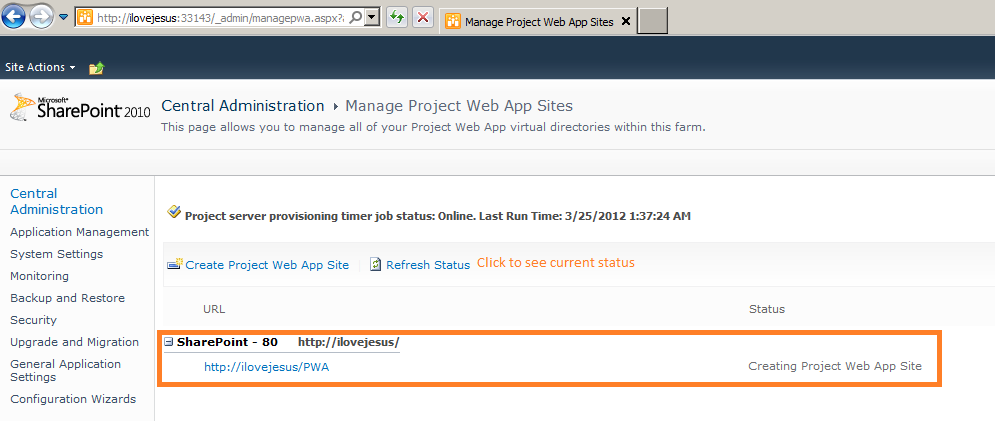
19. Creating Project Web App Site status
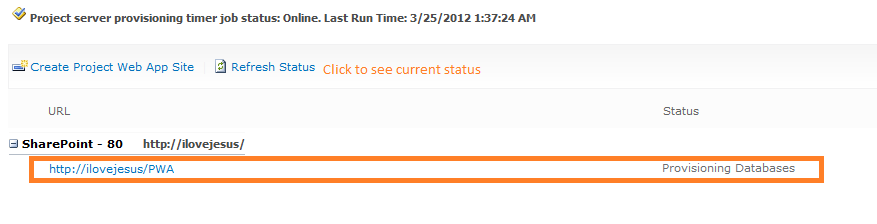
20. Provisioning Databases
21. Provisioned so ready to use
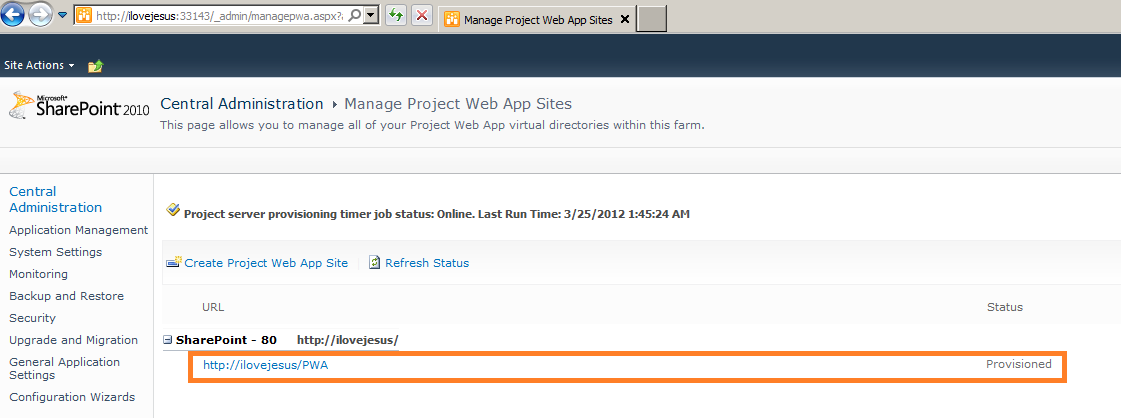
22. Project Web App is well now
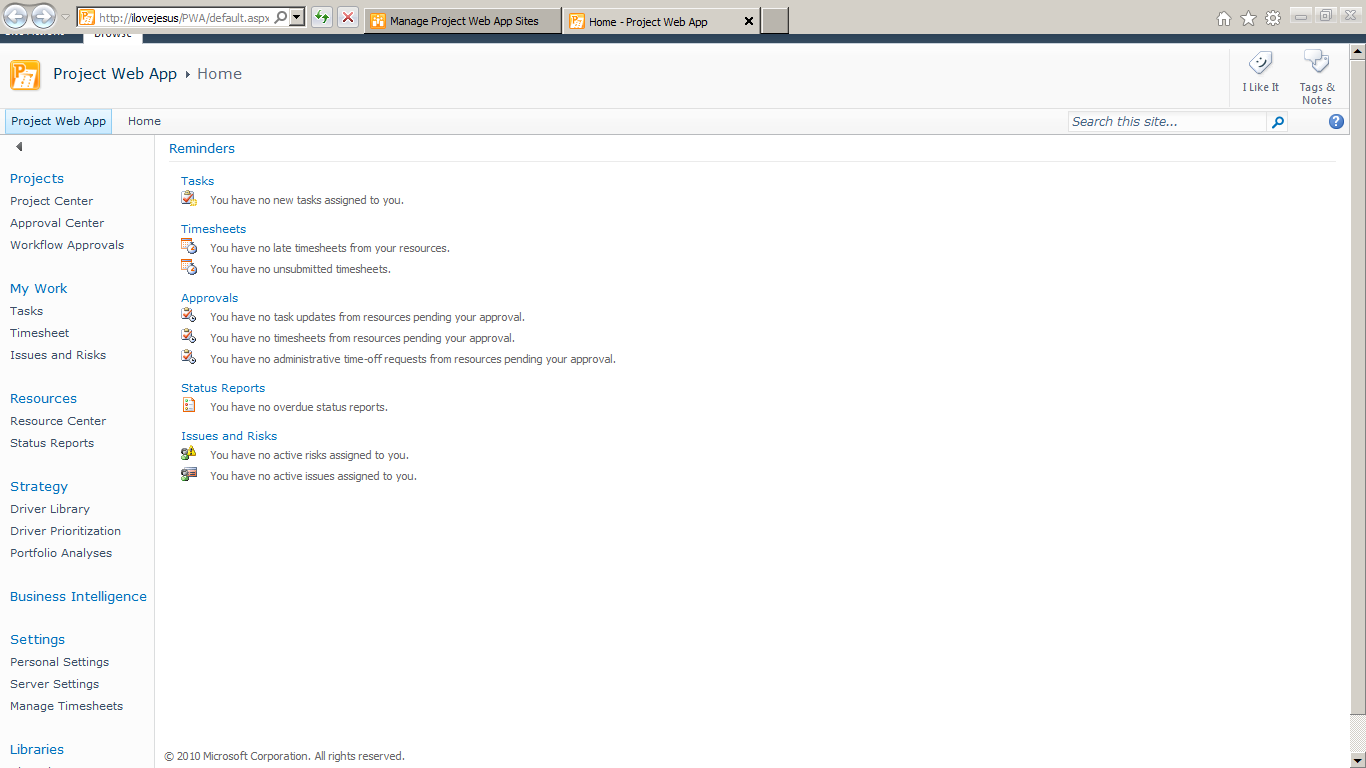
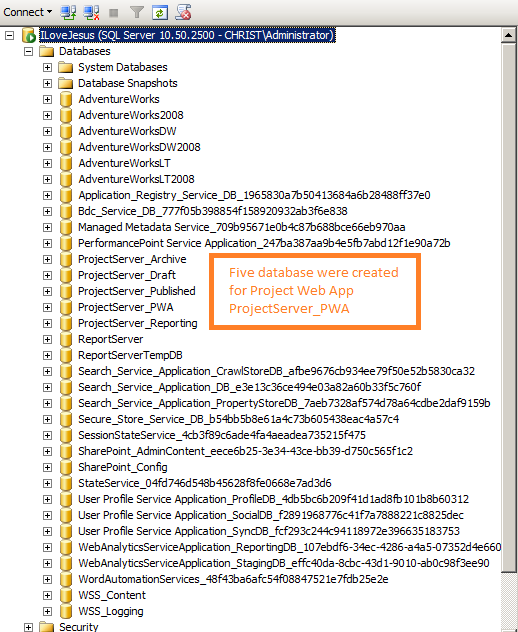
23. Five databases were created for Project Web App ProjectServer_PWA
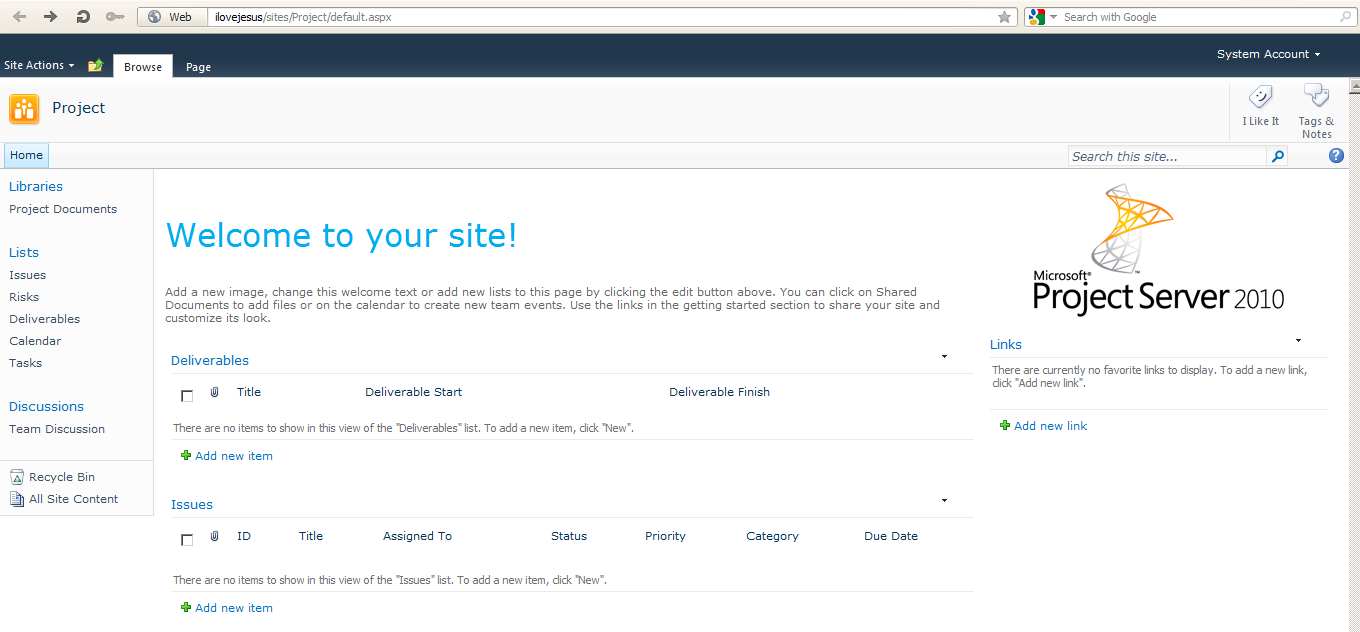
With my blog we also see step by step to setup and configure SharePoint 2010
Blessed be God! Blessed be God! Blessed be God! For ever! Amen!
Here are step by step we setup and configure Project Server 2010 on a SharePoint Server 2010 farm
1. Down load Project Server 2010 trial with key
http://technet.microsoft.com/en-US/evalcenter/ee410540.aspx
With trial key: W7FTF-FPKGY-WHYHD-JCQ9B-K8H2F
2. Install software prerequisites
3. Install Project Server
4. After enter key and validate OK and setup OK
5. Configure Project Server 2010 as a SharePoint Product
6. Project Server 2010 use the same SharePoint 2010 configuration data base
7. Configuration Successful
8. After setup and reconfigure well
9. Click on Manage content databases
10. Click on Add a content database
11. Choose ProjectServer_PWA as a Project Web Application database name

12. Project Web Application database is ready
13. Click on Manage service applications
14. Click on Project Server Service Application
15. Click on Create Project Web App Site
16. Database list before create a Project Web App
17. Use a domain account to configure Project Web Application
18. Waiting for Resource status
19. Creating Project Web App Site status
20. Provisioning Databases
21. Provisioned so ready to use
22. Project Web App is well now
23. Five databases were created for Project Web App ProjectServer_PWA
With my blog we also see step by step to setup and configure SharePoint 2010
Blessed be God! Blessed be God! Blessed be God! For ever! Amen!