组件化开发 需要使用到组件, 围绕组件, Vue 提供了一系列功能方法, 这里仅记录组件的 最简单 的使用方法.
1. 通过 Vue.component(tagName, options) 注册一个 全局组件, 这个组件可以在不同的 Vue 实例 中使用.
<!DOCTYPE html>
<html lang="en">
<head>
  <meta charset="UTF-8">
  <script src="https://cdn.staticfile.org/vue/2.2.2/vue.min.js"></script>
  <title>Vue Test</title>
</head>
<body>
    <div id="app1">
        <sayhello></sayhello>
    </div>
    <hr/>
    <div id="app2">
        <sayhello></sayhello>
    </div>
    <script>
        // 全局组件, 注意组件名必须小写
        Vue.component("sayhello", {
            template: "<h2>Hello</h2>"
        })
        // Vue 实例1
        var vApp1 = new Vue({
            el: "#app1"
        })
        // Vue 实例2
        var vApp2 = new Vue({
            el: "#app2"
        })
    </script>
</body>
</html>
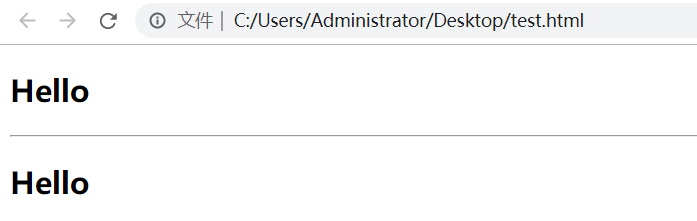
2. 局部组件 在 Vue 实例中注册(声明), 它只能在当前 Vue 实例中使用, 因此成为 局部组件, 注意这里是 components , 而非 component
<!DOCTYPE html>
<html lang="en">
<head>
  <meta charset="UTF-8">
  <script src="https://cdn.staticfile.org/vue/2.2.2/vue.min.js"></script>
  <title>Vue Test</title>
</head>
<body>
    <div id="app">
        <sayhello></sayhello>
    </div>
    <script>
        // Vue 实例
        var vApp = new Vue({
            el: "#app",
            // 注意这里是: componets, 而不是: component
            components: {
                sayhello: {
                    template: "<strong>Hello</strong>"
                }
            }
        })
    </script>
</body>
</html>
