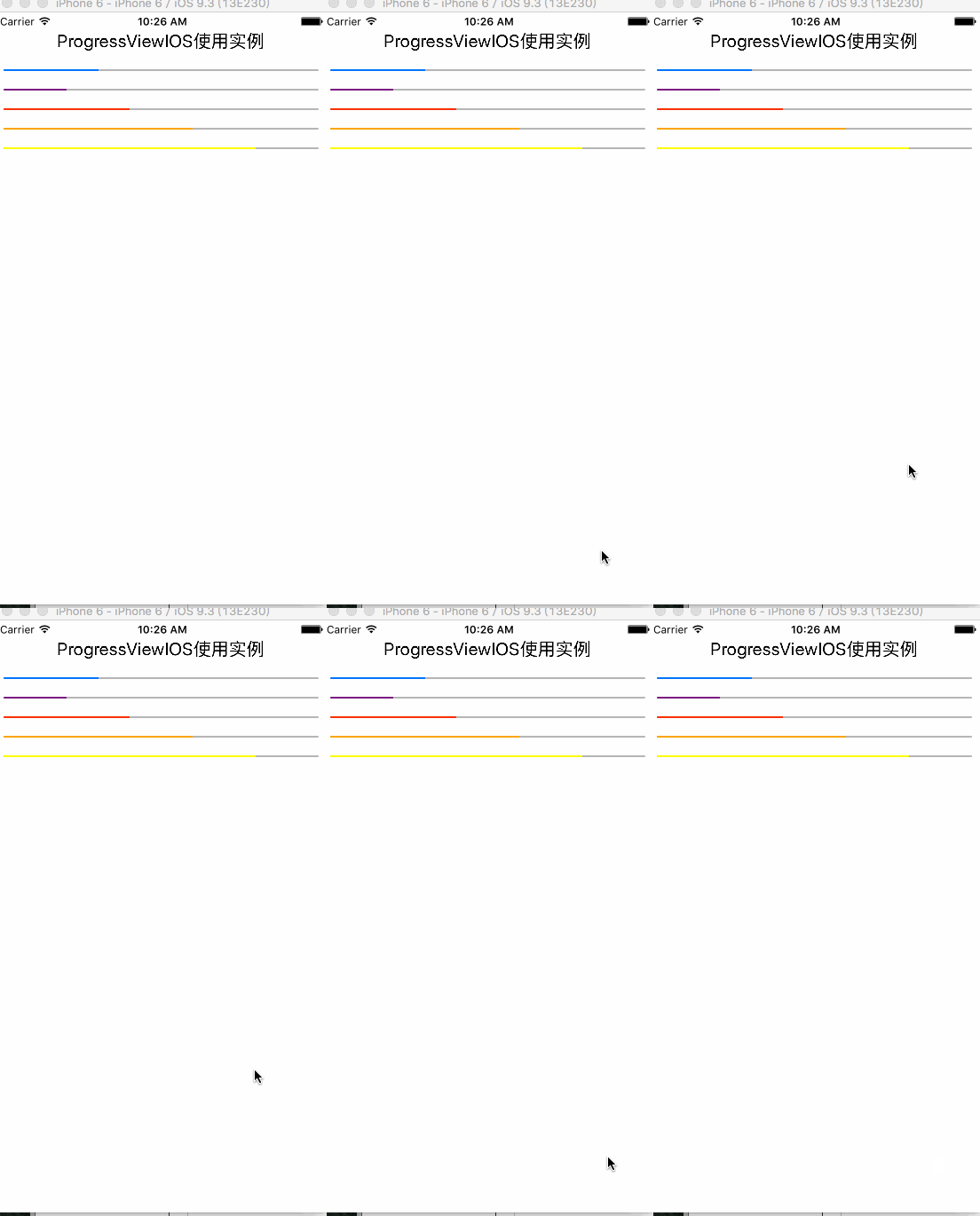
import React,{Component}from 'react';
import {
  AppRegistry,

   StyleSheet,
   Text,
   View,
   ProgressViewIOS,
} from 'react-native';


class TabBarIOSDemo extends Component {
  render() {
    return (
      <View>
        <Text style={styles.welcome}>
          ProgressViewIOS使用实例
        </Text>
        <ProgressViewIOS style={styles.progressView}  progress={0.3}/>
        <ProgressViewIOS style={styles.progressView} progressTintColor="purple" progress={0.2}/>
        <ProgressViewIOS style={styles.progressView} progressTintColor="red" progress={0.4}/>
        <ProgressViewIOS style={styles.progressView} progressTintColor="orange" progress={0.6}/>
        <ProgressViewIOS style={styles.progressView} progressTintColor="yellow" progress={0.8}/>
      </View>
    );
  }
}
const styles = StyleSheet.create({
  welcome: {
    fontSize: 20,
    textAlign: 'center',
    marginTop: 20,
  },
  progressView: {
    marginTop: 20,
    marginLeft:10,
    marginRight:10,
  }
});

AppRegistry.registerComponent('Allen', () => TabBarIOSDemo)
可以设定颜色,百分比,款式等