场景
在Winform中使用DataGridView实现添加一行、删除一行、上移一行、下移一行。
注:
博客主页:
https://blog.csdn.net/badao_liumang_qizhi
关注公众号
霸道的程序猿
获取编程相关电子书、教程推送与免费下载。
实现
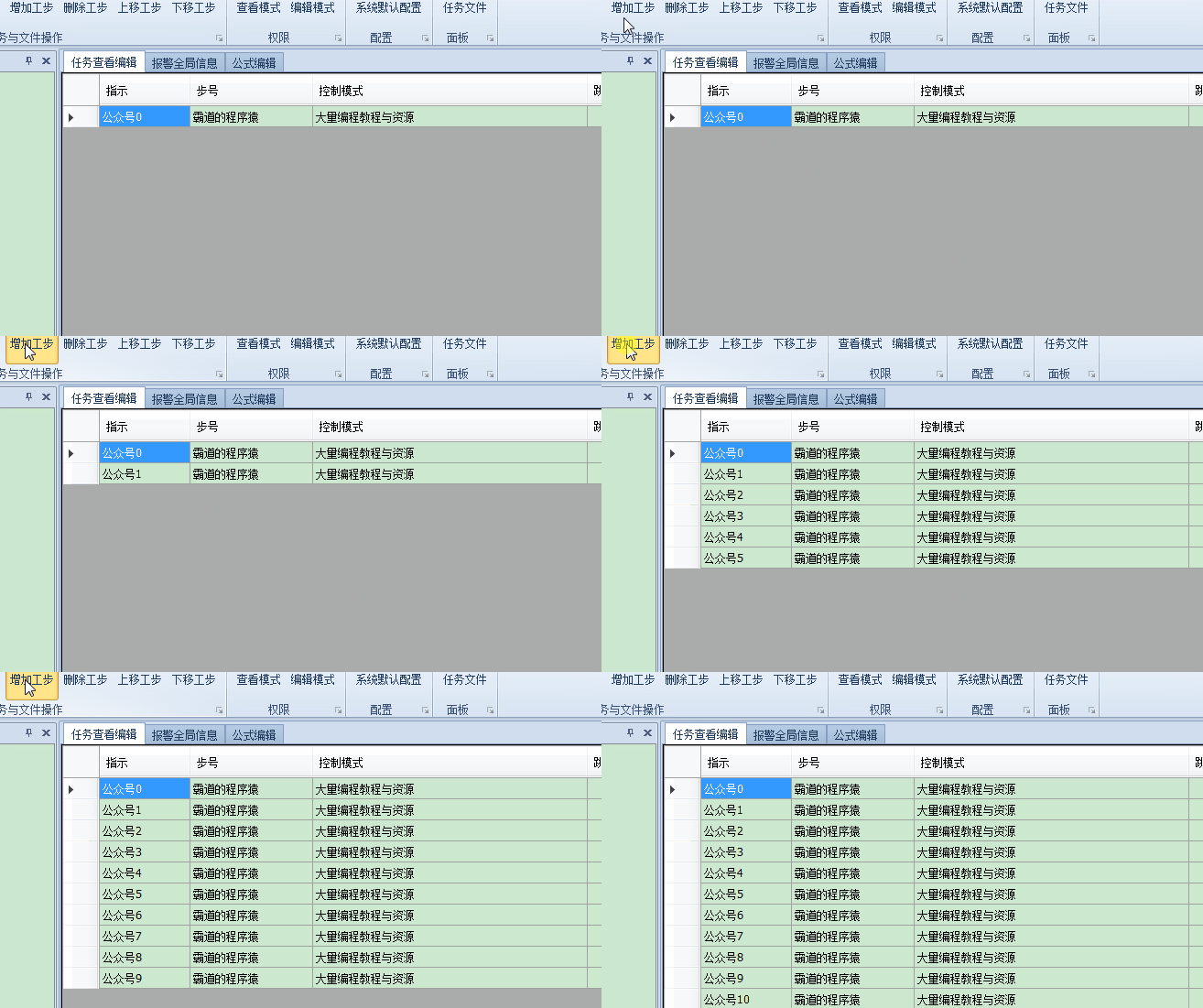
添加一行
private void TaskViewEditHelper_OnAddStep(object sender, EventArgs e)
        {

            DataGridViewRow dr = new DataGridViewRow();
            dr.CreateCells(this.dataGridView_Task_ViewEdit);
            dr.Cells[0].Value = "公众号" + this.dataGridView_Task_ViewEdit.Rows.Count;
            dr.Cells[1].Value = "霸道的程序猿";
            dr.Cells[2].Value = "大量编程教程与资源";
            //this.dataGridView_Task_ViewEdit.Rows.Insert(0, dr);    //添加的行作为第一行
            this.dataGridView_Task_ViewEdit.Rows.Add(dr);//添加的行作为最后一行
        }
效果
删除一行
        private void TaskViewEditHelper_OnRemoveStep(object sender, EventArgs e)
        {
            if (this.dataGridView_Task_ViewEdit.SelectedRows == null || this.dataGridView_Task_ViewEdit.SelectedRows.Count == 0)
            {
                XtraMessageBox.Show("请先选择删除步,单击第一列以选中行");
            }
            else
            {
                if (XtraMessageBox.Show("确定要删除选中步吗?") == System.Windows.Forms.DialogResult.OK)
                {
                    foreach (DataGridViewRow dr in this.dataGridView_Task_ViewEdit.SelectedRows)
                    {
                        if (dr.IsNewRow == false)
                        {
                            //如果不是已提交的行,默认情况下在添加一行数据成功后,DataGridView为新建一行作为新数据的插入位置
                            this.dataGridView_Task_ViewEdit.Rows.Remove(dr);
                        }
                    }
                }
            }
        }
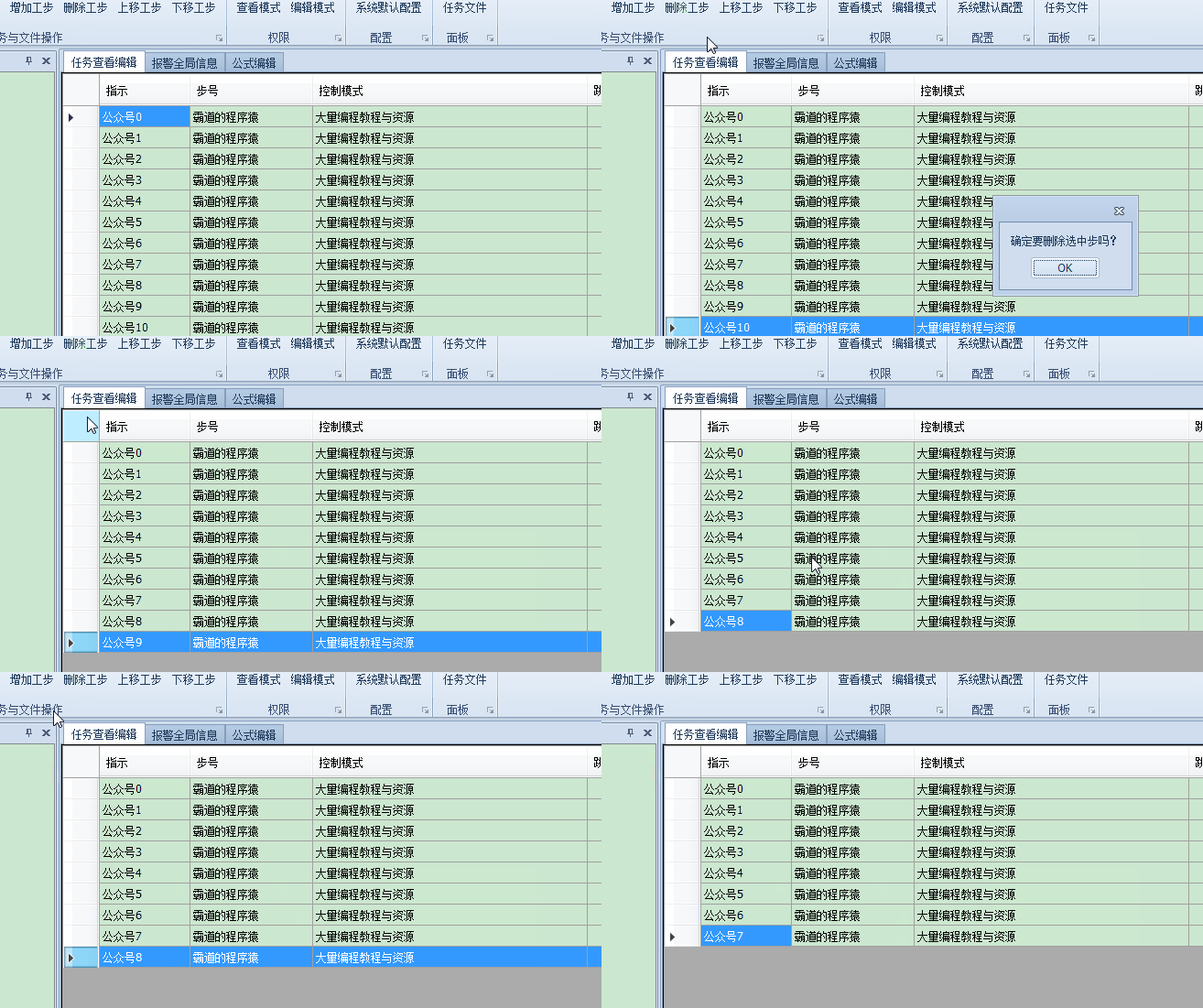
效果
上移一行
private void TaskViewEditHelper_OnUpStep(object sender, EventArgs e)
        {

            if (this.dataGridView_Task_ViewEdit.SelectedRows == null || this.dataGridView_Task_ViewEdit.SelectedRows.Count == 0)
            {
                XtraMessageBox.Show("请先选择一行,单击第一列以选中行");
            }
            else
            {
                if (this.dataGridView_Task_ViewEdit.SelectedRows[0].Index <= 0)
                {
                    XtraMessageBox.Show("此行已在顶端,不能再上移!");
                }
                else
                {
                    //注意:这里是非绑定数据情况的上移行
                    // 选择的行号
                    int selectedRowIndex = GetSelectedRowIndex(this.dataGridView_Task_ViewEdit);
                    if (selectedRowIndex >= 1)
                    {
                        // 拷贝选中的行
                        DataGridViewRow newRow = dataGridView_Task_ViewEdit.Rows[selectedRowIndex];
                        // 删除选中的行
                        dataGridView_Task_ViewEdit.Rows.Remove(dataGridView_Task_ViewEdit.Rows[selectedRowIndex]);
                        // 将拷贝的行,插入到选中的上一行位置
                        dataGridView_Task_ViewEdit.Rows.Insert(selectedRowIndex - 1, newRow);
                        dataGridView_Task_ViewEdit.ClearSelection();
                        // 选中最初选中的行
                        dataGridView_Task_ViewEdit.Rows[selectedRowIndex - 1].Selected = true;
                    }
                }
            }
        }
注:
这里是没绑定数据源情况下的上移一行,添加的一行时通过是上面新增的方法实现的。
此时dataGridView的dataSource是为空的。
其中用到获取选中行的方法:
        private int GetSelectedRowIndex(DataGridView dgv)
        {
            if (dgv.Rows.Count == 0)
            {
                return 0;
            }
            foreach (DataGridViewRow row in dgv.Rows)
            {
                if (row.Selected)
                {
                    return row.Index;
                }
            }
            return 0;
        }
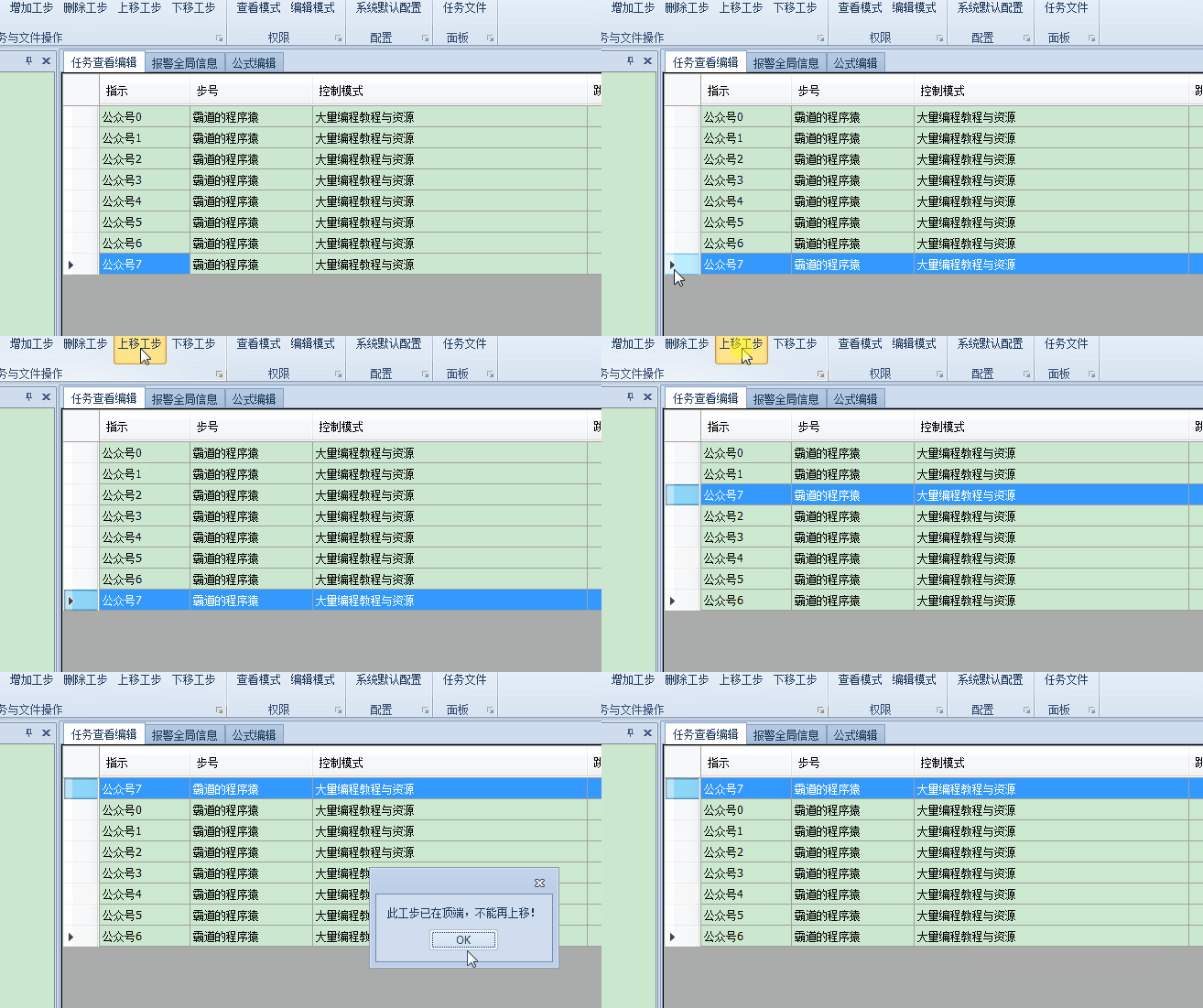
效果
下移一行
        private void TaskViewEditHelper_OnDownStep(object sender, EventArgs e)
        {
            if (this.dataGridView_Task_ViewEdit.SelectedRows == null || this.dataGridView_Task_ViewEdit.SelectedRows.Count == 0)
            {
                XtraMessageBox.Show("请先选择一行,单击第一列以选中行");
            }
            else
            {
                if (this.dataGridView_Task_ViewEdit.SelectedRows[0].Index >= this.dataGridView_Task_ViewEdit.Rows.Count - 1)
                {
                    XtraMessageBox.Show("此行已在底端,不能再下移!");
                }
                else
                {
                    int selectedRowIndex = GetSelectedRowIndex(this.dataGridView_Task_ViewEdit);
                    if (selectedRowIndex < dataGridView_Task_ViewEdit.Rows.Count - 1)
                    {
                        // 拷贝选中的行
                        DataGridViewRow newRow = dataGridView_Task_ViewEdit.Rows[selectedRowIndex];
                        // 删除选中的行
                        dataGridView_Task_ViewEdit.Rows.Remove(dataGridView_Task_ViewEdit.Rows[selectedRowIndex]);
                        // 将拷贝的行,插入到选中的下一行位置
                        dataGridView_Task_ViewEdit.Rows.Insert(selectedRowIndex + 1, newRow);
                        dataGridView_Task_ViewEdit.ClearSelection();
                        // 选中最初选中的行
                        dataGridView_Task_ViewEdit.Rows[selectedRowIndex + 1].Selected = true;
                    }
                }
            }

        }
效果
