List two ways in which a system utility can be started.
Explain how to use the following utilities to maintain a Teradata database:
– DBS Control
– Ferret Packdisk
– Ferret Defragment
– Ferret Scandisk
– Checktable
– Table Rebuild
– Recovery Manager
– Showlocks
– UpdateSpace
– Vprocmanager
List the order in which to execute the Checktable and Scandisk utilities.
1.utilities工具启动方式
(1)输入命令行直接启动
tpareset
pdestate
dbscontrol
vprocmanager
schmon
dip
如果提示找不到命令,可输入tdatcmd命令添加命令所在目录到当前环境变量,如下:
tdatcmd
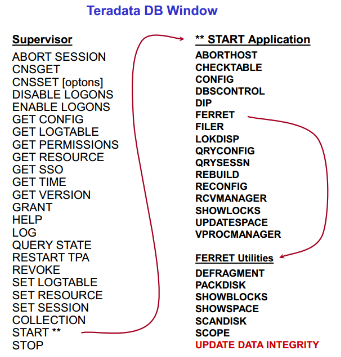
(2)Supervisor Window启动
cnsterm 6       ==>Linux(cnsterm 1-6)
cnstool 6       ==>Windows
Remote Console  ==>ViewPoint
2.DBS Control工具
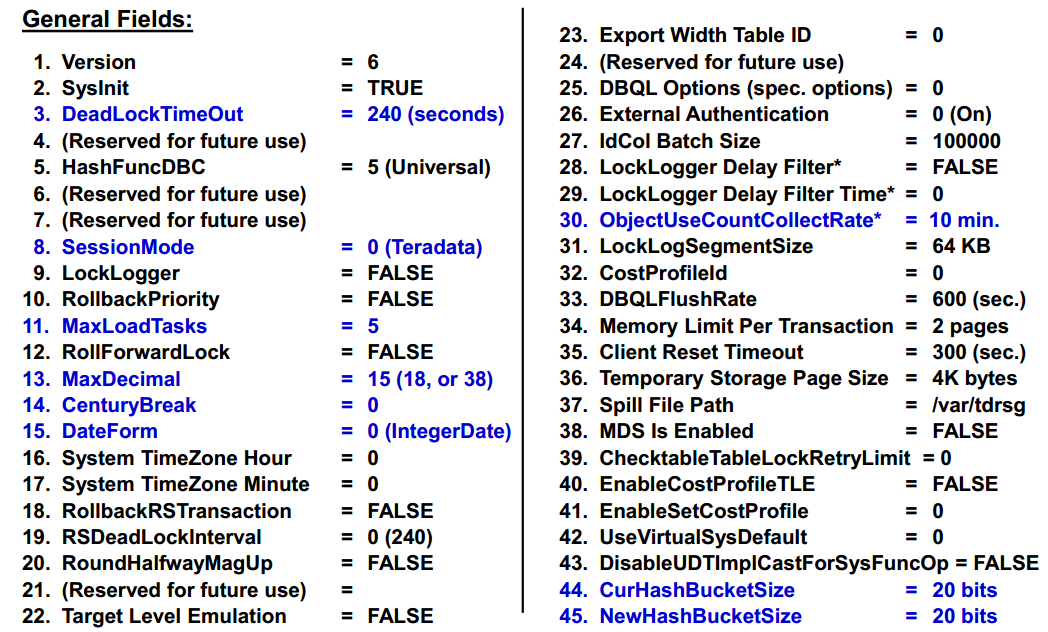
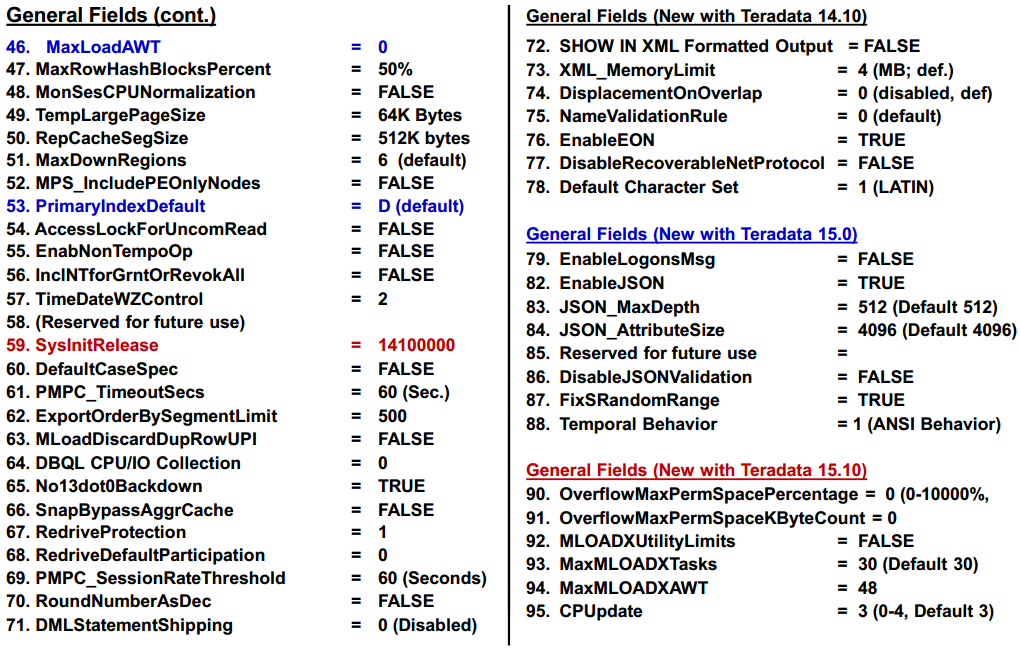
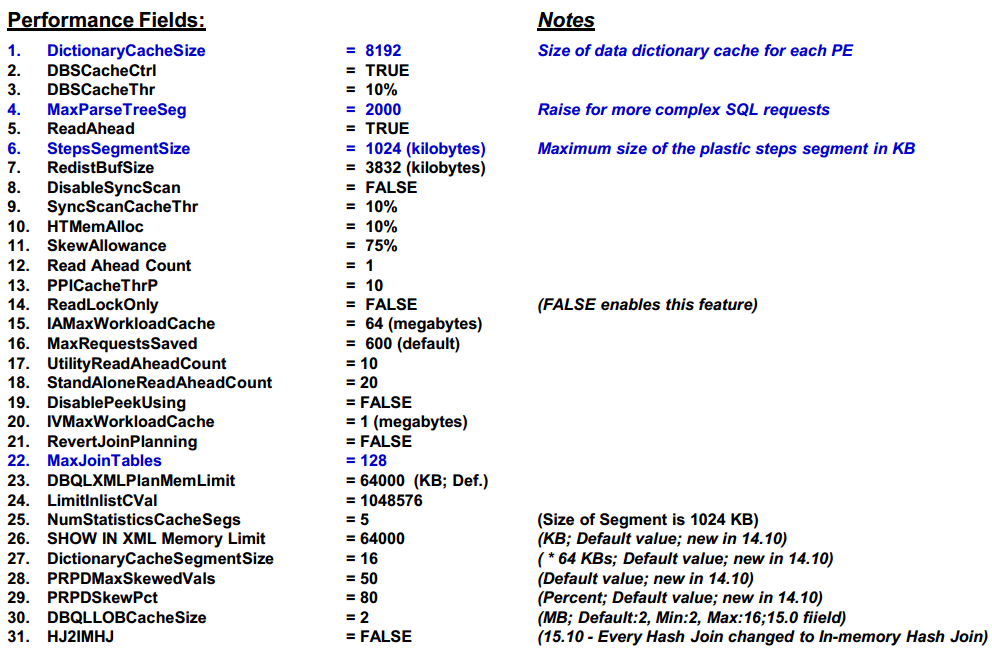
(1)查看主要内容
- General
- File System
- Performance
- Checksum
- Compression
- Statistics
- Storage (used if temperature based compression is enabled or if TVS is licensed)
(2)三种启动方式
- Command line:输入tdatcmd后,输入dbscontrol
- Viewpoint Remote Console :选择DBS Control
- Supervisor Window:输入START DBSCONTROL
(3)显示、帮助和退出
DISPLAY GENERAL | FILESYS | PERFORMANCE | COMPRESSION | …    ==>显示
HELP    GENERAL | FILESYS | PERFORMANCE | COMPRESSION | …    ==>帮助
QUIT     ==>退出
(4)修改方法
display general
modify general 14 = 50       ==>Use the modify command to change flag 14 (Century Break)
write                        ==>Write changes to the GDO
(5)参数信息

(6)开启并使用dbscontrol内部参数
上述描述的均为外部参数,可以使用如下命令开启并查看内部参数:
m systemfe=true
y
d i
参考文档:
Factory15 -55 System Utilities