使用快捷键:CTRL+SHIFT+L
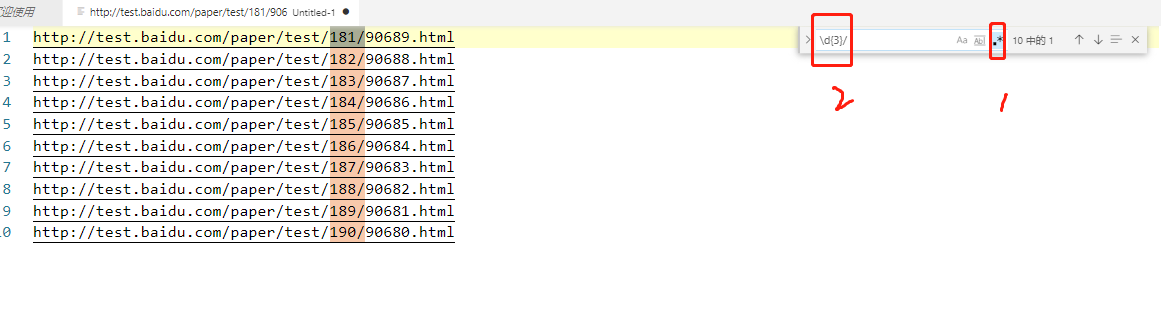
示例:我们有下面多条链接,现在我们需要将链接中的181、182...数字找出来,并替换成110;
http://test.baidu.com/paper/test/181/90689.html
http://test.baidu.com/paper/test/182/90688.html
http://test.baidu.com/paper/test/183/90687.html
http://test.baidu.com/paper/test/184/90686.html
http://test.baidu.com/paper/test/185/90685.html
http://test.baidu.com/paper/test/186/90684.html
http://test.baidu.com/paper/test/187/90683.html
http://test.baidu.com/paper/test/188/90682.html
http://test.baidu.com/paper/test/189/90681.html
http://test.baidu.com/paper/test/190/90680.html
- 第一步:按下CTRL+F 并在右上角启用正则表达式 输入匹配规则(这一步在解决本文的问题中,并不重要,重要的是第二步)
- 第二步:点击界面空白处(这一步是为了不让光标还在搜索框中),按下CTRL+SHIFT+L 快捷键
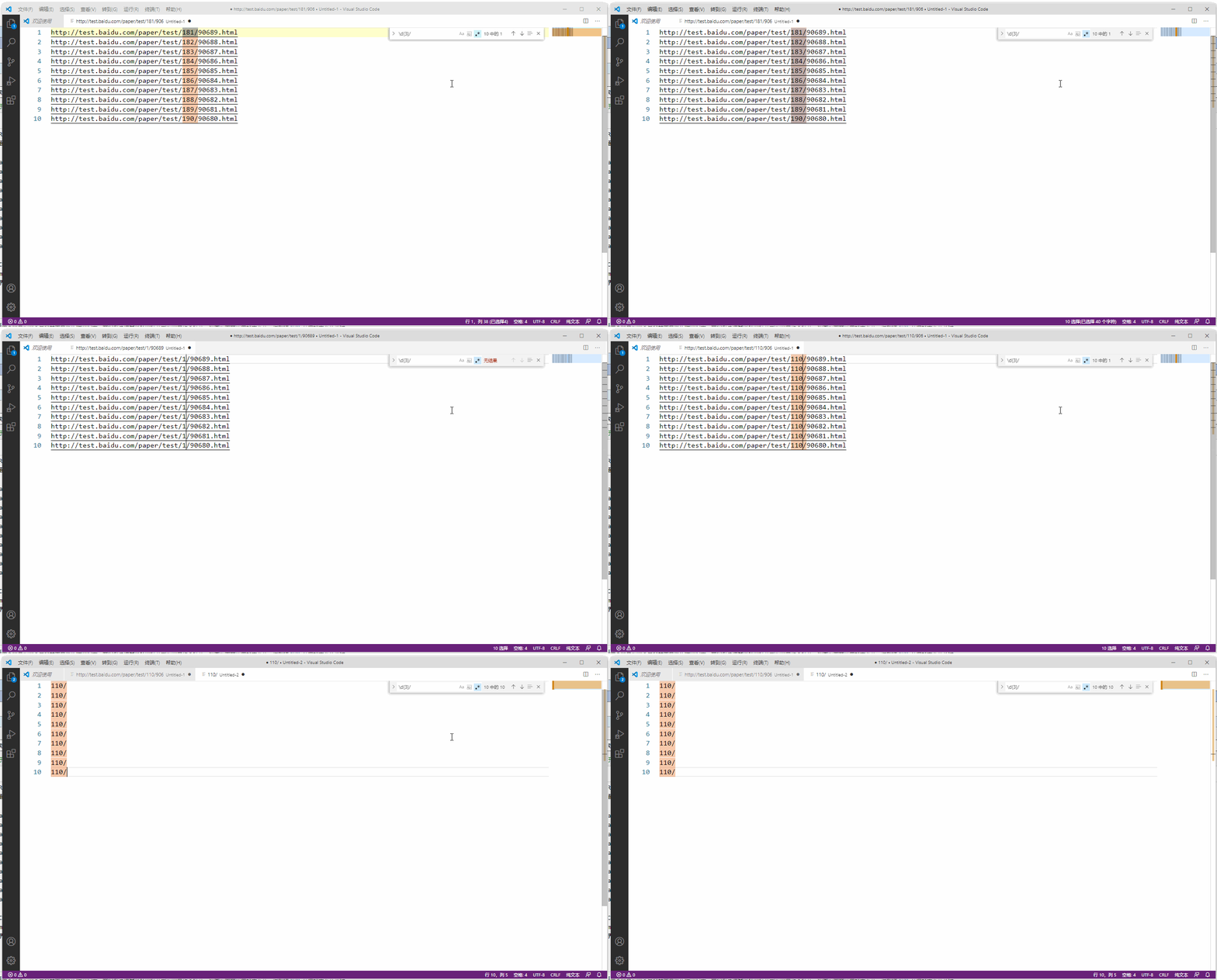
当我们要批量操作目标字符串时:在完成了查找这个过程后,如何全部选中目标是我们最关心的,(CTRL+SHIFT+L帮我们解决了这个问题),至于选中后我们是"复制(CTRL+C)"还是直接批量修改便不是问题了。