本例创建一个无边框窗体,并加入鼠标事件,通过操纵PictureBox调整窗体大小,程序运行如下图所示。
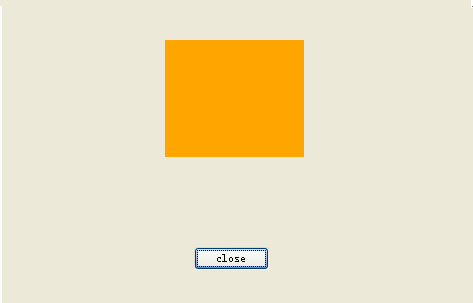
窗体程序如下所示。
using System;
using System.Collections.Generic;
using System.Drawing;
using System.Windows.Forms;
namespace eg35_noborderApp
{
	public partial class MainForm : Form
	{
		static int frmLastWidth=0;
		static int frmLastHeight=0;
		static int frmWidth;
		static int frmHeight;
		static bool frmIsResizing=false;
		System.Drawing.Rectangle frmRectangle=new System.Drawing.Rectangle();
		public MainForm()
		{
			InitializeComponent();
		}

		void Button1Click(object sender, EventArgs e)
		{
			this.Close();
		}

		void PictureBox1MouseDown(object sender, MouseEventArgs e)
		{
			frmRectangle.Location=new System.Drawing.Point(this.Left,this.Top);
			frmRectangle.Size=new System.Drawing.Size(frmWidth,frmHeight);
			ControlPaint.DrawReversibleFrame(frmRectangle,Color.Empty,System.Windows.Forms.FrameStyle.Thick);
		}

		void PictureBox1MouseUp(object sender, MouseEventArgs e)
		{
			frmIsResizing=false;
			frmRectangle.Location=new System.Drawing.Point(this.Left,this.Top);
			frmRectangle.Size=new System.Drawing.Size(frmWidth,frmHeight);
			ControlPaint.DrawReversibleFrame(frmRectangle,Color.Empty,System.Windows.Forms.FrameStyle.Thick);
			this.Width=frmWidth;
			this.Height=frmHeight;
		}

		void PictureBox1MouseMove(object sender, MouseEventArgs e)
		{
			if(e.Button==MouseButtons.Left)
			{
				int sizeageX=(MousePosition.X-this.Location.X);
				int sizeageY=(MousePosition.Y-this.Location.Y);
				if(sizeageX<120)
					sizeageX=120;
				if(sizeageY<81)
					sizeageY=81;
				frmWidth=sizeageX;
				frmHeight=sizeageY;
				if(frmLastWidth==0)
					frmLastWidth=frmWidth;
				if(frmLastHeight==0)
					frmLastHeight=frmHeight;
				if(frmIsResizing)
				{
					frmRectangle.Location=new System.Drawing.Point(this.Left,this.Top);
					frmRectangle.Size=new System.Drawing.Size(frmLastWidth,frmLastHeight);
				}
				frmIsResizing=true;
				ControlPaint.DrawReversibleFrame(frmRectangle,Color.Empty,System.Windows.Forms.FrameStyle.Thick);
				frmLastWidth=frmWidth;
				frmLastHeight=frmHeight;
				frmRectangle.Location=new System.Drawing.Point(this.Left,this.Top);
				frmRectangle.Size=new System.Drawing.Size(frmWidth,frmHeight);
				ControlPaint.DrawReversibleFrame(frmRectangle,Color.Empty,System.Windows.Forms.FrameStyle.Thick);
			}
		}
	}
}