一、2D转换
转换(transform)是CSS3中具有颠覆性的特征之一,可以实现元素的位移、旋转、缩放等效果
转换(transform)你可以简单理解为变形
移动:translate
旋转:rotate
缩放:scale
1.1 二维坐标系
2D转换是改变标签在二维平面上的位置和形状的一种技术

1.2 2D 转换之移动 translat
2D移动是2D转换里面的一种功能,可以改变元素在页面中的位置,类似定位。
1. 语法
transform: translate(x,y); 或者分开写
transform: translateX(n);
2>translate最大的优点:不会影响到其他元素的位置
3>translate中的百分比单位是相对于自身元素的 translate:(50%,50%);
4>对行内标签没有效果
<!DOCTYPE html>
<html lang="en">

<head>
    <meta charset="UTF-8">
    <meta name="viewport" content="width=device-width, initial-scale=1.0">
    <meta http-equiv="X-UA-Compatible" content="ie=edge">
    <title>Document</title>
    <style>
        /* 移动盒子的位置: 定位   盒子的外边距  2d转换移动 */

        div {
             200px;
            height: 200px;
            background-color: pink;
            /* x就是x轴上移动位置 y 就是y轴上移动位置 中间用逗号分隔*/
            /* transform: translate(x, y); */
            /* transform: translate(100px, 100px); */
            /* 1. 我们如果只移动x坐标 */
            /* transform: translate(100px, 0); */
            /* transform: translateX(100px); */
            /* 2. 我们如果只移动y坐标 */
            /* transform: translate(0, 100px); */
            /* transform: translateY(100px); */
        }

        div:first-child {
            transform: translate(30px, 30px);
        }

        div:last-child {
            background-color: purple;
        }
    </style>
</head>

<body>
    <div></div>
    <div></div>
</body>

</html>
1.3 2D 转换之旋转 rotate
2D旋转指的是让元素在2维平面内顺时针旋转或者逆时针旋转。
1. 语法
transform:rotate(度数)
2. 重点
2>角度为正时,顺时针,负时,为逆时针
3>默认旋转的中心点是元素的中心点
<!DOCTYPE html>
<html lang="en">

<head>
    <meta charset="UTF-8">
    <meta name="viewport" content="width=device-width, initial-scale=1.0">
    <meta http-equiv="X-UA-Compatible" content="ie=edge">
    <title>Document</title>
    <style>
        img {
            width: 150px;
            /* 顺时针旋转45度 */
            /* transform: rotate(45deg); */
            border-radius: 50%;
            border: 5px solid pink;
            /* 过渡写到本身上,谁做动画给谁加 */
            transition: all 0.3s;
        }

        img:hover {
            transform: rotate(360deg);
        }
    </style>
</head>

<body>
    <img src="media/pic.jpg" alt="">
</body>

</html>
三角形例子
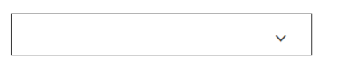
<!DOCTYPE html>
<html lang="en">

<head>
    <meta charset="UTF-8">
    <meta name="viewport" content="width=device-width, initial-scale=1.0">
    <meta http-equiv="X-UA-Compatible" content="ie=edge">
    <title>Document</title>
    <style>
        div {
            position: relative;
            width: 249px;
            height: 35px;
            border: 1px solid #000;
        }

        div::after {
            content: "";
            position: absolute;
            top: 8px;
            right: 15px;
            width: 10px;
            height: 10px;
            border-right: 1px solid #000;
            border-bottom: 1px solid #000;
            transform: rotate(45deg);
            transition: all 0.2s;
        }
        /* 鼠标经过div  里面的三角旋转 */

        div:hover::after {
            transform: rotate(225deg);
        }
    </style>
</head>

<body>
    <div></div>
</body>

</html>
1.4 让盒子水平垂直居中
案例
<!DOCTYPE html>
<html lang="en">

<head>
    <meta charset="UTF-8">
    <meta name="viewport" content="width=device-width, initial-scale=1.0">
    <meta http-equiv="X-UA-Compatible" content="ie=edge">
    <title>Document</title>
    <style>
        div {
            position: relative;
            width: 500px;
            height: 500px;
            background-color: pink;
            /* 1. 我们tranlate里面的参数是可以用 % */
            /* 2. 如果里面的参数是 % 移动的距离是 盒子自身的宽度或者高度来对比的 */
            /* 这里的 50% 就是 50px 因为盒子的宽度是 100px */
            /* transform: translateX(50%); */
        }

        p {
            position: absolute;
            top: 50%;
            left: 50%;
            width: 200px;
            height: 200px;
            background-color: purple;
            /* margin-top: -100px;
            margin-left: -100px; */
            /* translate(-50%, -50%)  盒子往上走自己高度的一半   */
            transform: translate(-50%, -50%);
        }

        span {
            /* translate 对于行内元素是无效的 */
            transform: translate(300px, 300px);
        }
    </style>
</head>

<body>
    <div>
        <p></p>
    </div>
    <span>123</span>
</body>

</html>
1.5 2D 转换中心点 transform-origin
我们可以设置元素转换的中心点
1. 语法
transform-origin: x y;
2. 重点
1>注意后面的参数 x 和 y 用空格隔开
2>x y 默认转换的中心点是元素的中心点 (50% 50%)
3>还可以给x y 设置 像素 或者 方位名词 (top bottom left right center)
案例
<!DOCTYPE html>
<html lang="en">

<head>
    <meta charset="UTF-8">
    <meta name="viewport" content="width=device-width, initial-scale=1.0">
    <meta http-equiv="X-UA-Compatible" content="ie=edge">
    <title>Document</title>
    <style>
        div {
            width: 200px;
            height: 200px;
            background-color: pink;
            margin: 100px auto;
            transition: all 1s;
            /* 1.可以跟方位名词 */
            /* transform-origin: left bottom; */
            /* 2. 默认的是 50%  50%  等价于 center  center */
            /* 3. 可以是px 像素 */
            transform-origin: 50px 50px;
        }

        div:hover {
            transform: rotate(360deg);
        }
    </style>
</head>

<body>
    <div></div>
</body>

</html>
1.6 2D 转换之缩放scale
缩放,顾名思义,可以放大和缩小。 只要给元素添加上了这个属性就能控制它放大还是缩小。
1. 语法
transform:scale(x,y);
2. 注意
1>注意其中的x和y用逗号分隔
2>transform:scale(1,1) :宽和高都放大一倍,相对于没有放大
3>transform:scale(2,2) :宽和高都放大了2倍
4>transform:scale(2) :只写一个参数,第二个参数则和第一个参数一样,相当于 scale(2,2)
5>transform:scale(0.5,0.5):缩小
6>sacle缩放最大的优势:可以设置转换中心点缩放,默认以中心点缩放的,而且不影响其他盒
分页按钮案例
<!DOCTYPE html>
<html lang="en">

<head>
    <meta charset="UTF-8">
    <meta name="viewport" content="width=device-width, initial-scale=1.0">
    <meta http-equiv="X-UA-Compatible" content="ie=edge">
    <title>Document</title>
    <style>
        li {
            float: left;
            width: 30px;
            height: 30px;
            border: 1px solid pink;
            margin: 10px;
            text-align: center;
            line-height: 30px;
            list-style: none;
            border-radius: 50%;
            cursor: pointer;
            transition: all .4s;
        }

        li:hover {
            transform: scale(1.2);
        }
    </style>
</head>

<body>
    <ul>
        <li>1</li>
        <li>2</li>
        <li>3</li>
        <li>4</li>
        <li>5</li>
        <li>6</li>
        <li>7</li>
    </ul>
</body>

</html>
1.7 2D 转换综合写法
注意:
1. 同时使用多个转换,其格式为:transform: translate() rotate() scale() ...等,
2. 其顺序会影转换的效果。(先旋转会改变坐标轴方向)
3. 当我们同时有位移和其他属性的时候,记得要将位移放到最前