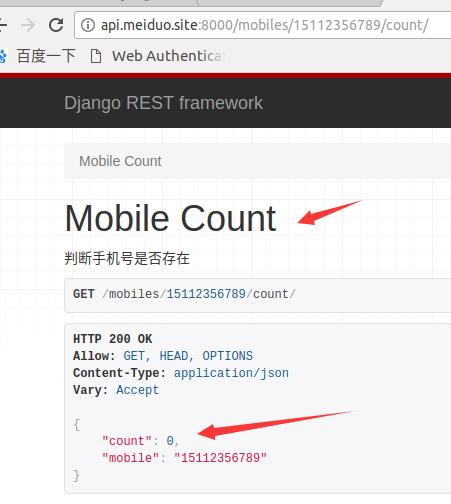
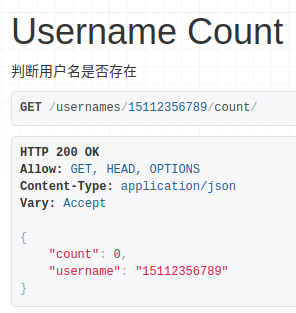
Django商城项目笔记No.7用户部分-注册接口-判断用户名和手机号是否存在
判断用户名是否存在
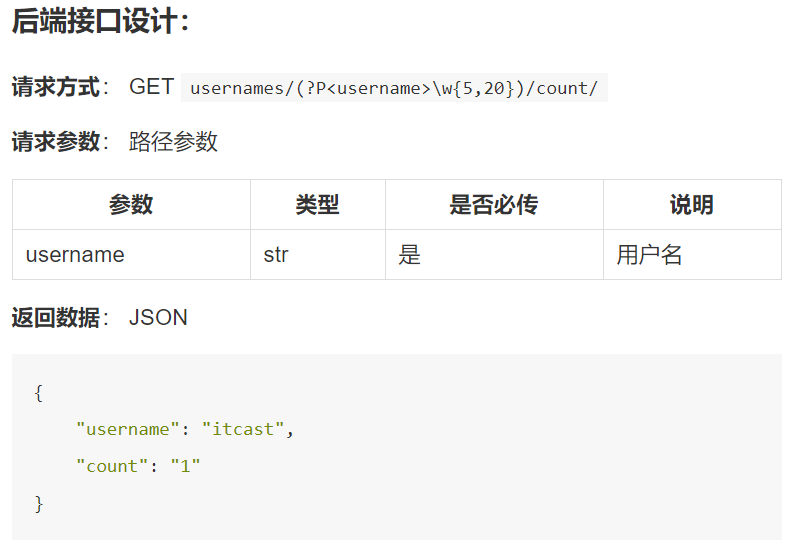
后端视图代码实现,在users/view.py里编写如下代码


class UsernameCountView(APIView):
    """
    判断用户名是否存在
    """
    def get(self, request, username):
        """
        获取指定用户名数量
        :param request:
        :return:
        """
        count = User.objects.filter(username=username).count()

        data = {
            "username": username,
            "count": count
        }

        return Response(data=data)
这里没有用到GenericAPIView,是因为逻辑本身就比较简单,如果用GenericAPIView还得定义序列化器,所以就不用了,直接继承APIView。
前端实现,在js/register.js中修改
// 检查用户名
    check_username: function (){
            var len = this.username.length;
            if(len<5||len>20) {
                this.error_name_message = '请输入5-20个字符的用户名';
                this.error_name = true;
            } else {
                this.error_name = false;
            }
            // 检查重名
            if (this.error_name == false) {
                axios.get(this.host + '/usernames/' + this.username + '/count/', {
                        responseType: 'json'
                    })
                    .then(response => {
                        if (response.data.count > 0) {
                            this.error_name_message = '用户名已存在';
                            this.error_name = true;
                        } else {
                            this.error_name = false;
                        }
                    })
                    .catch(error => {
                        console.log(error.response.data);
                    })
            }
        },
判断手机号是否存在
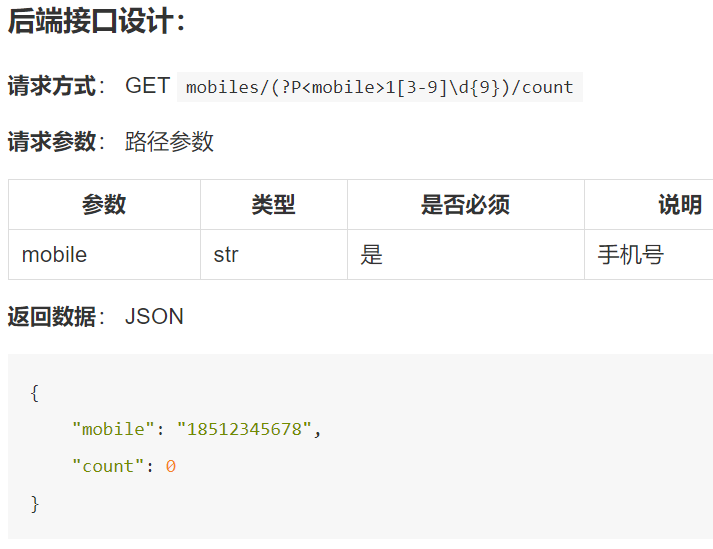
后端视图代码实现,在users/view.py里编写如下代码
class MobileCountView(APIView):
    """
    判断手机号是否存在
    """

    def get(self, request, mobile):
        """
        获取指定手机号数量
        :param request:
        :return:
        """
        count = User.objects.filter(mobile=mobile).count()

        data = {
            "mobile": mobile,
            "count": count
        }

        return Response(data=data)
前端实现,在js/register.js中修改
    // 检查手机号
    check_phone: function (){
            var re = /^1[345789]d{9}$/;
            if(re.test(this.mobile)) {
                this.error_phone = false;
            } else {
                this.error_phone_message = '您输入的手机号格式不正确';
                this.error_phone = true;
            }
            if (this.error_phone == false) {
                axios.get(this.host + '/mobiles/'+ this.mobile + '/count/', {
                        responseType: 'json'
                    })
                    .then(response => {
                        if (response.data.count > 0) {
                            this.error_phone_message = '手机号已存在';
                            this.error_phone = true;
                        } else {
                            this.error_phone = false;
                        }
                    })
                    .catch(error => {
                        console.log(error.response.data);
                    })
            }
        },
测试