在网上经常看到关于layer的tree的描述,不太理解,今天找到了官方文档,原文在Core Animation Programming Guide 中。
Layer Trees Reflect Different Aspects of the Animation State
An app using Core Animation has three sets of layer objects. Each set of layer objects has a different role in making the content of your app appear onscreen:
-
Objects in the model layer tree (or simply “layer tree”) are the ones your app interacts with the most. The objects in this tree are the model objects that store the target values for any animations. Whenever you change the property of a layer, you use one of these objects.
-
Objects in the presentation tree contain the in-flight(飞行中) values for any running animations. Whereas the layer tree objects contain the target values for an animation, the objects in the presentation tree reflect the current values as they appear onscreen. You should never modify the objects in this tree. Instead, you use these objects to read current animation values, perhaps to create a new animation starting at those values.
-
Objects in the render tree perform the actual animations and are private to Core Animation.
Each set of layer objects is organized into a hierarchical structure like the views in your app. In fact, for an app that enables layers for all of its views, the initial structure of each tree matches the structure of the view hierarchy exactly. However, an app can add additional layer objects—that is, layers not associated with a view—into the layer hierarchy as needed. You might do this in situations to optimize your app’s performance for content that does not require all the overhead of a view. Figure 1-9 shows the breakdown(分解) of layers found in a simple iOS app. The window in the example contains a content view, which itself contains a button view and two standalone layer objects. Each view has a corresponding layer object that forms part of the layer hierarchy.
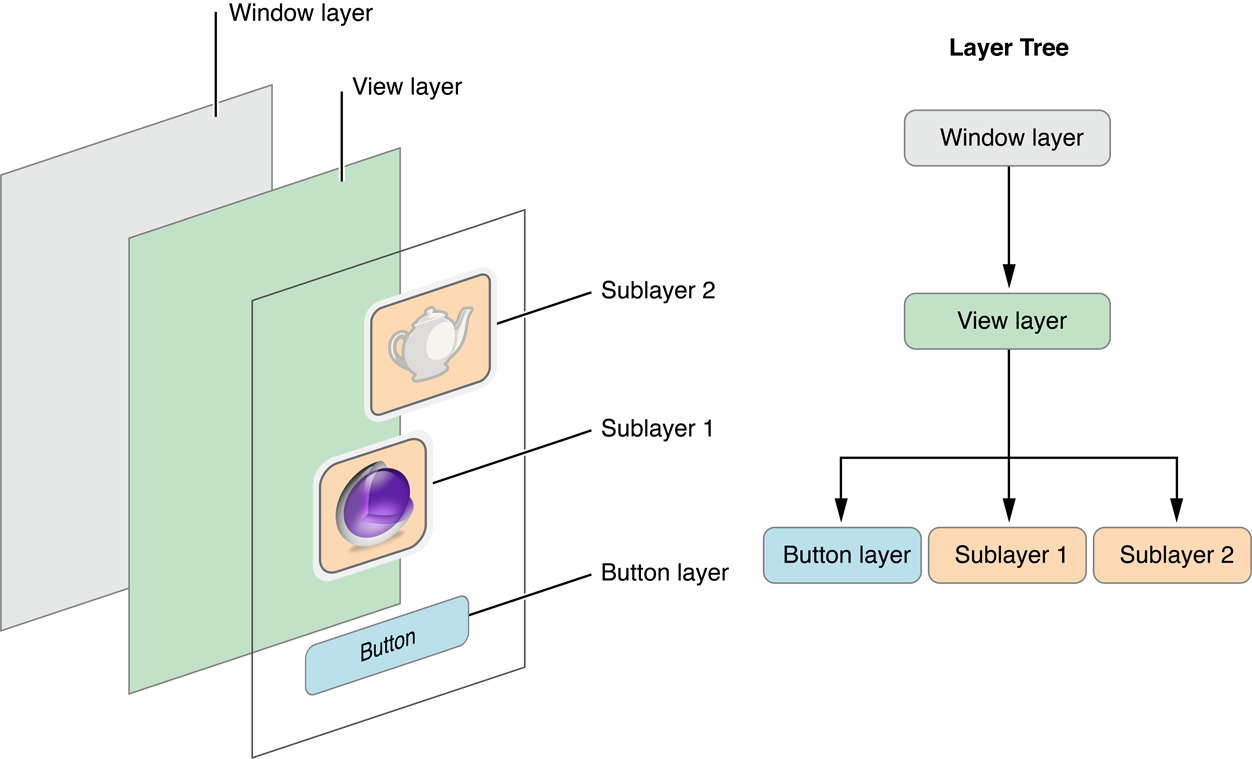
Figure 1-9 Layers associated with a window
For every object in the layer tree, there is a matching object in the presentation and render trees, as shown in Figure 1-10. As was previously mentioned, apps primarily work with objects in the layer tree but may at times access objects in the presentation tree. Specifically, accessing the presentationLayer property of an object in the layer tree returns the corresponding object in the presentation tree. You might want to access that object to read the current value of a property that is in the middle of an animation.
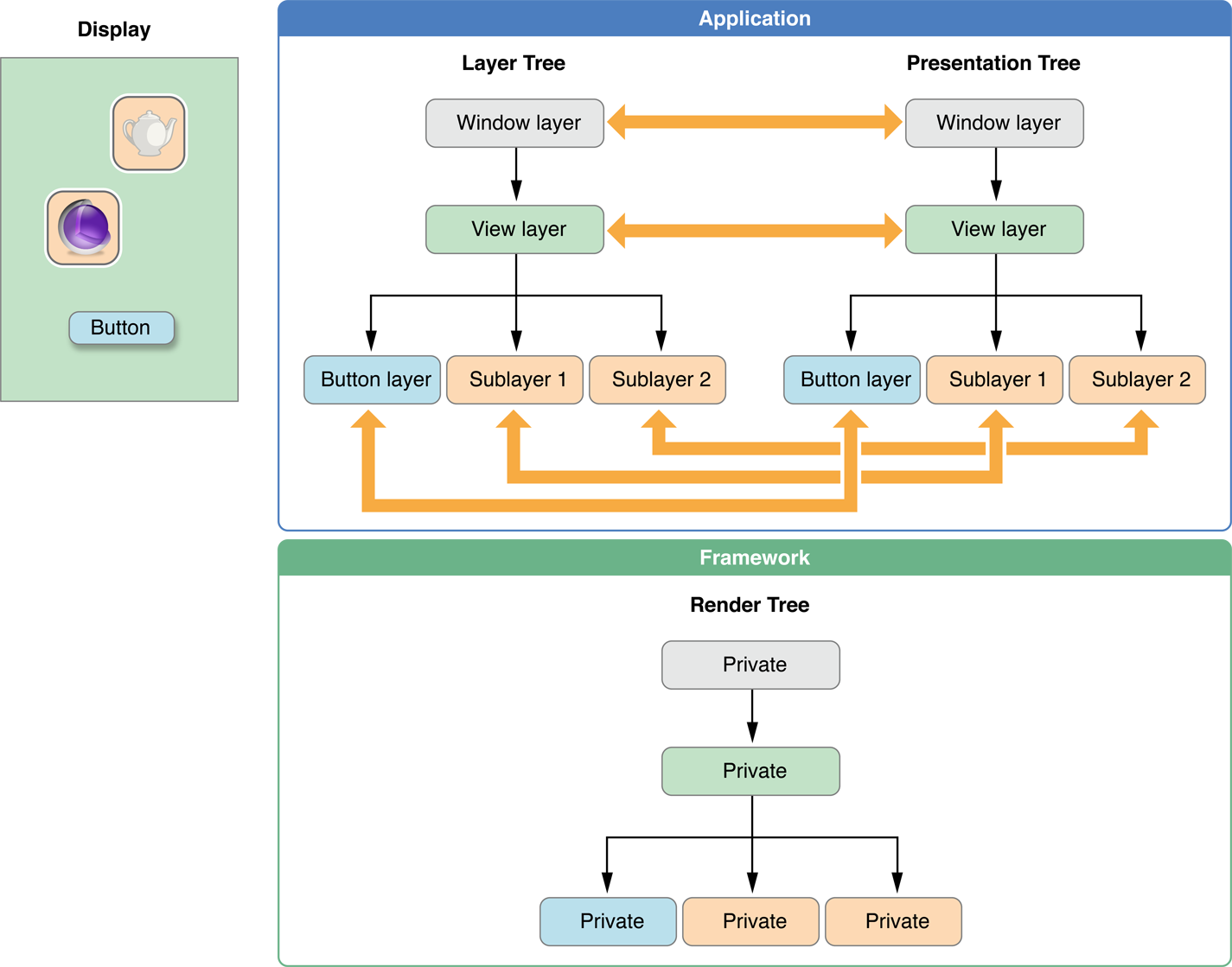
Figure 1-10 The layer trees for a window
Important: You should access objects in the presentation tree only while an animation is in flight. While an animation is in progress, the presentation tree contains the layer values as they appear onscreen at that instant. This behavior differs from the layer tree, which always reflects the last value set by your code and is equivalent to the final state of the animation.
简单总结一下,CALayer的动画实现过程中,为了实现layer的动画效果,使用了3个tree,其中layer tree就是存放目的值的;presentation tree在动画运动中,存放实时的值,可以通过presentationLayer来访问这个tree中的属性;render tree 是系统用来绘制动画的tree,不需要理会。