主keepalived设置
#安装keepalived
[root@localhost ~]# yum -y install keepalived
#安装nginx
[root@localhost ~]# yum -y install nginx
——————————————————————————————————
#keepalived配置文件
[root@localhost ~]# vim /etc/keepalived/keepalived.conf
! Configuration File for keepalived

global_defs {
   notification_email {
     acassen@firewall.loc
     failover@firewall.loc
     sysadmin@firewall.loc
   }
   notification_email_from Alexandre.Cassen@firewall.loc
   smtp_server 192.168.200.1
   smtp_connect_timeout 30
   router_id LVS_DEVEL
   vrrp_skip_check_adv_addr
   vrrp_strict
   vrrp_garp_interval 0
   vrrp_gna_interval 0
}

vrrp_script check_nginx {  #引入脚本文件
    script "/shell/nginx_check.sh"
    interval 2
    weight -20
}

vrrp_instance VI_1 {
    state MASTER   #主
    interface eno16777728 #心跳网卡
    virtual_router_id 51
    priority 100 #优先级
    advert_int 1
    authentication {
        auth_type PASS
        auth_pass 1111
    }
    virtual_ipaddress {
        192.168.200.201
    }
    track_script {
    check_nginx     #引用脚本
    }
}
______________________________________________________
#装备测试文件
[root@localhost ~]# echo "1111111" > /usr/share/nginx/html/index.html
从keepalived设置
#安装keepalived
[root@localhost ~]# yum -y install keepalived
#安装nginx
[root@localhost ~]# yum -y install nginx
______________________________________________________________
#keepalived配置文件
[root@localhost ~]# vim /etc/keepalived/keepalived.conf
! Configuration File for keepalived

global_defs {
   notification_email {
     acassen@firewall.loc
     failover@firewall.loc
     sysadmin@firewall.loc
   }
   notification_email_from Alexandre.Cassen@firewall.loc
   smtp_server 192.168.200.1
   smtp_connect_timeout 30
   router_id LVS_DEVEL
   vrrp_skip_check_adv_addr
   vrrp_strict
   vrrp_garp_interval 0
   vrrp_gna_interval 0
}

vrrp_script check_nginx {
    script "/shell/nginx_check.sh"
    interval 2
    weight -20
}

vrrp_instance VI_1 {
    state BACKUP
    interface eno16777728
    virtual_router_id 51
    priority 90
    advert_int 1
    authentication {
        auth_type PASS
        auth_pass 1111
    }
    virtual_ipaddress {
        192.168.200.201
    }
    track_script {
    check_nginx
    }
}

———————————————————————————————————
#准备测试文件
[root@localhost ~]# echo "22222" > /usr/share/nginx/html/index.html
三、测试
主服务器工作时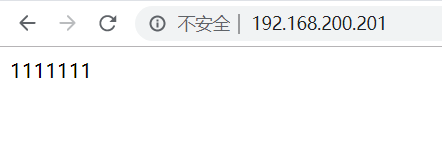
从服务器工作时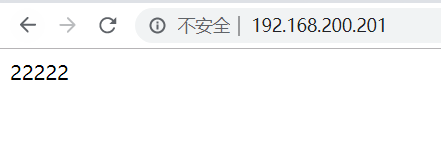
四、nginx_check.sh shell文件,配置为周期性任务
#!/bin/bash
count="$(ps -C nginx --no-header|wc -l)"

if [ $count -eq 0 ];then
        systemctl restart nginx
        sleep 2
        if [ ps -c nginx --no-header|wc -l -eq 0 ];then
                systemctl stop keepalived
        fi
fi
#给脚本加执行权限
chmod +x /shell/nginx_check.sh