1。关于组件居中
① android:layout_gravity="center"
控件在包含该控件的父控件中的位置。同样,当我们在Button按钮控件中设置android:layout_gravity="left"属性时,表示该Button按钮将位于界面的左部。


②android:scaleType="center"截取图片中间显示
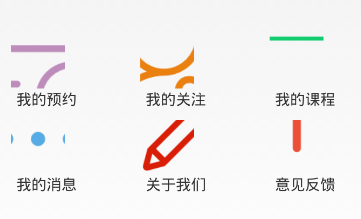
③ android:scaleType="centerInside"

<LinearLayout xmlns:android="http://schemas.android.com/apk/res/android"
    xmlns:tools="http://schemas.android.com/tools"
    android:layout_width="fill_parent"
    android:layout_height="fill_parent"
    android:orientation="vertical"

    >

    <TextView
        android:id="@+id/tv_title"
           android:layout_width="match_parent"
           android:layout_height="0dp"
           android:layout_weight="1"
           android:text="个人中心"
           android:gravity="center"
           android:textSize="30px"
           android:background="#44cef6"
     />
        <LinearLayout
            android:layout_width="match_parent"
            android:layout_height="0dp"
            android:layout_weight="4"
            android:gravity="center"
        >
            <ImageView
                android:id="@+id/img_me"
                android:layout_width="wrap_content"
                android:layout_height="wrap_content"
                android:layout_gravity="center_vertical"
                android:src="@drawable/ic_launcher" />
        </LinearLayout>

        <LinearLayout
            android:layout_width="match_parent"
            android:layout_height="0dp"
            android:layout_weight="5"
        >
            <GridView
                android:id="@+id/person_grid_view"
                android:layout_width="wrap_content"
                android:layout_height="wrap_content"
                android:numColumns="3"
                android:stretchMode="columnWidth">
            </GridView>

        </LinearLayout>
</LinearLayout>