Reply with inline comments within the original message text
When you reply to email messages in Outlook, sometimes it's faster and clearer to type your responses next to the statements in the body of the original message.
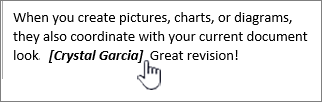
Turn on inline comments
-
Click the File > Options.
-
In the left pane, click Mail.
-
In the right pane, under Replies and forwards, check the Preface comments with box, and type the text you want to use to identify your comments.
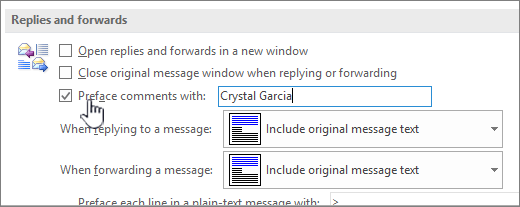
Tip: This text appears in brackets when you reply in the body of the original message by using inline comments.
Add inline comments to a message
-
Open a message that you have received, and then click Reply.
-
Click the body of the original message, and then start typing your comments.
Note: It's a good idea to tell recipients of your message to see your comments inline in the original message.