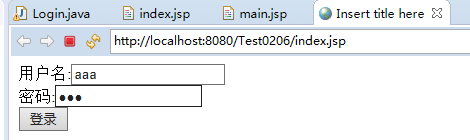
创建一个index.jsp页面
<%@ page language="java" contentType="text/html; charset=utf-8"
    pageEncoding="utf-8"%>
<!DOCTYPE html PUBLIC "-//W3C//DTD HTML 4.01 Transitional//EN" "http://www.w3.org/TR/html4/loose.dtd">
<html>
<head>
<meta http-equiv="Content-Type" content="text/html; charset=utf-8">
<title>Insert title here</title>
</head>
<body>
<form action="login" method="post">
    用户名:<input type="text" name="uid" /><br>
    密码:<input type="password" name="pwd" /><br>
    <input type="submit" value="登录">
</form>
</body>
</html>
创建一个main.jsp页面
<%@ page language="java" contentType="text/html; charset=ISO-8859-1"
    pageEncoding="ISO-8859-1"%>
<!DOCTYPE html PUBLIC "-//W3C//DTD HTML 4.01 Transitional//EN" "http://www.w3.org/TR/html4/loose.dtd">
<html>
<head>
<meta http-equiv="Content-Type" content="text/html; charset=ISO-8859-1">
<title>Insert title here</title>
</head>
<body>
<%--
if(session.getAttribute("user")==null){
    response.sendRedirect("index.jsp");
}
--%>
<%
Cookie[] cc = request.getCookies();
boolean has = false;
for(Cookie c:cc){
    if(c.getName().equals("user")){
        has=true;
    }
}
if(has==false){
    response.sendRedirect("index.jsp");
}
%>
welcome:<%=session.getAttribute("user") %>
<%

for(Cookie c:cc){
    if(c.getName().equals("user")){
        out.print(c.getValue());
    }
}
%>
</body>
</html>
创建一个servlet界面,名为Login
package com.ceshi;

import java.io.IOException;
import javax.servlet.ServletException;
import javax.servlet.annotation.WebServlet;
import javax.servlet.http.Cookie;
import javax.servlet.http.HttpServlet;
import javax.servlet.http.HttpServletRequest;
import javax.servlet.http.HttpServletResponse;
import javax.servlet.http.HttpSession;

/**
 * Servlet implementation class Login
 */
@WebServlet("/login")
public class Login extends HttpServlet {
    private static final long serialVersionUID = 1L;

    /**
     * @see HttpServlet#HttpServlet()
     */
    public Login() {
        super();
        // TODO Auto-generated constructor stub
    }

    /**
     * @see HttpServlet#doGet(HttpServletRequest request, HttpServletResponse response)
     */
    protected void doGet(HttpServletRequest request, HttpServletResponse response) throws ServletException, IOException {
        // TODO Auto-generated method stub
        //response.getWriter().append("Served at: ").append(request.getContextPath());
        String uid = request.getParameter("uid");
        String pwd = request.getParameter("pwd");
        //HttpSession session= request.getSession();
        //session.setAttribute("user",uid);
        Cookie c = new Cookie("user", uid);
        response.addCookie(c);
        response.sendRedirect("main.jsp");
    }

    /**
     * @see HttpServlet#doPost(HttpServletRequest request, HttpServletResponse response)
     */
    protected void doPost(HttpServletRequest request, HttpServletResponse response) throws ServletException, IOException {
        // TODO Auto-generated method stub
        doGet(request, response);
    }

}
显示如下: