案例分析:
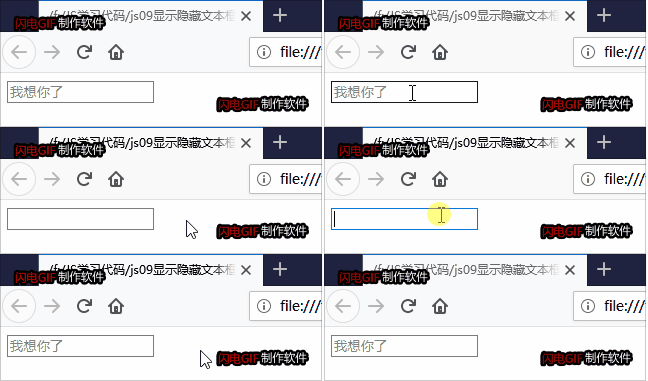
①首先表单需要2个新事件,获得焦点onfocus,失去焦点onblur;
②如果获得焦点,判断表单里面内容是否为默认文字,如果是默认文字,就清空表单内容;
效果:
代码:
 1 <body>
 2         <input type="text" value="我想你了">
 3     </body>
 4     <script>
 5         //1.获取元素
 6         var text=document.querySelector("input");
 7         //2.注册事件 获得焦点事件 onfocus
 8         text.onfocus=function(){
 9             if(this.value === "我想你了"){
10                 this.value = "";
11                 //获得焦点把文本框里面的文字颜色变黑
12                 this.style.color = "black";
13             }
14         }
15         //3.失去焦点事件 onblur
16         text.onblur=function(){
17             if(this.value === ""){
18                 this.value = "我想你了";
19                 //失去焦点把文本框里面的文字颜色变浅
20                 this.style.color = "grey";
21             }
22         }
23     </script>