1. 准备工作
接上期的idea2020 创建Spring boot工程项目以及依赖项等注意事项 https://www.cnblogs.com/cybg/p/14623027.html
确保工程项目结构完整的前提下开始正式正式创建hello world
2. 创建hello word

hello world 类文件属于自行创建的类文件,位置如上图。源码如下
package com.example.study3;

import org.springframework.stereotype.Controller;
import org.springframework.web.bind.annotation.GetMapping;
import org.springframework.web.bind.annotation.RestController;

@RestController
public class helloword {
    @GetMapping("/hello")
    public String hello(){
       return "hello word";

    }


}
使用@RestController这个注解,就不能返回jsp,html页面,视图解析器无法解析jsp,html页面,返回的就是普通字符串,也就是hello world
3. 简单的模板语句渲染html界面
新建类如下所示
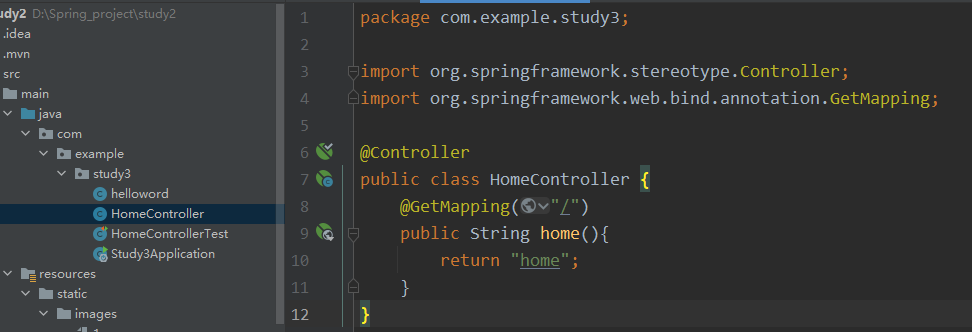
源码如下
package com.example.study3;

import org.springframework.stereotype.Controller;
import org.springframework.web.bind.annotation.GetMapping;

@Controller
public class HomeController {
    @GetMapping("/")
    public String home(){
        return "home";
    }
}
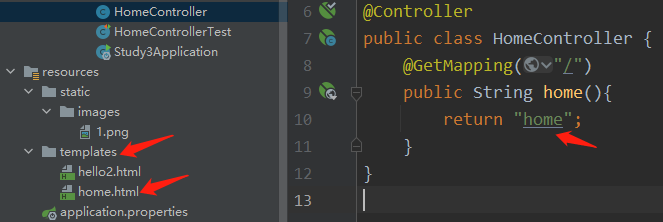
使用 @Controller注解则返回的是一个名为 hello.html的页面,鼠标移到hello上会发现显示的类型为html类型,
@GetMapping("/")这里可以自定义链接地址,运行然后复制端口即可,如下图新建html文件
3. 总结截图
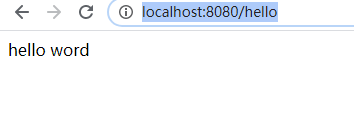
运行地址:http://localhost:8080/hello 即可看到效果。