zoukankan      html  css  js  c++  java
  • Spring接受前端传数据的几种格式

    时间就是金钱,时间就是生命,时间是不可再生资源

    背景介绍:

     在一开发者活动社区,
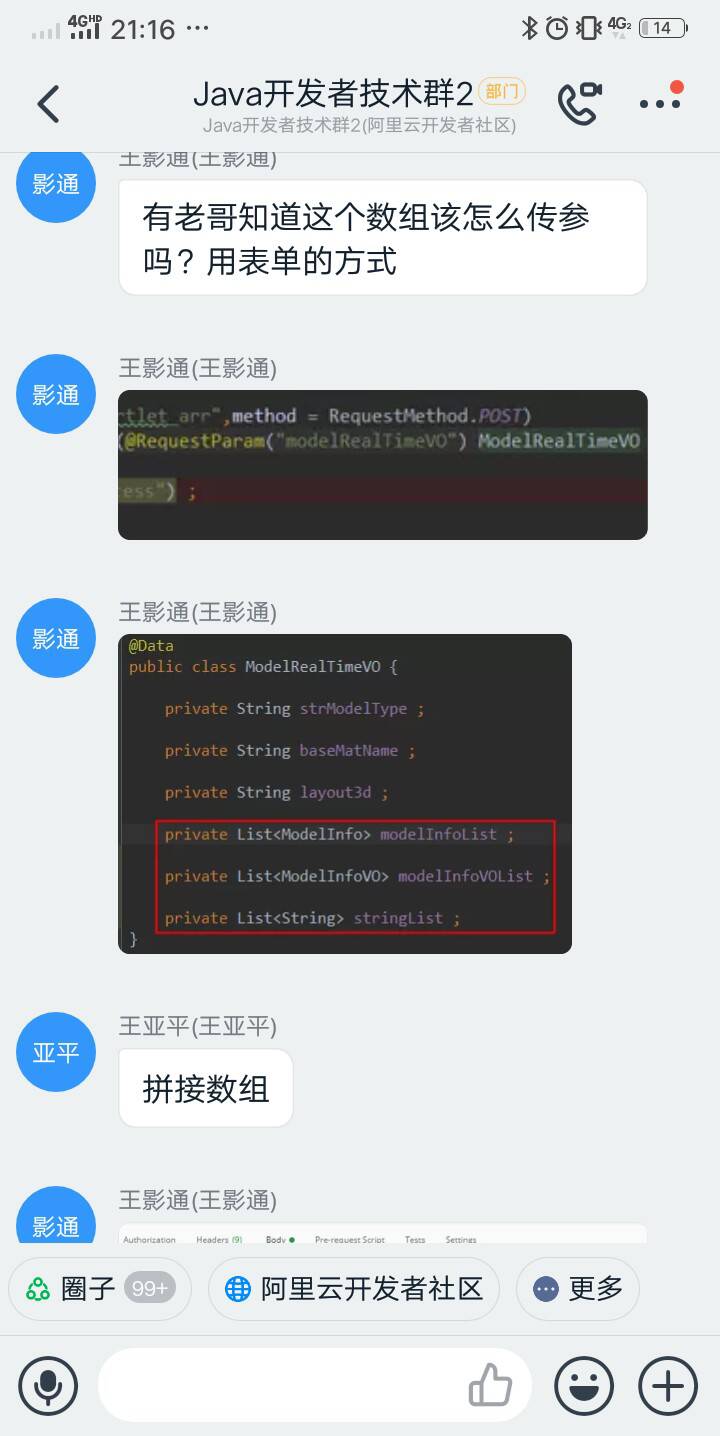
    有人提问如何向后台传送数组和对象嵌套列表的数据格式,我一想这不就是老生常谈的话题吗,

    于是给他解决了后,在想,为什么不把以前的解决方式写到网了呢,天下无稀罕事,都是重复性的多。新出来的开发者也会遇到同样的问题(就是说老程序们曾经出现的问题又在新开发者身上重新演了一遍,只是换了人而已)

    ,我们把以前解决问题的方式方法写到网上,这样新的开发者们就不用再花时间研究了,可以直接套,提升效率,节省时间。

    前端向后端传数据,无非就三种(可能会有变体或组合):普通字符串或整数,数组型实体类型, 对象嵌套型

    1.  前台向后台传送普通字符串或数字或布尔,就不说了,没什么好讲的

    2,. 前台向后端传数组格式或变体的数据。

    2.1   像List<String>或List<Integer>,有三种方式,看个人喜欢或公司规范自行选择

            2.1.1 第一种方式,前端代码:

    var systemType= new Array(); 
    systemType.push(0);  
    systemType.push(1);  
    systemType.push(2); 
    $.ajax({ 
      type: "POST", 
      url: "<%=basePath%>/tools/add", 
      dataType: 'json', 
      data: {"title":"python开发", systemType":systemType}, 
      success: function(data){ 
        … 
      }, 
      error: function(res){ 
        … 
      } 
    }); 

    后端代码:

    /**
         * 资料
         * @param title(标题)
         * @param systemType(类型)
         * @return
         */
        @RequestMapping(value = "/add", method = RequestMethod.POST)
        @LoginRequired
        @CrossOrigin
        public JSONObject add(@CurrentUser User user, 
                @RequestParam(value = "title", required = true, defaultValue = "") String title,
                @RequestParam("systemType[]",defaultValue = "[]") List<Integer>  systemType) {
    //直接获取前台传来的值
    ...
    }

     2.1.2  第二种方式,前台通过JSON.stringify转化为字符串,(我主要是用此种方式传这种格式的数据)例如

    var arr = [ 0, 1, 2];
    var myJSON = JSON.stringify(arr);
    此时myJSON字符串就是'[0,1,2]',传给后台接受

     后端代码:

    (@RequestParam(value = "systemType", required = false, defaultValue = "[]")String systemType)
    
    //把前台传来的数据('[0,1,2]')转化为List
    List<Interger> list = JSON.parseArray(systemType, Interger.class);

    搜索搜出来的效果图:

    ​ 

    2.1.3  第三种方式,前台也可以传这种类型的字符串(我偶尔用这样方式,只是不太喜欢数组)

    //前端构造出了"0,1,2,3"
    var systemType="0,1,2,3";

    后端这样解析

    (@RequestParam(value = "systemType", required = false, defaultValue = "[]")String systemType)
    
    //把前台传来的数据('0,1,2')转化为数组
    Integer[] sectionItems = StringUtils.split(systemType, ",");

     如图示:


    2.2   像List<实体类>或List<Hashmap>的数据格式,有三种方式,看个人喜欢或公司规范自行选择

           2.2.1  以传list<实体类>为例

                java实体类


    //部分代码字段
    public class ExamErrorQuestion {
        
        /**
         * 学生id号
         */
        private Integer studentId;
        
        /**
         * 考试表关联id
         */
        private Integer examId;
        
        /**
         * 考试题目id
         */
        private Integer examQuestionId;
       
        .............................
    }

     前端JavaScript构造数据

    var examErrorQuestion= new Array(); 
    examErrorQuestion.push({studentId: 2,examId: 1, examQuestionId:1});  
    examErrorQuestion.push({studentId: 2,examId: 1, examQuestionId:2});  
    examErrorQuestion.push({studentId: 2,examId: 1, examQuestionId:3});  
    examErrorQuestion.push({studentId: 4,examId: 1, examQuestionId:1});  
    examErrorQuestion.push({studentId: 4,examId: 1, examQuestionId:2});  
    examErrorQuestion.push({studentId: 4,examId: 1, examQuestionId:3}); 
    $.ajax({ 
      type: "POST", 
      url: "<%=basePath%>/exam/mark", 
      data: JSON.stringify(examErrorQuestion),//将js对象序列化成JSON字符串 
      dataType:"json", 
      contentType : 'application/json;charset=utf-8', //设置请求头信息 
      success: function(data){ 
        … 
      }, 
      error: function(res){ 
        … 
      } 
    }); 

    后端Controller的java代码,只写中点解析数据

    List<ExamErrorQuestion> eeqItems = JSON.parseArray(questions, ExamErrorQuestion.class);
    //数据处理业务处理略

    ​ 

    其实也可以不用实体类,也可以用Hashmao(看个人意愿,要是公司有代码量要求,可以用上面的解析),没有代码量要求,那就:

    //解析试卷,没有写实体类,用Hashmap组装数据格式
    List<HashMap> paper = JSON.parseArray(tcbi.getPaperList(), HashMap.class);
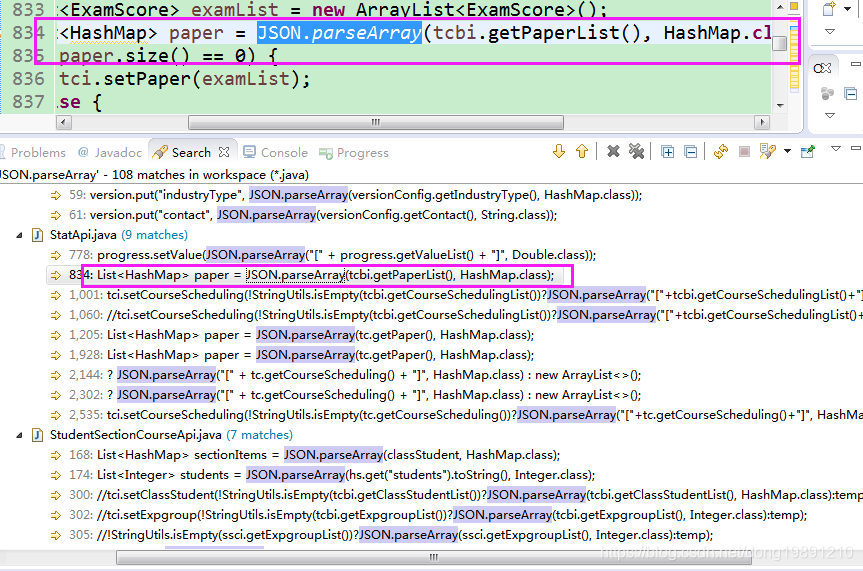


    好多90%都是组装的Hashmap,不喜欢维护那么多类,单重数据结构上看,HashMap是动态的实体类。

    最后也可以用spring的原生注解接受:

       
        @SuppressWarnings("rawtypes")
        @RequestMapping(value = "/mark", method = RequestMethod.POST)
        @LoginRequired
        @CrossOrigin
        public JSONObject mark(@CurrentUser User user,......
                @RequestBody List<ExamErrorQuestion> examErrorQuestion) {
    略。。。
            }

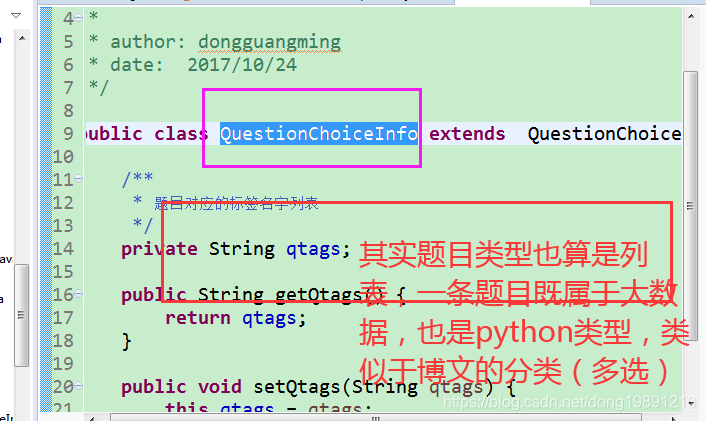
    3  实体类里有list,嵌套了一层(list纯数字或list对象)

    3.1  举个工作中的例子,试卷有几十道题目,教程有十几个章节


    嵌套类如下 
    前端代码:

    var questions= new Array(); 
    questions.push({title: "闰年二月多少天",type: 1,anwser:"A"});  //单选题
    questions.push({title: "大数据组件有多少",type: 2,anwser:"hadoop,spark,hbase等"});  //问答题
    questions.push({title: "传输层有哪些协议",type: 3, anwser:"AB"}); //多选题
    。。。。。。。 
    
    var paperInfo= {}; 
    paperInfo.name = "大数据考试"; 
    paperInfo.duration= "90分钟";//考试时长
    paperInfo.questions= questions; //题目列表
    $.ajax({ 
      type: "POST", 
      url: "<%=basePath%>/paper/add", 
      data: JSON.stringify(paperInfo),//将对象序列化成JSON字符串 
      dataType:"json", 
      contentType : 'application/json;charset=utf-8', //设置请求头信息 
      success: function(data){ 
        … 
      }, 
      error: function(res){ 
        … 
      } 
    }); 

     后端接受主要代码:

     @SuppressWarnings("rawtypes")
        @RequestMapping(value = "/add", method = RequestMethod.POST)
        @LoginRequired
        @CrossOrigin
        public JSONObjectsaveUsers(@RequestBody PaperInfo paperInfo) { 
        List<QuestionChoiceInfo> questions= paperInfo.getQuestions(); 
        //执行业务逻辑略。。。。。。 
      } 

    不过我用的是分解法传输,主要也是fastjson


    就先写整理这么多了,囊括了各个传输数据的格式,开发就是把数据解析来解析去,组装数据(特别是可视化项目) 。

    总结下: 前后端交互数据就这三种数据格式

    1, 单体的字符串,数字,布尔

    2.   数组,list型

    3.  实体类,HashMap型(按传输数据格式来说hashmap其实也算是动态实体,因为字段可增可减),组合嵌套型数据格式

    早年开发时,数据交互是XML数据 、 来回构造解析
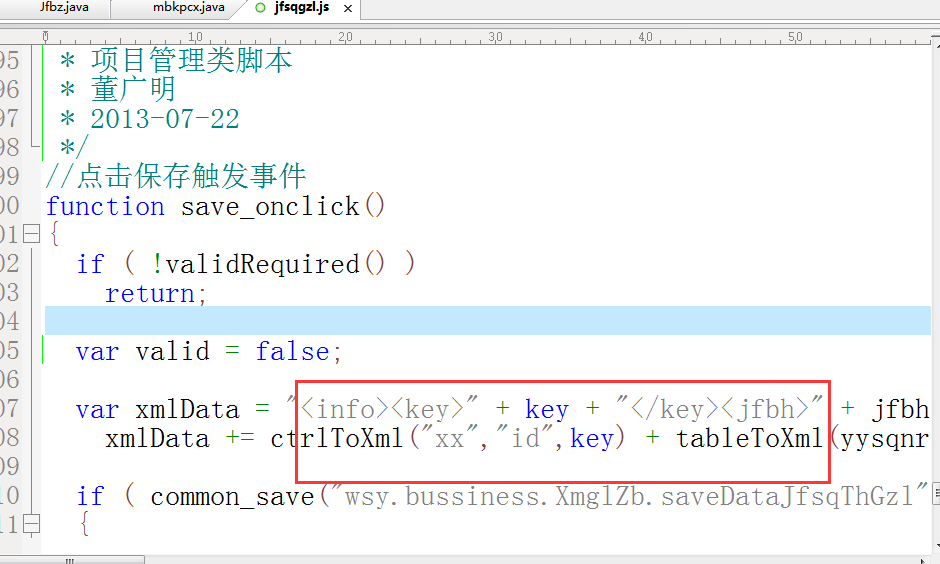
     

    如今是json构造数据来回折腾,不兼容

    看了此文,前后端交互的数据模型格式解析,也就到头了!!!

  • 相关阅读:
    DGA域名可以是色情网站域名
    使用cloudflare加速你的网站隐藏你的网站IP
    167. Two Sum II
    leetcode 563. Binary Tree Tilt
    python 多线程
    leetcode 404. Sum of Left Leaves
    leetcode 100. Same Tree
    leetcode 383. Ransom Note
    leetcode 122. Best Time to Buy and Sell Stock II
    天津Uber优步司机奖励政策(12月28日到12月29日)
  • 原文地址:https://www.cnblogs.com/dongguangming/p/12659101.html
Copyright © 2011-2022 走看看