安装supervisor
yum install supervisor
配置supervisor
vi /etc/supervisord.conf
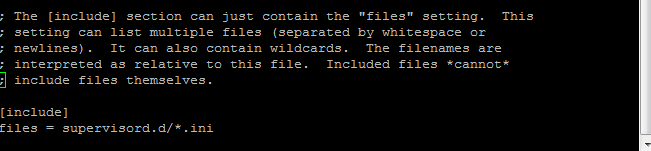
拉到最后,这里的意思是 /etc/supervisord.d 文件夹下的所有.ini结尾的文件都可以
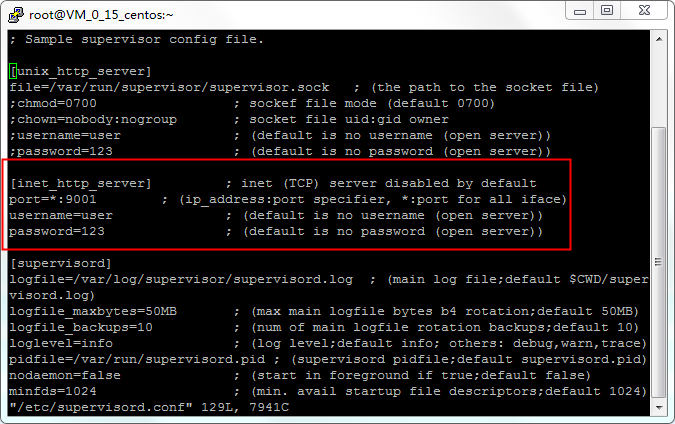
开启远程图形界面
设置.net core运行配置
windows本地新建一个net.ini文件,内容如下(特别注意UTF-8格式)
[program:netcoremonitoring]
command=dotnet netcoremonitoring.dll #运行命令
directory=/home/Mon #程序路径
environment=ASPNETCORE__ENVIRONMENT=Production
user=root
stopsignal=INT
autostart=true #自动启动
autorestart=true #3秒自动重启
startsecs=3
stderr_logfile=/var/log/ossoffical.err.log
stdout_logfile=/var/log/ossoffical.out.log
使用ftp上传至/etc/supervisord.d文件夹下
运行supervisor
supervisord -c /etc/supervisord.conf #启动服务
supervisorctl reload #重新加载配置
supervisorctl shutdown #关闭
systemctl enable supervisord #开机启动
systemctl is-enabled supervisord #验证是否开机启动