一、前言
@allure.title和@allure.description都是装饰器,给测试用例提供标题和描述- 其实 allure 还提供了在测试用例执行过程中动态指定标题和描述等标签的方法
- 如:
allure.dynamic.description allure.dynamic.title
二、allure.dynamic 的源代码
class Dynamic(object):

    @staticmethod
    def title(test_title):
        plugin_manager.hook.add_title(test_title=test_title)

    @staticmethod
    def description(test_description):
        plugin_manager.hook.add_description(test_description=test_description)

    @staticmethod
    def description_html(test_description_html):
        plugin_manager.hook.add_description_html(test_description_html=test_description_html)

    @staticmethod
    def label(label_type, *labels):
        plugin_manager.hook.add_label(label_type=label_type, labels=labels)

    @staticmethod
    def severity(severity_level):
        Dynamic.label(LabelType.SEVERITY, severity_level)

    @staticmethod
    def feature(*features):
        Dynamic.label(LabelType.FEATURE, *features)

    @staticmethod
    def story(*stories):
        Dynamic.label(LabelType.STORY, *stories)

    @staticmethod
    def tag(*tags):
        Dynamic.label(LabelType.TAG, *tags)

    @staticmethod
    def link(url, link_type=LinkType.LINK, name=None):
        plugin_manager.hook.add_link(url=url, link_type=link_type, name=name)

    @staticmethod
    def issue(url, name=None):
        Dynamic.link(url, link_type=LinkType.ISSUE, name=name)

    @staticmethod
    def testcase(url, name=None):
        Dynamic.link(url, link_type=LinkType.TEST_CASE, name=name)
重点
上面有的方法都能进行动态修改,如:
allure.dynamic.feature
allure.dynamic.link
allure.dynamic.issue
allure.dynamic.testcase
allure.dynamic.story
allure.dynamic.title
allure.dynamic.description
三、title 的例子
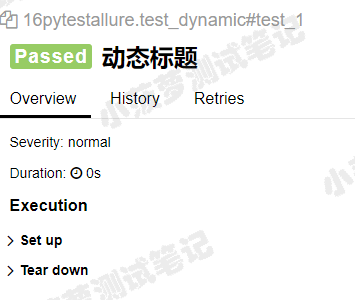
3.1 测试代码
@allure.title("装饰器标题")
def test_1():
    print(123)
    allure.dynamic.title("动态标题")
allure 报告
四、description 的例子
4.1 测试代码
def test_1():
    """
    动态设置描述
    """
    print(123)
    allure.dynamic.description("动态描述")
    allure.dynamic.title("动态标题")
allure
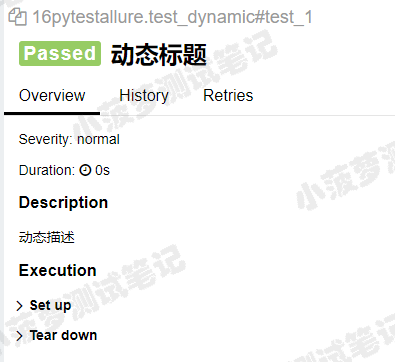
可以看到动态描述会覆盖动态设置描述
五、结合 parametrize
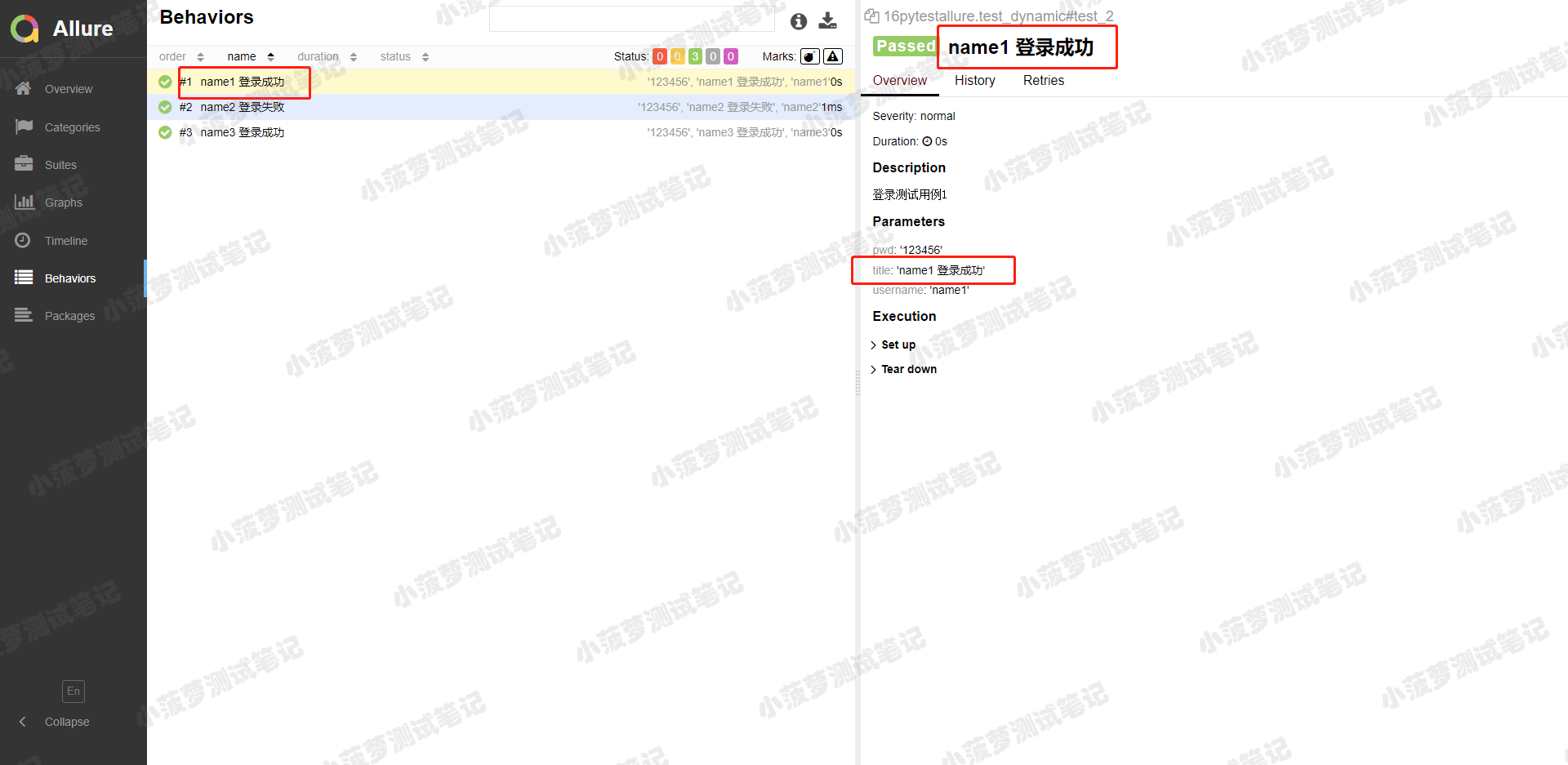
5.1 测试代码
data = [
    ("name1", "123456", "name1 登录成功"),
    ("name2", "123456", "name2 登录失败"),
    ("name3", "123456", "name3 登录成功")
]


@pytest.mark.parametrize('username,pwd,title', data)
def test_2(username, pwd, title):
    """
    登录测试用例1
    """
    print(username, pwd)
    allure.dynamic.title(title)
allure 报告
六、其他属性的例子
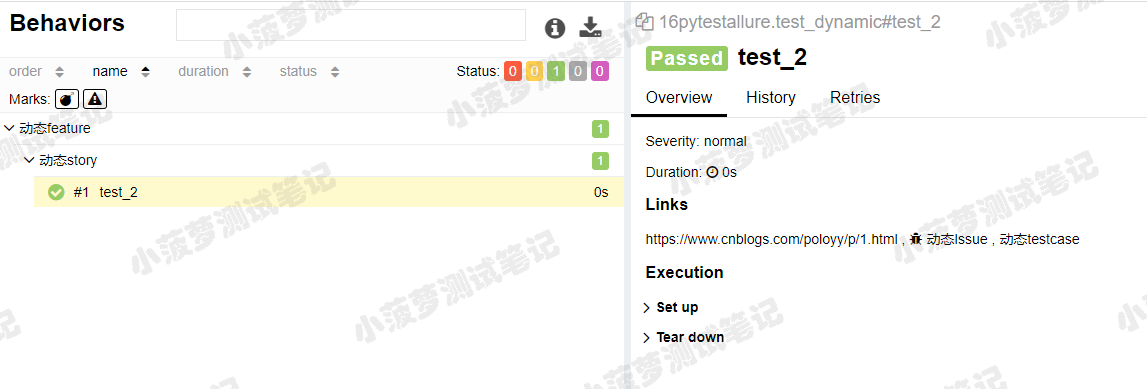
6.1 测试代码
def test_2():
    allure.dynamic.feature('动态feature')
    allure.dynamic.story('动态story')
    allure.dynamic.link("https://www.cnblogs.com/poloyy/p/1.html", '动态Link')
    allure.dynamic.issue("https://www.cnblogs.com/poloyy/p/2.html", '动态Issue')
    allure.dynamic.testcase("https://www.cnblogs.com/poloyy/p/3.html", '动态testcase')
allure报告