gument (errno 22)
/root/vpp/vpp/build-root/install-vpp_debug-native/vpp/bin/vpp[73384]: register_node:485: process stack: Invalid argument (errno 22)
/root/vpp/vpp/build-root/install-vpp_debug-native/vpp/bin/vpp[73384]: register_node:485: process stack: Invalid argument (errno 22)
/root/vpp/vpp/build-root/install-vpp_debug-native/vpp/bin/vpp[73384]: register_node:485: process stack: Invalid argument (errno 22)
/root/vpp/vpp/build-root/install-vpp_debug-native/vpp/bin/vpp[73384]: register_node:485: process stack: Invalid argument (errno 22)
/root/vpp/vpp/build-root/install-vpp_debug-native/vpp/bin/vpp[73384]: register_node:485: process stack: Invalid argument (errno 22)
/root/vpp/vpp/build-root/install-vpp_debug-native/vpp/bin/vpp[73384]: register_node:485: process stack: Invalid argument (errno 22)
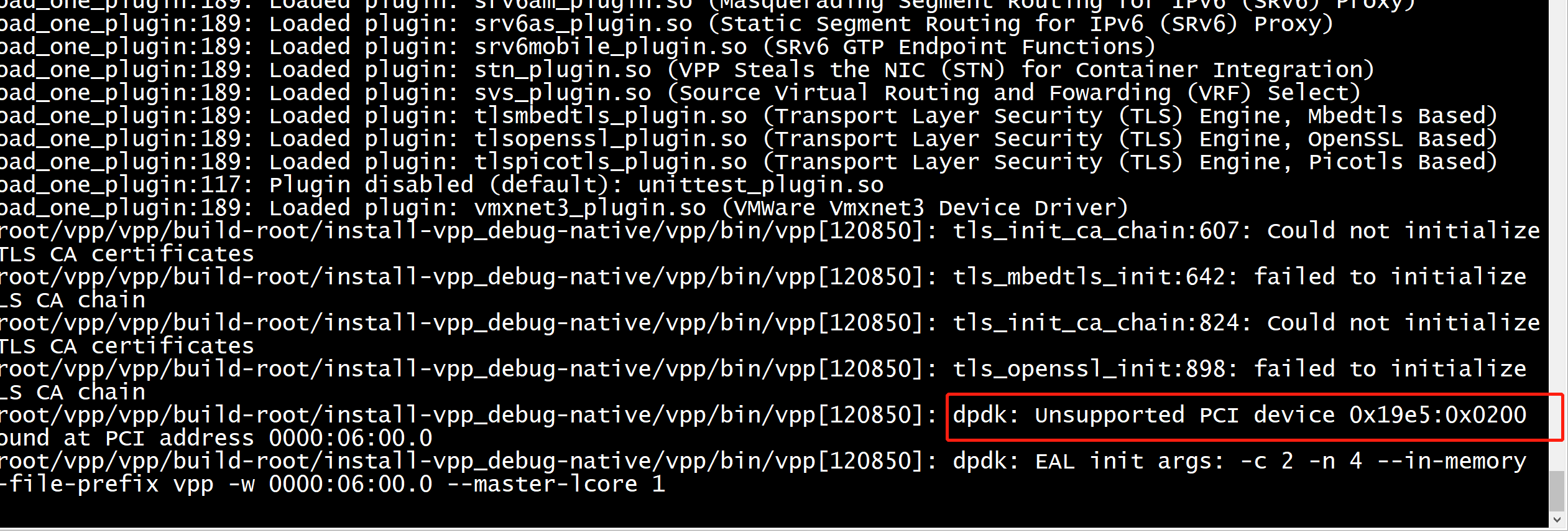
/root/vpp/vpp/build-root/install-vpp_debug-native/vpp/bin/vpp[73384]: tls_init_ca_chain:607: Could not initialize TLS CA certificates
/root/vpp/vpp/build-root/install-vpp_debug-native/vpp/bin/vpp[73384]: tls_mbedtls_init:642: failed to initialize TLS CA chain
/root/vpp/vpp/build-root/install-vpp_debug-native/vpp/bin/vpp[73384]: tls_init_ca_chain:824: Could not initialize TLS CA certificates
/root/vpp/vpp/build-root/install-vpp_debug-native/vpp/bin/vpp[73384]: tls_openssl_init:898: failed to initialize TLS CA chain
/root/vpp/vpp/build-root/install-vpp_debug-native/vpp/bin/vpp[73384]: dpdk: Unsupported PCI device 0x19e5:0x0200 found at PCI address 0000:06:00.0
/root/vpp/vpp/build-root/install-vpp_debug-native/vpp/bin/vpp[73384]: dpdk: EAL init args: -c 2 -n 4 --in-memory --file-prefix vpp -w 0000:06:00.0 --master-lcore 1
[root@localhost boot]# grep CONFIG_ARM64_64K_PAGES  config-4.14.0-115.el7a.0.1.aarch64
CONFIG_ARM64_64K_PAGES=y
[root@localhost yum.repos.d]# getconf PAGESIZE
65536
把#define PAGE_SIZE_MULTIPLE 0x1000
改成
#define PAGE_SIZE_MULTIPLE 0x10000