通过dockerfile来制作ssh镜像
新建一个文件夹
mkdir -p /opt/ubuntu-ssh-root

# 将宿主机的/etc/apt/sources.list文件拷贝到该目录下
cp /etc/apt/sources.list /opt/ubuntu-ssh-root
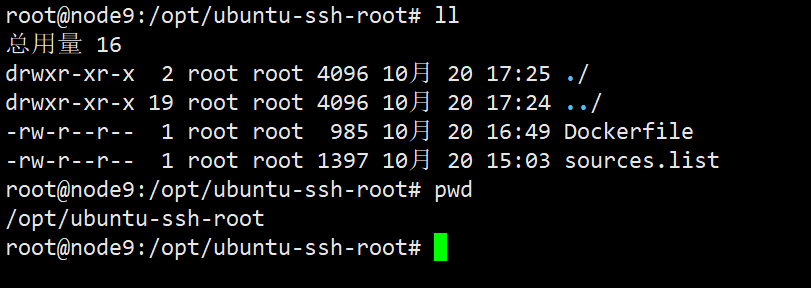
编写Dockerfile文件
vim Dockerfile
内容如下:
# 选择一个已有的os镜像作为基础
FROM aarch64/ubuntu:16.04

# 镜像的作者
MAINTAINER hanzhe

# 拷贝sources.list文件到/etc/apt下,后续安装服务需要
COPY sources.list /etc/apt/
# 安装openssh-server和sudo软件包,并且将sshd的UsePAM参数设置成no
# 尽量少些RUN命令,而改用&& 减少封装次数
# 更新镜像源
RUN apt update
&& apt install -y openssh-server
&& sed -i 's/UsePAM yes/UsePAM no/g' /etc/ssh/sshd_config
#安装openssh-clients
&& apt  install -y openssh-client
# 这个地方需要注意,可能配置不一样,根据个人的实际配置文件来进行修改
&& sed -i 's/PermitRootLogin prohibit-password/PermitRootLogin yes/' /etc/ssh/sshd_config
# 添加测试用户root,密码root,并且将此用户添加到sudoers里
&& echo root:root | chpasswd
&& echo "root   ALL=(ALL)       ALL" >> /etc/sudoers
# 下面这两句比较特殊,在centos6上必须要有,否则创建出来的容器sshd不能登录
#RUN ssh-keygen -t dsa -f /etc/ssh/ssh_host_dsa_key
#RUN ssh-keygen -t rsa -f /etc/ssh/ssh_host_rsa_key

# 启动sshd服务并且暴露22端口
RUN mkdir /var/run/sshd
EXPOSE 22
CMD ["/usr/sbin/sshd", "-D"]
通过Dockerfile来构建docker image
docker build -t="ubuntu-ssh-root" .
查看docker images
docker images

启动docker 容器
docker run -it -d --name test ubuntu-ssh-root:latest