1.输入框EditText布局
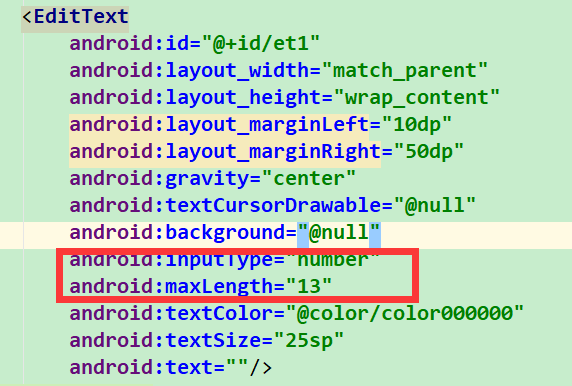
2.EditText设置监听
et1.addTextChangedListener(new TextWatcher());
3.监听中实现
 1    et1.addTextChangedListener(new TextWatcher() {
 2             @Override
 3             public void beforeTextChanged(CharSequence s, int start, int count, int after) {
 4
 5             }
 6
 7             @Override
 8             public void onTextChanged(CharSequence s, int start, int before, int count) {
 9                 String contents = s.toString();
10                 int length = contents.length();
11                 if(length == 4){
12                     if(contents.substring(3).equals(new String(" "))){ // -
13                         contents = contents.substring(0, 3);
14                         et1.setText(contents);
15                         et1.setSelection(contents.length());
16                     }else{ // +
17                         contents = contents.substring(0, 3) + " " + contents.substring(3);
18                         et1.setText(contents);
19                         et1.setSelection(contents.length());
20                     }
21                 } else if(length == 9){
22                     if(contents.substring(8).equals(new String(" "))){ // -
23                         contents = contents.substring(0, 8);
24                         et1.setText(contents);
25                         et1.setSelection(contents.length());
26                     }else{// +
27                         contents = contents.substring(0, 8) + " " + contents.substring(8);
28                         et1.setText(contents);
29                         et1.setSelection(contents.length());
30                     }
31                 }
32
33             }
34
35             @Override
36             public void afterTextChanged(Editable s) {
37                 String tel = et1.getText().toString().trim();
38                 tel = tel.replace(" ", "");
39                 if (tel.length() == 11) {
40                     couldClick = true;   //手机号
41                 } else {
42                     couldClick = false;  //不满足条件
43                 }
44             }
45         });