本文将使用Timer控件更新两个UpdatePanel控件,Timer控件将放在UpdatePanel控件的外面,并将它配置为UpdatePanel的触发器,翻译自官方文档。
主要内容
在多个UpdatePanel中使用Timer控件
1.添加一个新页面并切换到设计视图。
2.如果页面没有包含ScriptManager控件,在工具箱中的AJAX Extensions标签下双击ScriptManager控件添加到页面中。
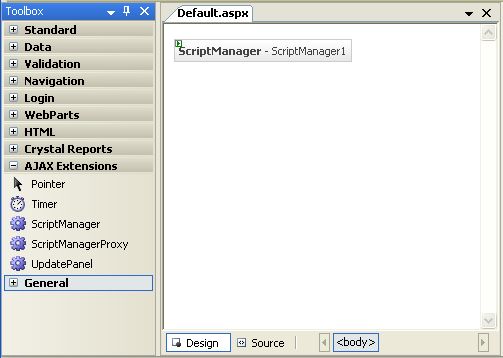
3.双击Timer控件添加到Web页面中。Timer控件可以作为UpdatePanel的触发器不管它是否在UpdatePanel中。

4.双击UpdatePanel控件添加一个Panel到页面中,并设置它的UpdateMode属性值为Conditional。
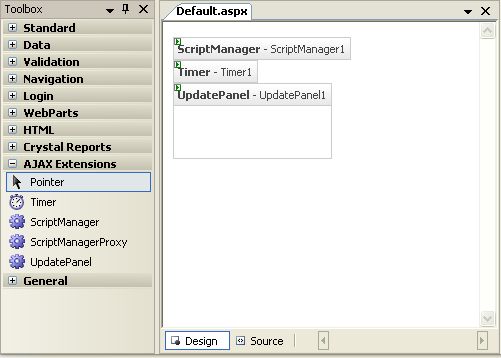
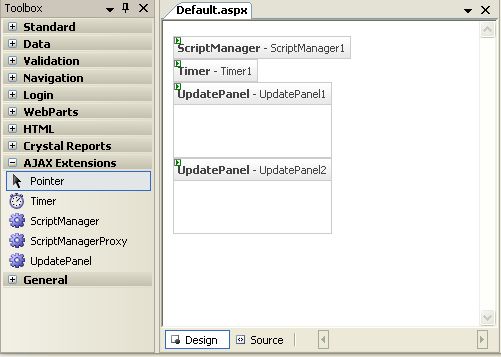
5.再次双击UpdatePanel控件添加第二个Panel到页面中,并设置它的UpdateMode属性值为Conditional。
6.在UpdatePanel1中单击,并在工具箱中Standard标签下双击Label控件添加到UpdatePanel1中。
7.设置Label控件的Text属性值为“UpdatePanel1 not refreshed yet”。
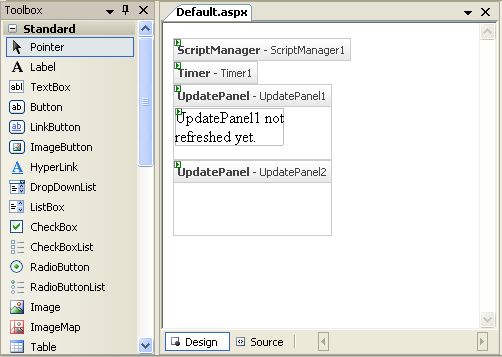
8.添加Label控件到UpdatePanel2。
9.设置第二个Label控件的Text属性值为“UpdatePanel2 not refreshed yet”。
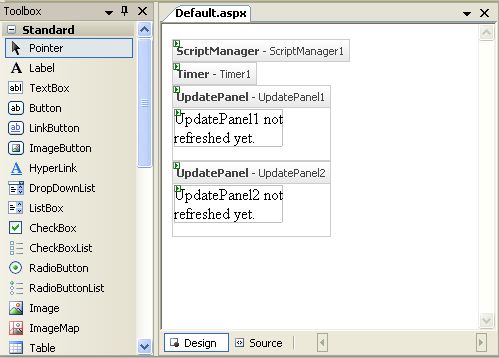
10.设置Interval属性为10000。Interval属性的单位是毫秒,所以我们设置为10000,相当于10秒钟刷新一次。
11.双击Timer控件添加Tick事件处理,在事件处理中设置Label1和Label2的Text属性值,代码如下。
public partial class _Default : System.Web.UI.Page

{

    protected void Page_Load(object sender, EventArgs e)

    {

    }

    protected void Timer1_Tick(object sender, EventArgs e)

    {

        Label1.Text = "UpdatePanel1 refreshed at: " +

          DateTime.Now.ToLongTimeString();

        Label2.Text = "UpdatePanel2 refreshed at: " +

          DateTime.Now.ToLongTimeString();

    }

}
12.在UpdatePanel1和UpdatePanel2中添加Timer控件作为AsyncPostBackTrigger,代码如下:
<Triggers>

  <asp:AsyncPostBackTrigger ControlID="Timer1" EventName="Tick" />

</Triggers>
全部完成后ASPX页面代码如下:
<%@ Page Language="C#" AutoEventWireup="true" CodeFile="Default.aspx.cs" Inherits="_Default" %>


<!DOCTYPE html PUBLIC "-//W3C//DTD XHTML 1.1//EN" "http://www.w3.org/TR/xhtml11/DTD/xhtml11.dtd">

<html xmlns="http://www.w3.org/1999/xhtml">

<head id="Head1" runat="server">

    <title>Untitled Page</title>

</head>

<body>

    <form id="form1" runat="server">

        <asp:ScriptManager ID="ScriptManager1" runat="server" />

        <div>

            <asp:Timer ID="Timer1" OnTick="Timer1_Tick" runat="server" Interval="10000">

            </asp:Timer>

        </div>

        <asp:UpdatePanel ID="UpdatePanel1" UpdateMode="Conditional" runat="server">

            <Triggers>

                <asp:AsyncPostBackTrigger ControlID="Timer1" EventName="Tick" />

            </Triggers>

            <ContentTemplate>

                <asp:Label ID="Label1" runat="server" Text="UpdatePanel1 not refreshed yet."></asp:Label>

            </ContentTemplate>

        </asp:UpdatePanel>

        <asp:UpdatePanel ID="UpdatePanel2" UpdateMode="Conditional" runat="server">

            <Triggers>

                <asp:AsyncPostBackTrigger ControlID="Timer1" EventName="Tick" />

            </Triggers>

            <ContentTemplate>

                <asp:Label ID="Label2" runat="server" Text="UpdatePanel2 not refreshed yet."></asp:Label>

            </ContentTemplate>

        </asp:UpdatePanel>


    </form>

</body>

</html>
13.保存并按Ctrl + F5运行。
14.等待10秒钟后两个UpdatePanel都刷新后,Label中的文本都变成了当前时间。