工程环境 :
win10+asp.net core 2.1 + vs2017
步骤:
1 在vs中新建asp.net core 项目
2 在Nuget中为项目添加第三方包microsoft.visualstudio.web.codegeneration.design和pomelo.entityframeworkcore.mysql
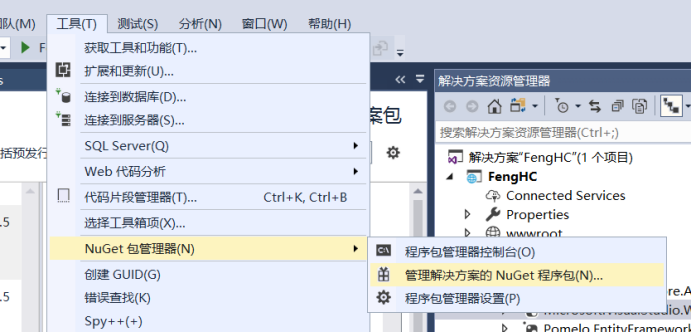
安装完成后在项目的依赖项中的Nuget如下
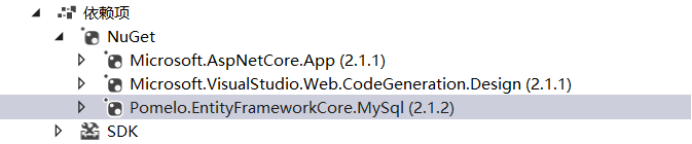
注意:如果此处新安装的第三方包右侧出现黄色警告,重启即可消除。
3 在项目中的appsettings.json属性中添加mysql数据库的相关配置
{
  //增加连接数据库的相关配置
  "ConnectionStrings": {
    "DefaultConnection": "Data Source=localhost;Port=3306;Database=mu_test;User Id=root;Password=123456"
  }
}
4 新建DBContext.cs脚本,用来提供数据库连接对象
    public class DBContext
    {
        private string connectionString;//连接数据库字符串

        public DBContext(string connection)
        {
            this.connectionString = connection;
        }

        /// <summary>
        /// 公有方法 - 提供连接数据库的MySqlConnection对象
        /// </summary>
        public MySqlConnection GetConnection()
        {
            return new MySqlConnection(connectionString);
        }
    }
5 在Starup.cs脚本中注册数据库对应服务
        // This method gets called by the runtime. Use this method to add services to the container.
        public void ConfigureServices(IServiceCollection services)
        {
            services.Configure<CookiePolicyOptions>(options =>
            {
                // This lambda determines whether user consent for non-essential cookies is needed for a given request.
                options.CheckConsentNeeded = context => true;
                options.MinimumSameSitePolicy = SameSiteMode.None;
            });

            //添加数据库的相关服务
            string connectionString = Configuration.GetConnectionString("DefaultConnection");
            services.Add(new ServiceDescriptor(typeof(DBContext), new DBContext(connectionString)));

            //添加mvc服务
            services.AddMvc().SetCompatibilityVersion(CompatibilityVersion.Version_2_1);

            //添加访问本地文件所需的服务
            services.AddSingleton<IFileProvider>(new PhysicalFileProvider(Directory.GetCurrentDirectory()));
        }
6 新建一个DBManager.cs脚本,用来封装一些简单的数据库操作方法
    public class DBManager
    {
        /// <summary>
        /// 执行sql命令语句
        /// </summary>
        public static MySqlDataReader ExecutiveSqlCommand(DBContext dbContext, string commandString, out MySqlConnection myConnection)
        {
            MySqlDataReader result = null;
            myConnection = dbContext.GetConnection();

            myConnection.Open();
            MySqlCommand myCommand = new MySqlCommand(commandString);
            myCommand.Connection = myConnection;
            result = myCommand.ExecuteReader();

            return result;
        }
    }
7 新建model类
    /// <summary>
    /// 对应数据库中的t_order 表的数据结构
    /// </summary>
    public class OrderModel
    {
        public int Id;
        public string order_no;
    }
用来对应数据库表t_order 中的数据

8 最后新建一个DBController.cs控制器,用来测试对某张表的查询操作
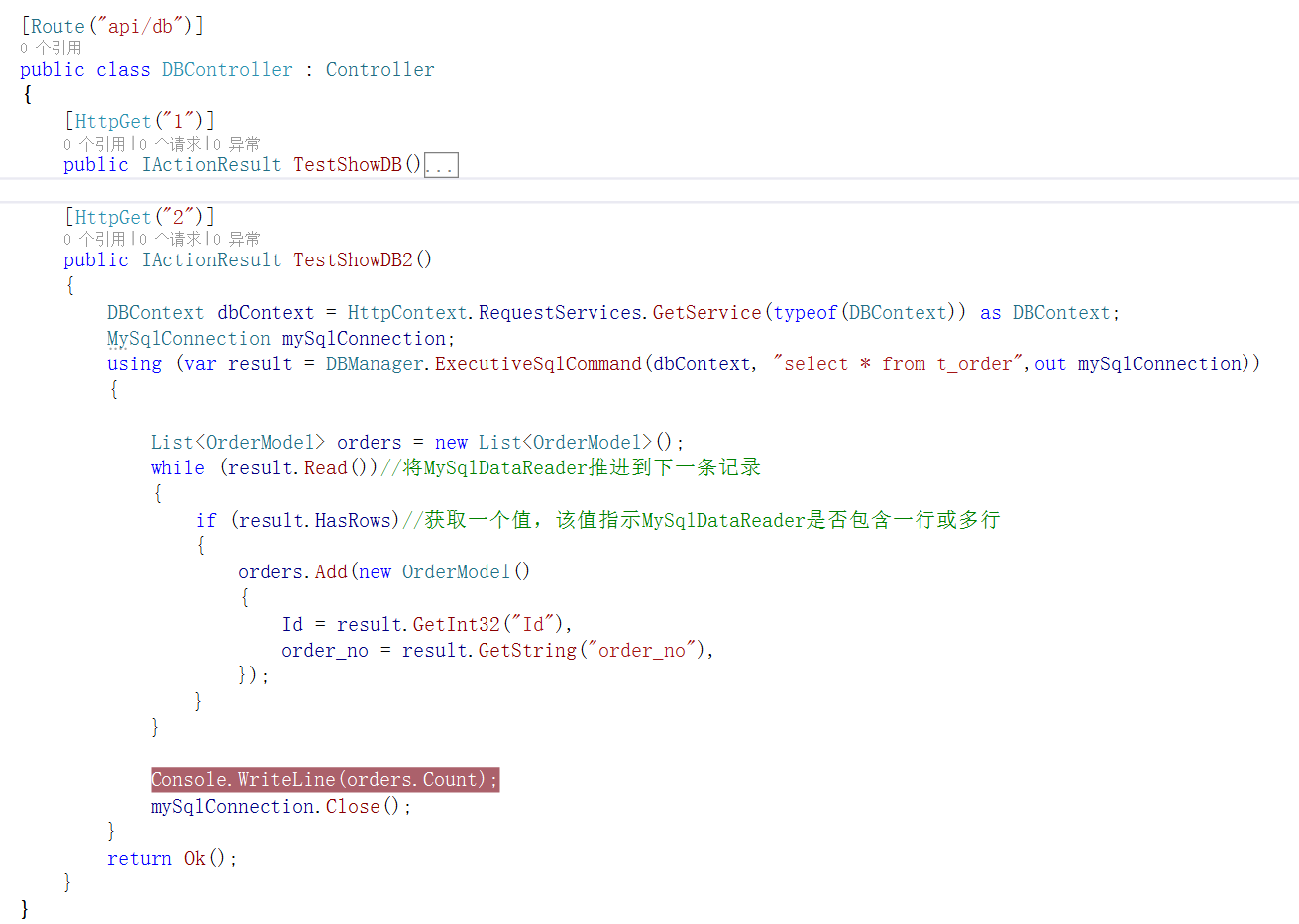
9 运行,在浏览器输入该路由访问地址

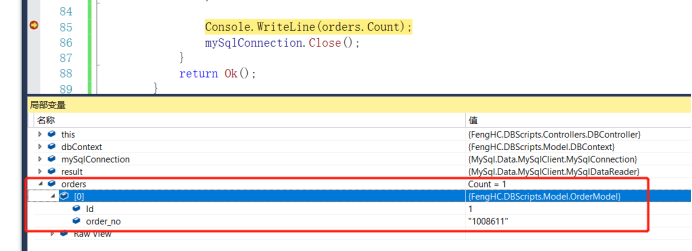
得到查询结果: