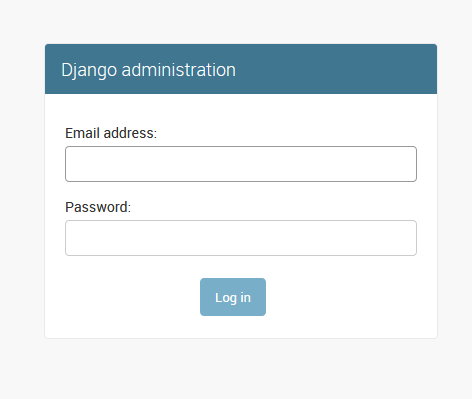
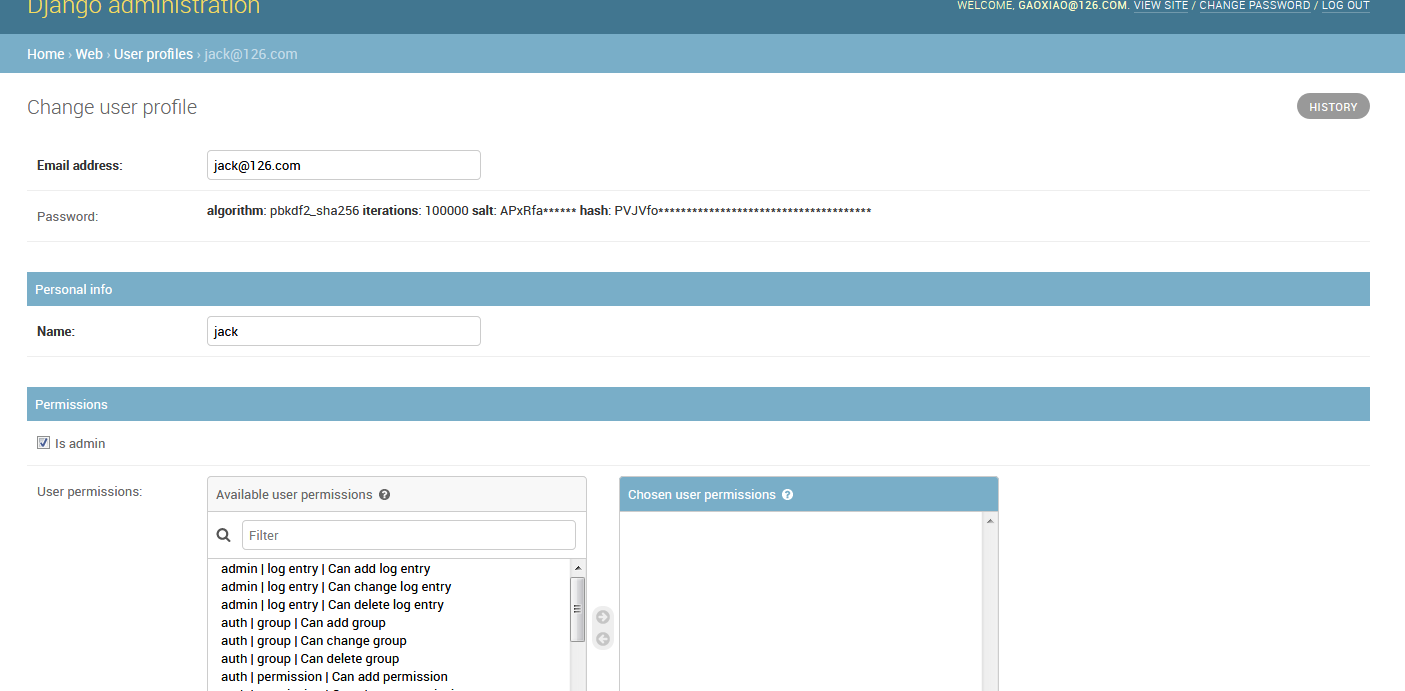
我们在设计表结构的时候关于userprofile的设计的时候一般会用onetoone的设计,这样在生产环境中有安全隐患的,所以我们需要自定制登录账户信息
怎么自定制呢?往下看
原来我们设计登录账户的表结构是这样的
1 class UserProfile(models.Model):
2     name = models.OneToOneField(max_length=64)
3     hosts = models.ManyToManyField("Host", blank=True)
4     host_groups = models.ManyToManyField("HostGroup", blank=True)
5
6     def __str__(self):
7         return self.name
8
其实user也是继承了AbstractBaseUser,所以我们直接继承AbstractBaseUser就ok
自定制登录账户需要修改成:
class UserProfileManager(BaseUserManager):
    def create_user(self, email, name, password=None):
        """
        Creates and saves a User with the given email, date of
        birth and password.
        """
        if not email:
            raise ValueError('Users must have an email address')

        user = self.model(
            email=self.normalize_email(email),
            name=name,
        )

        user.set_password(password)
        self.is_active = True
        user.save(using=self._db)
        return user

    def create_superuser(self, email, name, password):
        """
        Creates and saves a superuser with the given email, date of
        birth and password.
        """
        user = self.create_user(
            email,
            password=password,
            name=name,
        )
        user.is_admin = True
        user.save(using=self._db)
        return user

class UserProfile(AbstractBaseUser,PermissionsMixin):
    email = models.EmailField(
        verbose_name='email address',
        max_length=255,
        unique=True,
    )
    name =models.CharField(max_length=64)
    hosts = models.ManyToManyField("Host",blank=True)
    host_groups = models.ManyToManyField("HostGroup",blank=True)

    is_active = models.BooleanField(default=True)
    is_admin = models.BooleanField(default=False)

    objects = UserProfileManager()


    USERNAME_FIELD = 'email'
    REQUIRED_FIELDS = ['name']

    def __str__(self):
        return self.email

    def has_perm(self, perm, obj=None):
        "Does the user have a specific permission?"
        # Simplest possible answer: Yes, always
        return True

    def has_module_perms(self, app_label):
        "Does the user have permissions to view the app `app_label`?"
        # Simplest possible answer: Yes, always
        return True

    @property
    def is_staff(self):
        "Is the user a member of staff?"
        # Simplest possible answer: All admins are staff
        return self.is_admin
另外还需要在settings中设置一下,让django使用该认证
AUTH_USER_MODEL = 'web.UserProfile'
显示到页面上就是在admin中设置
from django.contrib import admin
from web import models

# Register your models here.

from django import forms
from django.contrib import admin
from django.contrib.auth.models import Group
from django.contrib.auth.admin import UserAdmin as BaseUserAdmin
from django.contrib.auth.forms import ReadOnlyPasswordHashField

from web.models import UserProfile


class UserCreationForm(forms.ModelForm):
    """A form for creating new users. Includes all the required
    fields, plus a repeated password."""
    password1 = forms.CharField(label='Password', widget=forms.PasswordInput)
    password2 = forms.CharField(label='Password confirmation', widget=forms.PasswordInput)

    class Meta:
        model = UserProfile
        fields = ('email', 'name')

    def clean_password2(self):
        # Check that the two password entries match
        password1 = self.cleaned_data.get("password1")
        password2 = self.cleaned_data.get("password2")
        if password1 and password2 and password1 != password2:
            raise forms.ValidationError("Passwords don't match")
        return password2

    def save(self, commit=True):
        # Save the provided password in hashed format
        user = super().save(commit=False)
        user.set_password(self.cleaned_data["password1"])
        if commit:
            user.save()
        return user


class UserChangeForm(forms.ModelForm):
    """A form for updating users. Includes all the fields on
    the user, but replaces the password field with admin's
    password hash display field.
    """
    password = ReadOnlyPasswordHashField()

    class Meta:
        model = UserProfile
        fields = ('email', 'password', 'name', 'is_active', 'is_admin')

    def clean_password(self):
        # Regardless of what the user provides, return the initial value.
        # This is done here, rather than on the field, because the
        # field does not have access to the initial value
        return self.initial["password"]


class UserProfileAdmin(BaseUserAdmin):
    # The forms to add and change user instances
    form = UserChangeForm
    add_form = UserCreationForm

    # The fields to be used in displaying the User model.
    # These override the definitions on the base UserAdmin
    # that reference specific fields on auth.User.
    list_display = ('email', 'name', 'is_admin')
    list_filter = ('is_admin',)
    fieldsets = (
        (None, {'fields': ('email', 'password')}),
        ('Personal info', {'fields': ('name',)}),
        ('Permissions', {'fields': ('is_admin','user_permissions','groups')}),
    )
    # add_fieldsets is not a standard ModelAdmin attribute. UserAdmin
    # overrides get_fieldsets to use this attribute when creating a user.
    add_fieldsets = (
        (None, {
            'classes': ('wide',),
            'fields': ('email', 'name', 'password1', 'password2')}
        ),
    )
    search_fields = ('email',)
    ordering = ('email',)
    filter_horizontal = ('user_permissions','groups')

# Now register the new UserAdmin...
admin.site.register(UserProfile, UserProfileAdmin)
# ... and, since we're not using Django's built-in permissions,
# unregister the Group model from admin.
admin.site.unregister(Group)
这样就大功告成。
页面展示: