老版本使用

访问<Hive Server Address>:9999/hwi
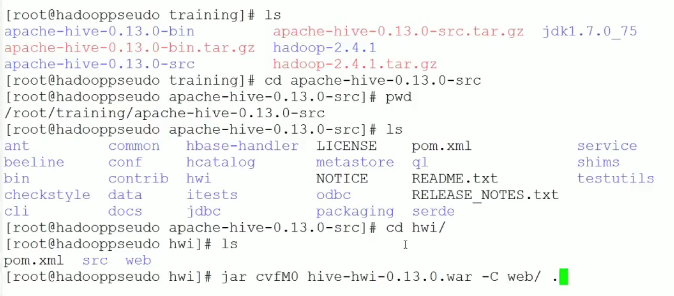
1、首先下载对应版本的src文件,本机使用apache-hive-1.2.2-src.tar.gz
2、解压缩 tar -zxvf apache-hive-1.2.2-src.tar.gz
3、进入到解压缩之后的文件中去 cd apache-hive-1.2.2-src
4、cd hwi
5、jar cvfM0 hive-hwi-1.2.2.war -C web/ .
6、sudo cp hive-hwi-1.2.2.war /opt/apache-hive-1.2.2-bin/lib
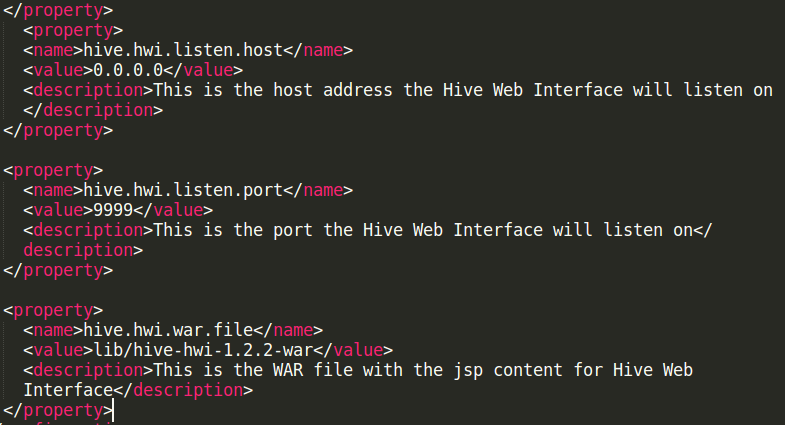
7、修改hive-site.xml文件
https://cwiki.apache.org/confluence/display/Hive/HiveWebInterface
<property>
  <name>hive.hwi.listen.host</name>
  <value>0.0.0.0</value>
  <description>This is the host address the Hive Web Interface will listen on</description>
</property>

<property>
  <name>hive.hwi.listen.port</name>
  <value>9999</value>
  <description>This is the port the Hive Web Interface will listen on</description>
</property>

<property>
  <name>hive.hwi.war.file</name>
  <value>${HIVE_HOME}/lib/hive-hwi-<version>.war</value>
  <description>This is the WAR file with the jsp content for Hive Web Interface</description>
</property>
8、拷贝jdk的tools.jar包到hive/lib下
sudo cp /usr/lib/jvm/java-8-openjdk-amd64/lib/tools.jar /opt/apache-hive-1.2.2-bin/lib
9、hive --service hwi