In JSF, you can use the <h:inputTextarea /> tag to render a HTML textarea field. For example,
JSF tag…
<h:inputTextarea cols="30" rows="10" />
Render this HTML code…
<textarea name="random value" cols="30" rows="10"></textarea>
JSF textarea example
A full JSF 2 example to render a textarea field via <h:inputTextarea /> tag.
1. Managed Bean
A managed bean, declared as name “user”.
package com.mkyong.form;

import javax.faces.bean.ManagedBean;
import javax.faces.bean.SessionScoped;
import java.io.Serializable;

@ManagedBean(name="user")
@SessionScoped
public class UserBean implements Serializable {

	private String address;

	public String getAddress() {
		return address;
	}

	public void setAddress(String address) {
		this.address = address;
	}

}
2. View Page
Two pages for the demonstration.
demo.xhtml – render a textarea field via “h:inputTextarea”, button via “h:commandButton”, if the button is clicked, textarea value will be submitted to the “userBean.address’ property via setAddress() method, and forward to “user.xhtml”.
<?xml version="1.0" encoding="UTF-8"?>
<!DOCTYPE html PUBLIC "-//W3C//DTD XHTML 1.0 Transitional//EN"
"http://www.w3.org/TR/xhtml1/DTD/xhtml1-transitional.dtd">
<html xmlns="http://www.w3.org/1999/xhtml"
      xmlns:h="http://java.sun.com/jsf/html">

    <h:body>
    	<h1>JSF 2 textarea example</h1>

	  <h:form>
		<table>
    		<tr>
    		  <td valign="top">Address :</td>
    		  <td><h:inputTextarea value="#{user.address}" cols="30" rows="10" /></td>
    		</tr>
    		</table>
    		<h:commandButton value="Submit" action="user" />
    	  </h:form>

    </h:body>
</html>
user.xhtml – display the submitted textarea value via “h:outputText”
<?xml version="1.0" encoding="UTF-8"?>
<!DOCTYPE html PUBLIC "-//W3C//DTD XHTML 1.0 Transitional//EN"
"http://www.w3.org/TR/xhtml1/DTD/xhtml1-transitional.dtd">
<html xmlns="http://www.w3.org/1999/xhtml"
      xmlns:h="http://java.sun.com/jsf/html">

    <h:body>
    	<h1>JSF 2 textarea example</h1>

	 Address : <h:outputText value="#{user.address}" />
    </h:body>
</html>
3. Demo
URL : http://localhost:8080/JavaServerFaces/
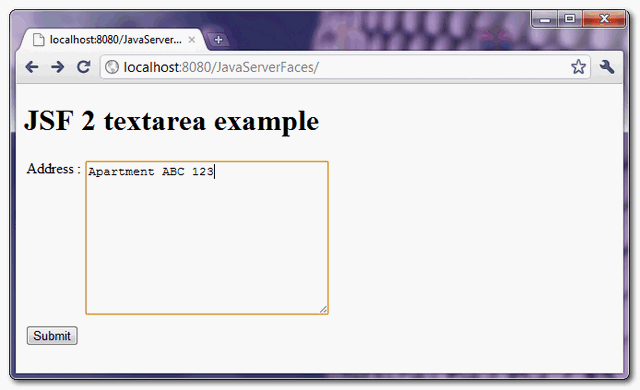
Display “demo.xhtml” page
If the button is clicked, display “user.xhtml” page, and also the submitted textarea value.
