.net core + eureka + spring boot 服务注册与简单的调用
假期小长假遇上疫情只能去家里蹲了,刚好有时间总结一下。
概述
微服务架构是当前比较火的分布式架构,本篇基于.net core微服务 和 Eureka 服务注册于发现中心,实现将.net core 的微服务注册到Eureka 中,并实现调用java的微服务。
本次主要采用的是.net core 5 版本和spring boot 2.3.3 RELEASE 版本进行验证
实践
1.net core api创建

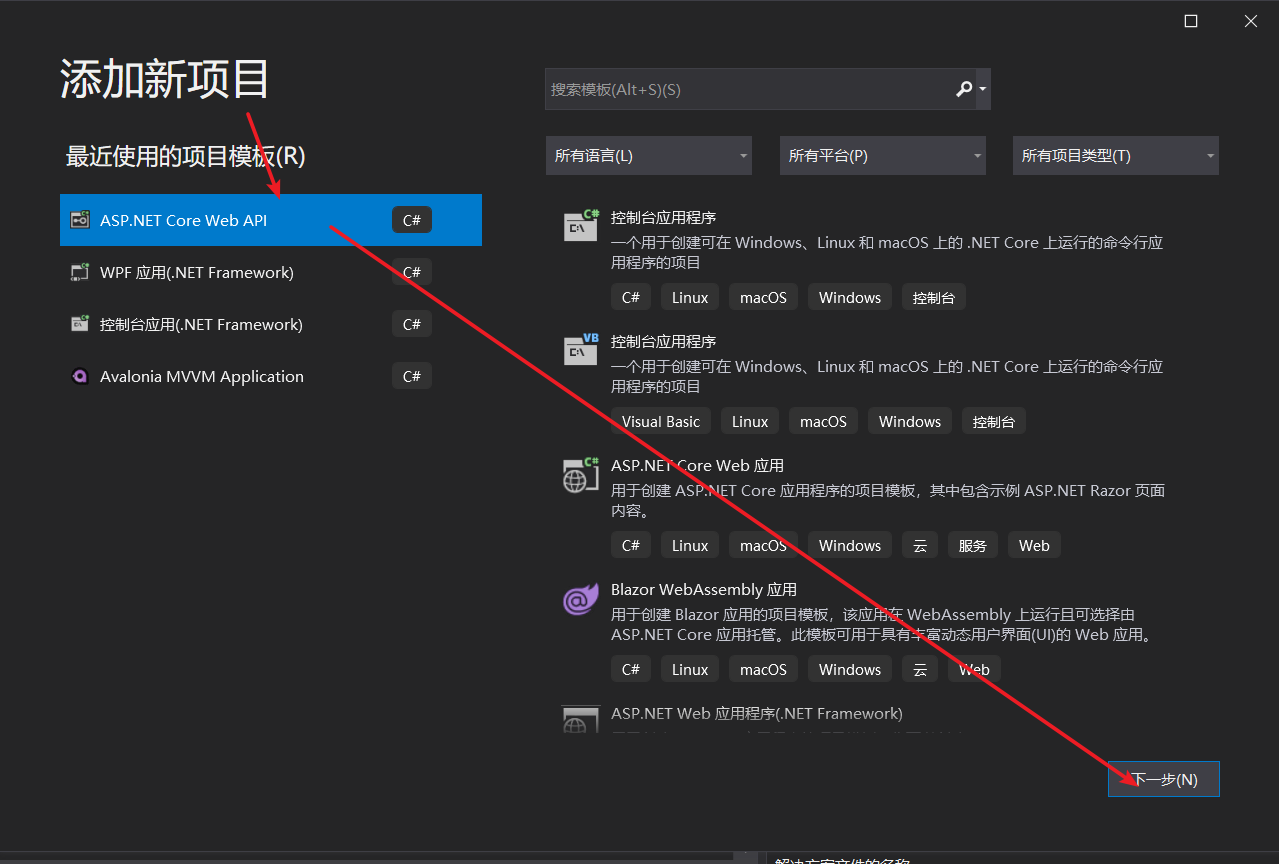
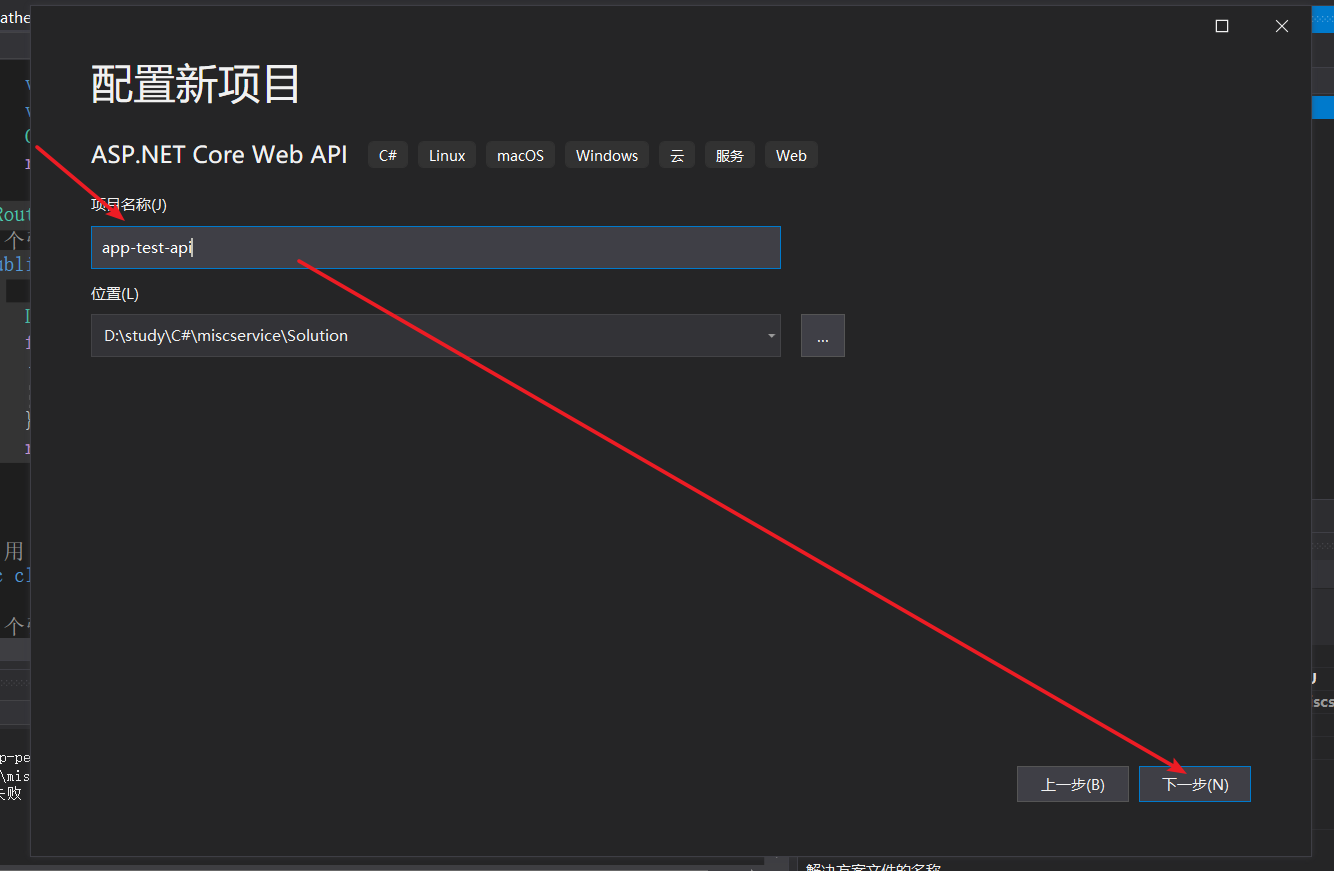

2.添加引用
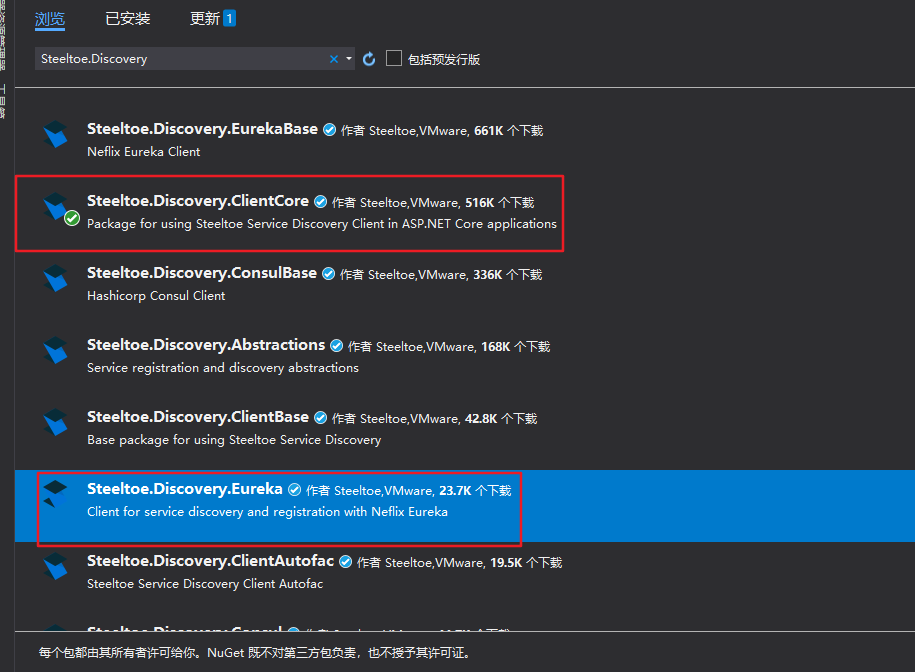
- 在nuget中添加Steeltoe.Discovery.ClientCore、Steeltoe.Discovery.Eureka(必须得添加这个,否则无法注册到Eureka中)
3.修改启动(Startup)配置
- 修改 ConfigureServices 方法
 public void ConfigureServices(IServiceCollection services)
        {
            Console.WriteLine(Configuration);
            services.AddDiscoveryClient(Configuration);//添加配置

            services.AddControllers();
            services.AddSwaggerGen(c =>
            {
                c.SwaggerDoc("v1", new OpenApiInfo { Title = "Add2EurekaDemo", Version = "v1" });
            });
        }
- 修改Configure 方法
// This method gets called by the runtime. Use this method to configure the HTTP request pipeline.
        public void Configure(IApplicationBuilder app, IWebHostEnvironment env)
        {
            if (env.IsDevelopment())
            {
                app.UseDeveloperExceptionPage();
                app.UseSwagger();
                app.UseSwaggerUI(c => c.SwaggerEndpoint("/swagger/v1/swagger.json", "Add2EurekaDemo v1"));
            }

            app.UseRouting();

            app.UseAuthorization();


            app.UseEndpoints(endpoints =>
            {
                endpoints.MapControllers();
            });
            app.UseDiscoveryClient();//启用服务发现
        }
4.修改配置文件
{
  "Logging": {
    "IncludeScopes": false,
    "LogLevel": {
      "Default": "Information",
      "Microsoft": "Warning",
      "Microsoft.Hosting.Lifetime": "Information",
      "Steeltoe": "Debug"//启动日志
    }
  },
  "AllowedHosts": "*",
  "Urls": "http://localhost:9003",
  "spring": {
    "application": {
      "name": "app-pets-net"
    }
  },
  "eureka": {
    "client": {
      "serviceUrl": "http://eureka7001.com:7001/eureka,http://eureka7002.com:7002/eureka", //注册中心url 集群用,隔开
      "shouldFetchRegistry": true, //发现服务
      "shouldRegisterWithEureka": true, //注册服务
      "validate_certificates": false
    },
    "instance": {
      "hostName": "127.0.0.1",
      "appName": "app-pets-net-pai", //默认是在运行时自动确认的 不加上这个的话网关找不到服务
      "port": 9003, //设置该服务中注册的端口
      "leaseRenewalIntervalInSeconds": 30,
      "leaseExpirationDurationInSeconds": 90
    }
  }
}
注意:如果没有增加Steeltoe.Discovery.Eureka的引入,则会报以下警告,且无法注册到eureka中
5.启动.net core 服务

表示启动成功
6.查看eureka
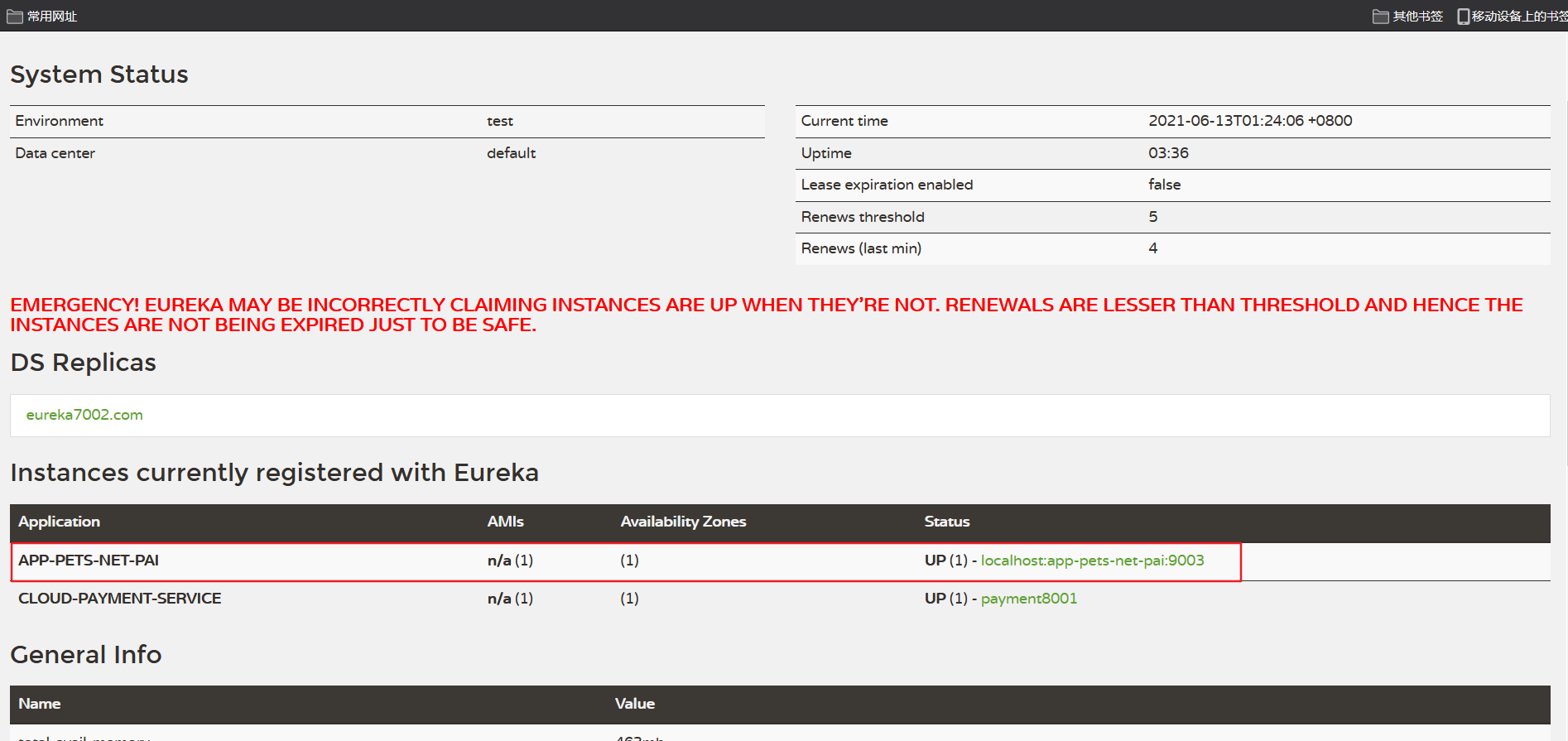
服务注册成功
调用其他服务
1.增加接口
在net core 服务中的Controller添加MyControllerBase、PaymentController文件: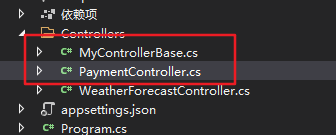
- MyControllerBase
using Microsoft.AspNetCore.Mvc;
using Steeltoe.Common.Discovery;
using Steeltoe.Discovery;
using System;
using System.Collections.Generic;
using System.Linq;
using System.Threading.Tasks;

namespace app_pets_net.Controllers
{
    public abstract class MyControllerBase : ControllerBase
    {
        protected DiscoveryHttpClientHandler HttpClientHanlder;

        public MyControllerBase(IDiscoveryClient client)
        {
            HttpClientHanlder = new DiscoveryHttpClientHandler(client);
        }
    }
}
- PaymentController
using Microsoft.AspNetCore.Mvc;
using Steeltoe.Discovery;
using System;
using System.Net.Http;
using System.Threading.Tasks;


namespace app_pets_net.Controllers
{
    public class PaymentController : MyControllerBase
    {
        public PaymentController(IDiscoveryClient client) : base(client) { }

        [Route("net/payment/zipkin")]
        public async Task<String> Pay()
        {
            var client = new HttpClient(HttpClientHanlder, false);
            var result = await client.GetStringAsync("http://CLOUD-PAYMENT-SERVICE/payment/zipkin");
            Console.WriteLine(result);
            return result;
        }
    }
}
2.启动服务
-
启动java 服务
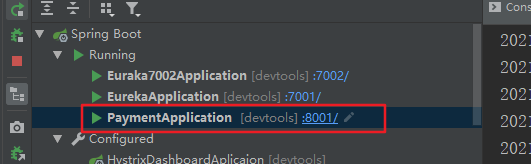
-
启动 .net core 服务

-
eureka中检查服务是否完成注册
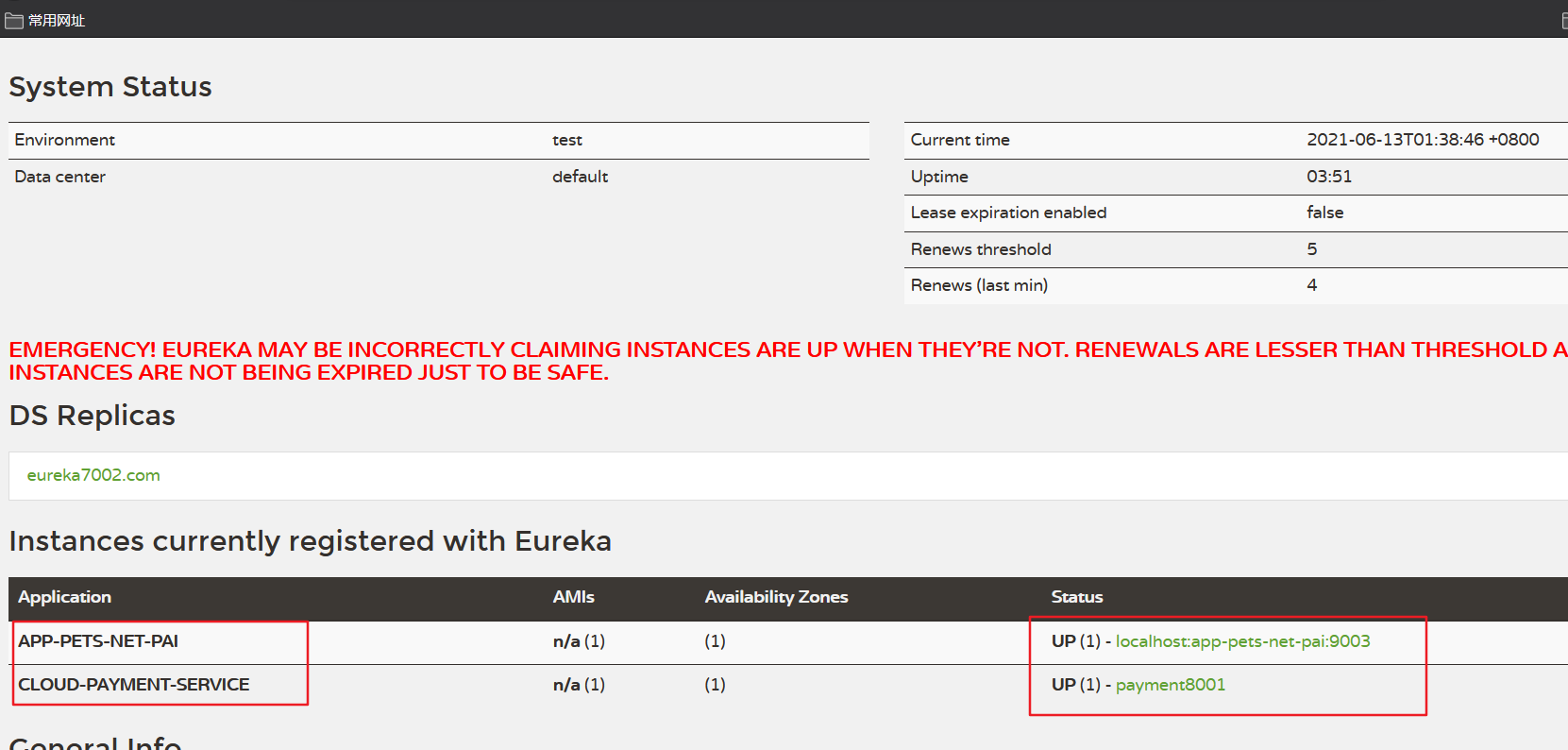
以上表明两个服务已经启动完成
3.检验
浏览器中输入http://localhost:9003/net/payment/zipkin 查看结果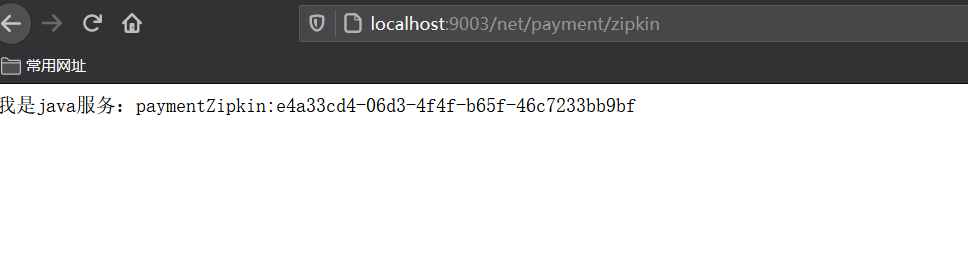
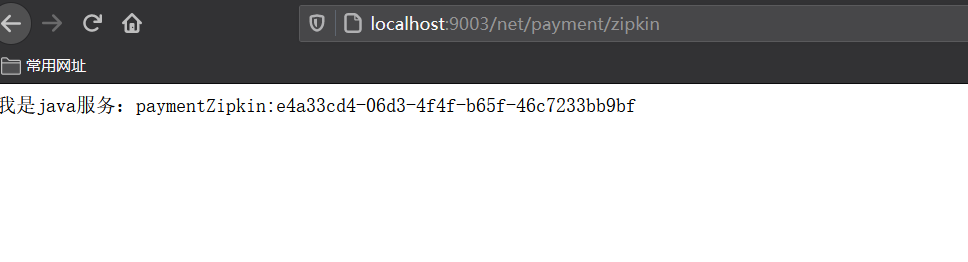
由于java中的接口是返回一个uuid的,因此表示远程调用成功
- java中的接口

4.java 服务调用net 服务
-
.net core 中的PaymentController中增加接口
[Route("net/petOrders")]
      public IEnumerable<PetOrderItme> PetOrders()
      {
          List<PetOrderItme> list = new List<PetOrderItme>();
          for (int i = 0; i < 20; i++)
          {
              list.Add(new PetOrderItme());
          }
          return list;
      }
-
Java中通过feign的方式调用 .net core的服务
增加PetsAppService接口
 @Component
@FeignClient("http://APP-PETS-NET-PAI")
public interface PetsAppService {
    /**
     *
     *
     * @return
     */
    @GetMapping(value = "/net/petOrders")
    Object petOrders();

}
Controller中增加对应的接口
 @Autowired
    PetsAppService petsAppService;
  @GetMapping("/consumer/petOrders")
    public CommonResult getPetyOrders(){
        CommonResult  result= new CommonResult<>();
        result.setData(petsAppService.petOrders());
        return  result;
    }
5. 启动相关服务并验证
验证.net core 的服务是否正常,浏览器中输入 http://localhost:9003/net/petOrders
结果:
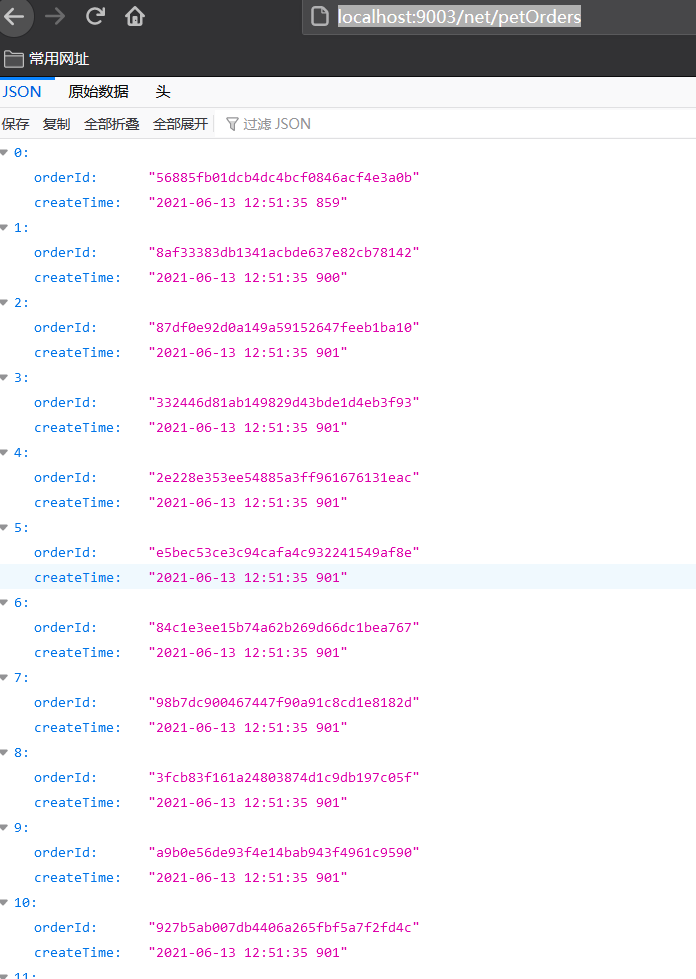
验证java服务是否能够调用.net core 中的服务,浏览器中输入 http://localhost:8010/consumer/petOrders
结果:

以上边完成了java和。net core 的服务间的调用,当让调用服务我们也可以使用httpclient 指定的ip和端口的方式去调用,如果是集群的模式下,这种通过注册中心管理服务,然后服务调用端通过服务名称去调用相关的服务,就不用知道哪个ip和端口了,服务迁移到别的地方的时候我们也无需改动成指定的ip,只需要改动注册中心的ip即可。
以上仅是个人的总结,欢迎指正。