C++
//用户头文件
#include <NXOpen/DisplayManager.hxx>
#include <NXOpen/DisplayModification.hxx>
#include <NXOpen/DisplayableObject.hxx>
#include <NXOpen/Face.hxx>
#include <NXOpen/Features_Block.hxx>
#include <NXOpen/Features_FeatureCollection.hxx>
#include <NXOpen/Part.hxx>
#include <NXOpen/PartCollection.hxx>
#include <NXOpen/NXObject.hxx>
#include <NXOpen/NXObjectManager.hxx>
#include <uf_ui.h>
//用户代码
group01->SetExpanded(true);
group02->SetExpanded(true);
group03->SetExpanded(false);
//设置过虑(注释处改动即可使用)
Selection::SelectionAction action = Selection::SelectionActionClearAndEnableSpecific;
std::vector<Selection::MaskTriple> maskArray(1);
maskArray[0] = Selection::MaskTriple( UF_solid_type, UF_all_subtype, UF_UI_SEL_FEATURE_ANY_FACE); // Faces
selection0/*此处blockID需按实际改*/->GetProperties()->SetSelectionFilter("SelectionFilter",action,maskArray);
button0->GetProperties()->SetString("Label","制作:Alan Huange QQ:185266370"); //修改按钮显示的内容
Session *theSession = Session::GetSession(); //获取绘画客口
Part *workPart = theSession->Parts()->Work(); //获取工作部件
Part *displayPart = theSession->Parts()->Display(); //获取显示部件
//获取枚举UI界面值
PropertyList *enum0Props = enum0->GetProperties();
int EnumValue = enum0Props->GetEnum("Value");
delete enum0Props;
enum0Props = NULL;
//获取UI选择的面
PropertyList* selection01Props = selection0->GetProperties();
std::vector<NXOpen::TaggedObject *> faces = selection01Props->GetTaggedObjectVector("SelectedObjects");
delete selection01Props;
selection01Props = NULL;
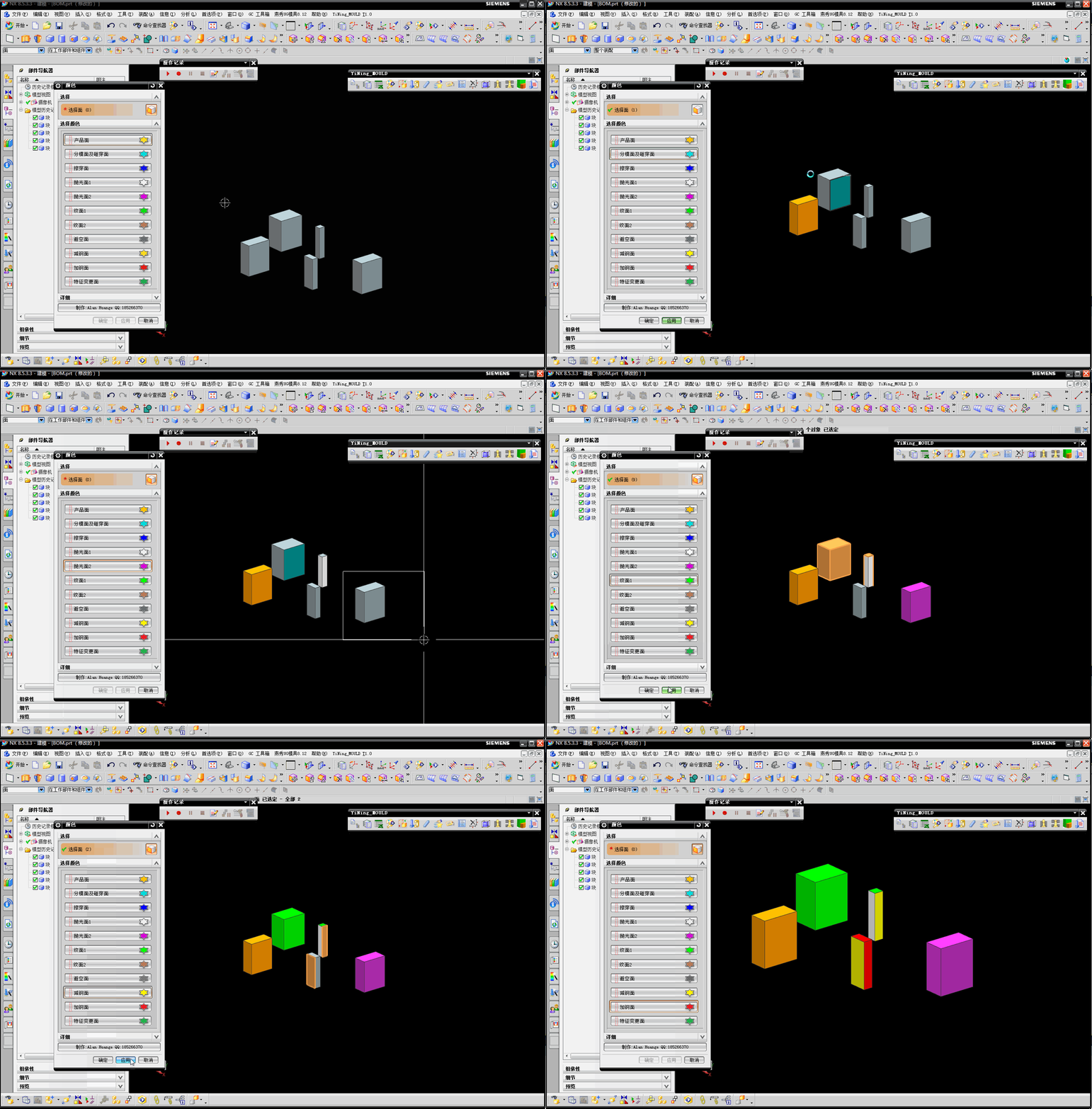
//改色
DisplayModification *displayModification1;
displayModification1 = theSession->DisplayManager()->NewDisplayModification();
displayModification1->SetApplyToAllFaces(false);
displayModification1->SetApplyToOwningParts(false);
displayModification1->SetNewWidth(DisplayableObject::ObjectWidthOne);
for(int i=0;i<faces.size();i++)
{
if ( EnumValue == 0 )
{
displayModification1->SetNewColor(78);//设置产品面橙色
}
else if ( EnumValue == 1 )
{
displayModification1->SetNewColor(105);//设置分模面及碰穿面青色
}
else if ( EnumValue == 2 )
{
displayModification1->SetNewColor(211);//设置擦穿面蓝色
}
else if ( EnumValue == 3 )
{
displayModification1->SetNewColor(1);//设置抛光面1白色
}
else if ( EnumValue == 4 )
{
displayModification1->SetNewColor(152);//设置抛光面2紫色
}
else if ( EnumValue == 5 )
{
displayModification1->SetNewColor(36);//设置纹面1绿色
}
else if ( EnumValue == 6 )
{
displayModification1->SetNewColor(124);//设置纹面2淡红色
}
else if ( EnumValue == 7 )
{
displayModification1->SetNewColor(130);//设置避空面灰色
}
else if ( EnumValue == 8 )
{
displayModification1->SetNewColor(6);//设置减钢面黄色
}
else if ( EnumValue == 9 )
{
displayModification1->SetNewColor(186);//设置加钢面红色
}
else if ( EnumValue == 10 )
{
displayModification1->SetNewColor(137);//设置特征变更面军绿色
}
std::vector<DisplayableObject *> objects1(1);
Face *face1(dynamic_cast<Face *>(NXObjectManager::Get(faces[i]->Tag())));
objects1[0] = face1;
displayModification1->Apply(objects1);
}
delete displayModification1;