一、非UTF-8页面处理
1.背景
windows-1251编码
比如俄语网站:https://vk.com/cciinniikk
可耻地发现是这种编码
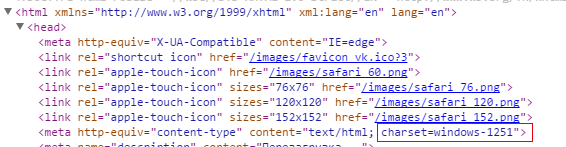
所有这里主要说的是 Windows-1251(cp1251)编码与utf-8编码的问题,其他的如 gbk就先不考虑在内了~
2.解决方案
1.
使用js原生编码转换
但是我现在还没找到办法哈..
如果是utf-8转window-1251还可以 http://stackoverflow.com/questions/2696481/encoding-conversation-utf-8-to-1251-in-javascript
var DMap = {0: 0, 1: 1, 2: 2, 3: 3, 4: 4, 5: 5, 6: 6, 7: 7, 8: 8, 9: 9, 10: 10, 11: 11, 12: 12, 13: 13, 14: 14, 15: 15, 16: 16, 17: 17, 18: 18, 19: 19, 20: 20, 21: 21, 22: 22, 23: 23, 24: 24, 25: 25, 26: 26, 27: 27, 28: 28, 29: 29, 30: 30, 31: 31, 32: 32, 33: 33, 34: 34, 35: 35, 36: 36, 37: 37, 38: 38, 39: 39, 40: 40, 41: 41, 42: 42, 43: 43, 44: 44, 45: 45, 46: 46, 47: 47, 48: 48, 49: 49, 50: 50, 51: 51, 52: 52, 53: 53, 54: 54, 55: 55, 56: 56, 57: 57, 58: 58, 59: 59, 60: 60, 61: 61, 62: 62, 63: 63, 64: 64, 65: 65, 66: 66, 67: 67, 68: 68, 69: 69, 70: 70, 71: 71, 72: 72, 73: 73, 74: 74, 75: 75, 76: 76, 77: 77, 78: 78, 79: 79, 80: 80, 81: 81, 82: 82, 83: 83, 84: 84, 85: 85, 86: 86, 87: 87, 88: 88, 89: 89, 90: 90, 91: 91, 92: 92, 93: 93, 94: 94, 95: 95, 96: 96, 97: 97, 98: 98, 99: 99, 100: 100, 101: 101, 102: 102, 103: 103, 104: 104, 105: 105, 106: 106, 107: 107, 108: 108, 109: 109, 110: 110, 111: 111, 112: 112, 113: 113, 114: 114, 115: 115, 116: 116, 117: 117, 118: 118, 119: 119, 120: 120, 121: 121, 122: 122, 123: 123, 124: 124, 125: 125, 126: 126, 127: 127, 1027: 129, 8225: 135, 1046: 198, 8222: 132, 1047: 199, 1168: 165, 1048: 200, 1113: 154, 1049: 201, 1045: 197, 1050: 202, 1028: 170, 160: 160, 1040: 192, 1051: 203, 164: 164, 166: 166, 167: 167, 169: 169, 171: 171, 172: 172, 173: 173, 174: 174, 1053: 205, 176: 176, 177: 177, 1114: 156, 181: 181, 182: 182, 183: 183, 8221: 148, 187: 187, 1029: 189, 1056: 208, 1057: 209, 1058: 210, 8364: 136, 1112: 188, 1115: 158, 1059: 211, 1060: 212, 1030: 178, 1061: 213, 1062: 214, 1063: 215, 1116: 157, 1064: 216, 1065: 217, 1031: 175, 1066: 218, 1067: 219, 1068: 220, 1069: 221, 1070: 222, 1032: 163, 8226: 149, 1071: 223, 1072: 224, 8482: 153, 1073: 225, 8240: 137, 1118: 162, 1074: 226, 1110: 179, 8230: 133, 1075: 227, 1033: 138, 1076: 228, 1077: 229, 8211: 150, 1078: 230, 1119: 159, 1079: 231, 1042: 194, 1080: 232, 1034: 140, 1025: 168, 1081: 233, 1082: 234, 8212: 151, 1083: 235, 1169: 180, 1084: 236, 1052: 204, 1085: 237, 1035: 142, 1086: 238, 1087: 239, 1088: 240, 1089: 241, 1090: 242, 1036: 141, 1041: 193, 1091: 243, 1092: 244, 8224: 134, 1093: 245, 8470: 185, 1094: 246, 1054: 206, 1095: 247, 1096: 248, 8249: 139, 1097: 249, 1098: 250, 1044: 196, 1099: 251, 1111: 191, 1055: 207, 1100: 252, 1038: 161, 8220: 147, 1101: 253, 8250: 155, 1102: 254, 8216: 145, 1103: 255, 1043: 195, 1105: 184, 1039: 143, 1026: 128, 1106: 144, 8218: 130, 1107: 131, 8217: 146, 1108: 186, 1109: 190}

function UnicodeToWin1251(s) {
    var L = []
    for (var i=0; i<s.length; i++) {
        var ord = s.charCodeAt(i)
        if (!(ord in DMap))
            throw "Character "+s.charAt(i)+" isn't supported by win1251!"
        L.push(String.fromCharCode(DMap[ord]))
    }
    return L.join('')
}
嗯,这是个好办法,Dmap储存的其实就是window-1251编码和unicode的映射关系 http://blog.csdn.net/yao_guet/article/details/7070364
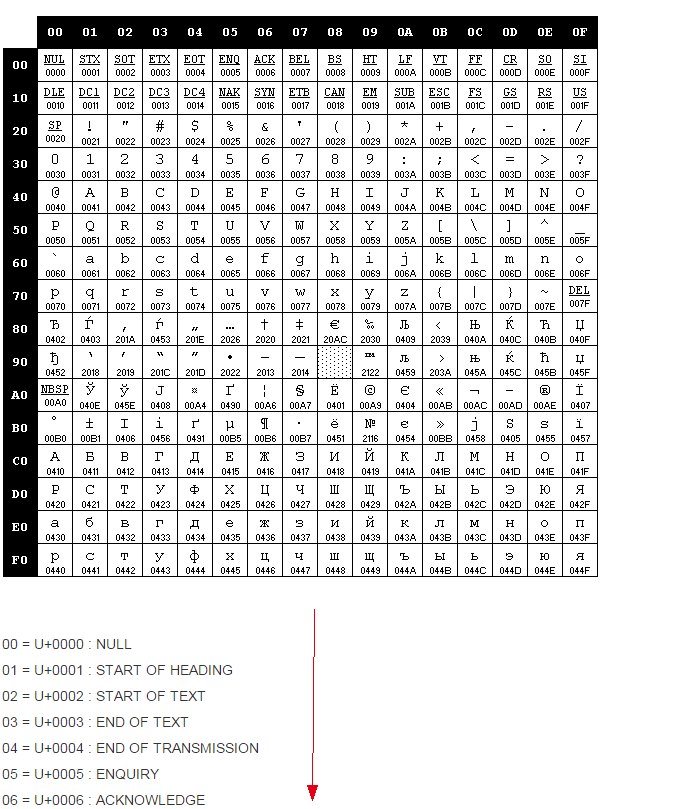
所以本打算只要反着来就行
但一反,才发现 charCodeAt 方法只对 unicode有效,其他编码是如何挖掘出其码段? 因为用的是nodejs 所以考虑使用相应模块
2.
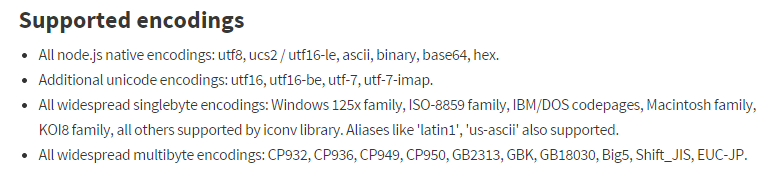
安装使用nodejs模块iconv-lite 使用说明见 https://www.npmjs.com/package/iconv-lite
按照使用方法,应该是类似这种方法使用
var iconv = require('iconv-lite');
var Buffer = require('buffer').Buffer;
// Convert from an encoded windows-1251 to utf-8
//这个str1应该是http.get 或request等请求返回的数据
//请求的时候要带参数,不然就会出错
//除了基本的参数之外  要注意记得使用  encoding: 'binary'这个参数
//比如
str1 = 'ценности ни в ';
//把获取到的数据 转换成Buffer,记得格式使用 binary
//binary在各编码直接穿梭无阻~
var buf = new Buffer(str1,'binary');
var str2 = iconv.decode(buf, 'win1251');
//str2就被转换出来了,默认是转成 Unicode格式,估计这也是iconv-lite的初衷吧
console.log(str2);
3.
安装使用nodejs模块iconv 使用说明见 https://github.com/bnoordhuis/node-iconv
(其实本质应该是安装个node-gyp就行了 之前没仔细看官方说明)
一般简单使用后,还是乱码 形如:пїЅпїЅпїЅпїЅпїЅ пїЅпїЅпїЅпїЅпїЅпїЅ пїЅпїЅпїЅпїЅпїЅпїЅпїЅпїЅ
http://stackoverflow.com/questions/8693400/nodejs-convertinf-from-windows-1251-to-utf-8
解决办法为转成二进制读取数据 encoding:binary (默认的encoding是utf-8)
request({
    uri: website_url,
    method: 'GET',
    encoding: 'binary'
}, function (error, response, body) {
        body = new Buffer(body, 'binary');
        conv = new iconv.Iconv('WINDOWS-1251', 'utf8');
        body = conv.convert(body).toString();
    }
});
-->另外要说的是,iconv的使用时需要一些环境依赖的,见官方说明:https://github.com/TooTallNate/node-gyp
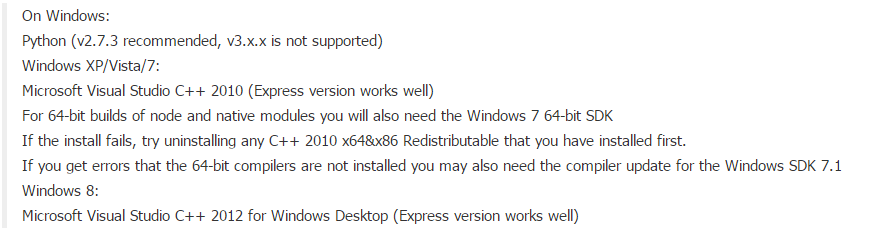
所以:
第一需要 python 对应版本(如2.7)的支持 ;
第二需要编译工具的支持(windows下出错最多)
出错类似这种
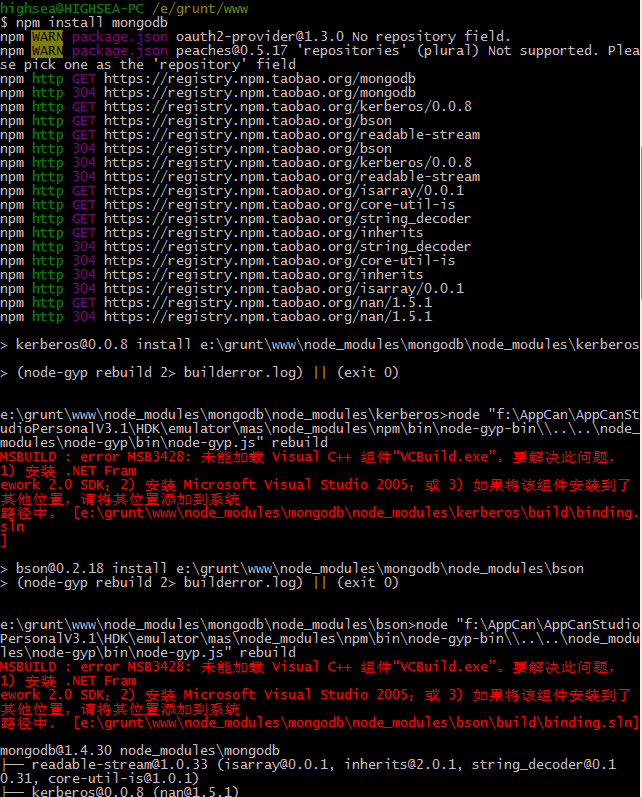
node,如无特定版本或更高版本,默认使用vs2005编译工具(所以出错提示的解决办法一般为按照vs2005和framwork sdk2.0)
问题解决方案:
1.安装visual stutio 2010
2.指定vs编译工具版本(如果是vs2012就是2012)
(有些时候会自动指定,所有也不一定需要这个命令 npm config set msvs_version 2010 --global)

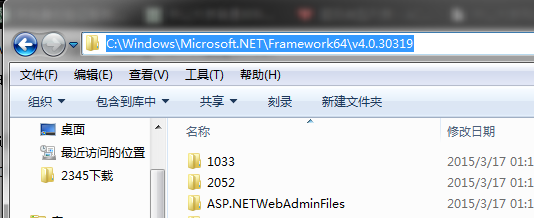
3.如若还是提示找不到 framwork sdk,可将其安装路径添加到系统环境变量path中
(2010对应sdk4.0版本,类似的 2008 sdj3.5 2012 sdk4.5?)
另外要记得的是,环境变量只会读取第一个!
比如你之前已经有了 SDK2.0的路径设到了系统环境变量中,那么你现在再增加设置一个SDK4.0的路径的时候,起作用的只有第一个
所以:
要么把之前那个删了
要么把想添加的路径放到那个前面
二、gzip页面处理
有时候我们发现浏览器访问页面是正常的,但是模拟请求回来就乱码了,可以查看一下浏览器请求的Response信息,如果有Content-Encoding:gzip,极有可能是因为页面被gzip压缩了,这时请求时需要添加如下参数
gzip:true