1.引入Chrome驱动,打开qq空间网页
bro = webdriver.Chrome(executable_path='./chromedriver.exe')
bro.get('https://qzone.qq.com/')
2.由于进入之后首先提示的是扫描二维码因此要切换到账户密码登录
首先找到账户密码登录所对应的标签
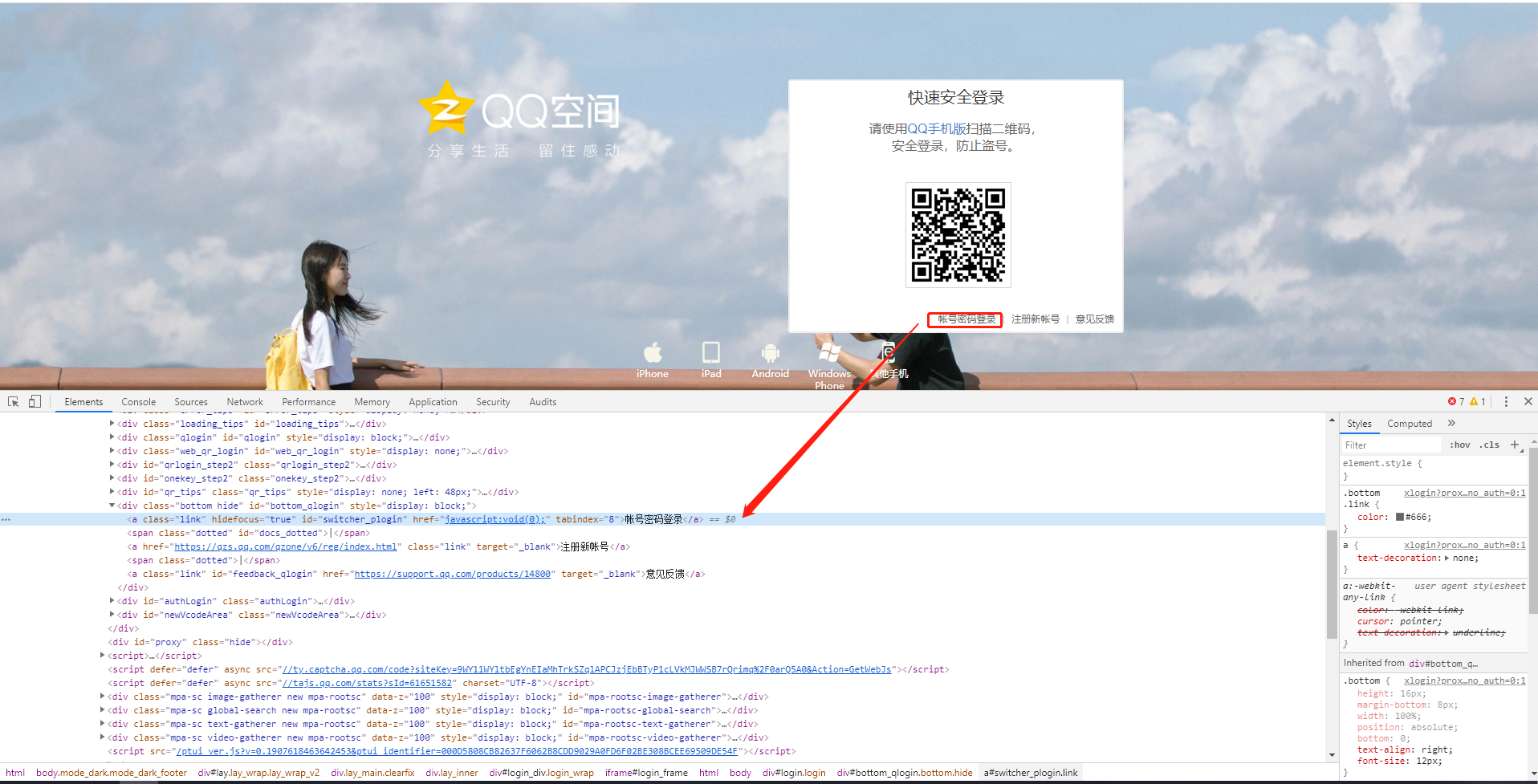
之后触发点击
a_tag = bro.find_element_by_id('switcher_plogin')
a_tag.click()
再之后找到账户密码所对应的的input标签的id


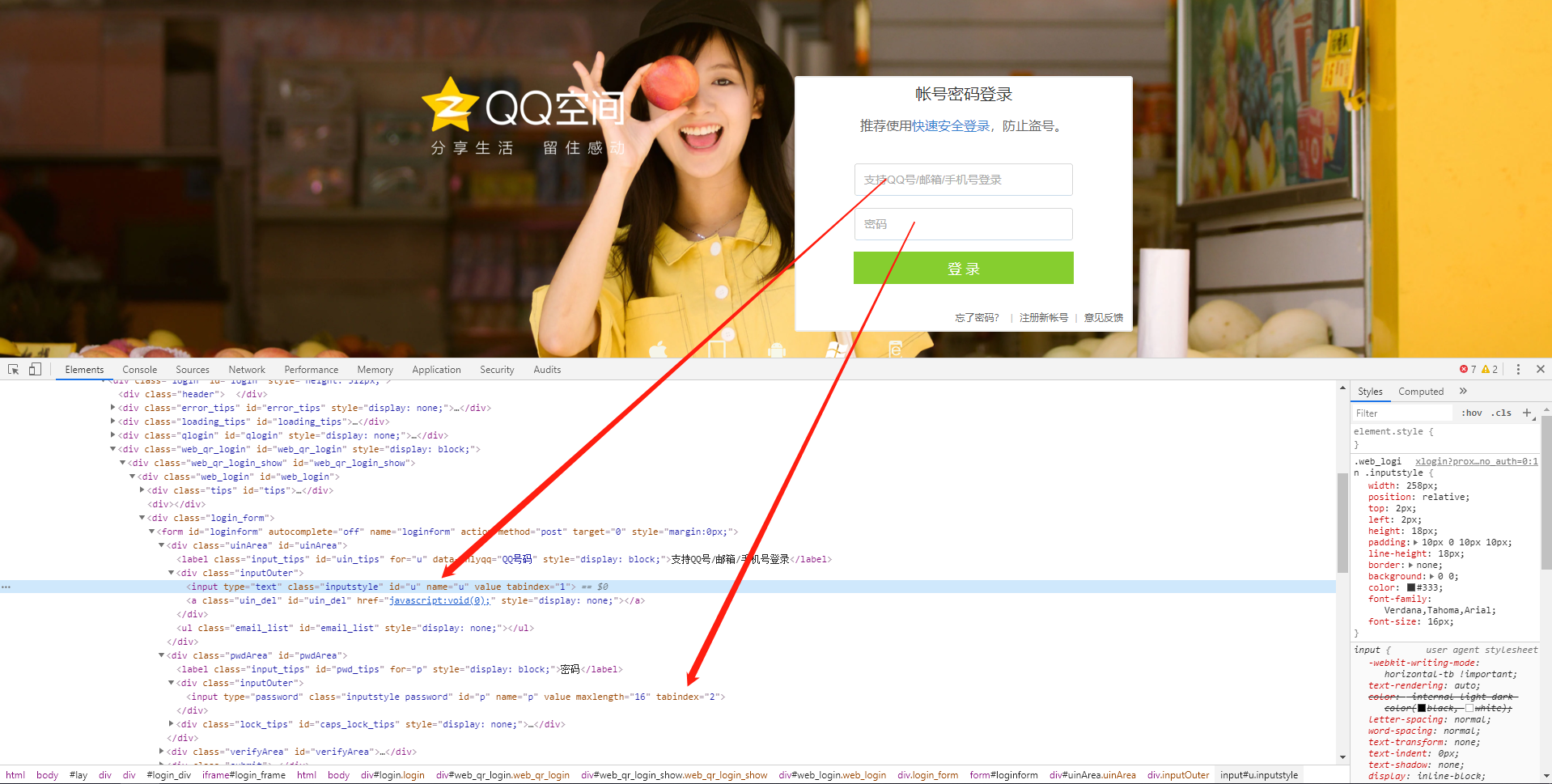
userName_tag = bro.find_element_by_id('u')
passWord_tag = bro.find_element_by_id('p')
3、输入账户密码
userName_tag.send_keys("7xxxxx")
passWord_tag.send_keys('xxxxx.')
4.找到登录按钮所对应的的标签id

btn = bro.find_element_by_id("login_button")
btn.click()
5.点击登录后会切换到滑动验证窗口,这个验证窗口是嵌套在iframe标签里,因此需要先切换到验证框所对应的的iframe标签
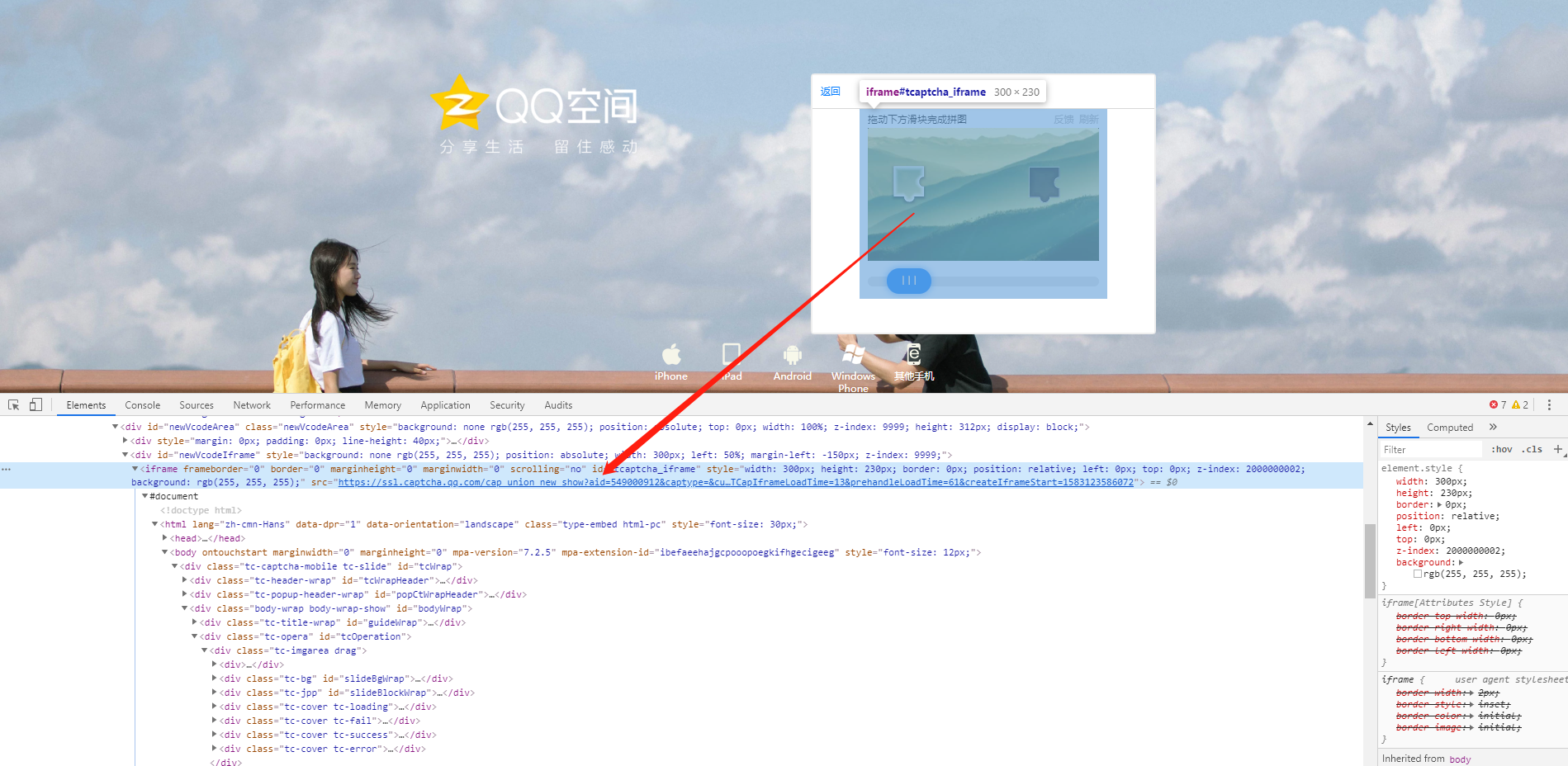
iframe = bro.find_element_by_xpath('//iframe')  # 找到“嵌套”的iframe,开头//表示从当前节点寻找所有的后代元素,当前在iframe 需要往下嵌套的iframe
bro.switch_to.frame(iframe)  # 切换到iframe
拖动距离的可以通过拖动滑块观察下图中所示数值减去初始值来确定距离

button = bro.find_element_by_id('tcaptcha_drag_button')  # 寻找滑块
print("寻找滑块")

sleep(1)

print("开始拖动")
# 开始拖动 perform()用来执行ActionChains中存储的行为
distance = 175
action = ActionChains(bro)
action.reset_actions()  # 清除之前的action
action.click_and_hold(button).perform()  # click_and_hold 点击并保持
action.move_by_offset(distance, 0).perform()
action.release().perform() # 释放action
6.完整代码:
from selenium import webdriver
from time import sleep
from selenium.webdriver import ActionChains

bro = webdriver.Chrome(executable_path='./chromedriver.exe')
bro.get('https://qzone.qq.com/')
bro.switch_to.frame('login_frame')
a_tag = bro.find_element_by_id('switcher_plogin')
a_tag.click()
userName_tag = bro.find_element_by_id('u')
passWord_tag = bro.find_element_by_id('p')
sleep(1)
userName_tag.send_keys("7xxxxx")
sleep(1)
passWord_tag.send_keys('xxxxx.')
btn = bro.find_element_by_id("login_button")
btn.click()
sleep(1)

iframe = bro.find_element_by_xpath('//*[@id="tcaptcha_iframe"]')  # 找到“嵌套”的iframe
bro.switch_to.frame(iframe)  # 切换到iframe
sleep(2)

button = bro.find_element_by_id('tcaptcha_drag_button')  # 寻找滑块
print("寻找滑块")

sleep(1)

print("开始拖动")
# 开始拖动 perform()用来执行ActionChains中存储的行为
distance = 175
action = ActionChains(bro)
action.reset_actions()  # 清除之前的action
action.click_and_hold(button).perform()  # click_and_hold 点击并保持
action.move_by_offset(distance, 0).perform()
action.release().perform() # 释放action
sleep(60)

# 退出浏览器
bro.quit()