这里演示如何写一个HelloWorld。
先看效果图:
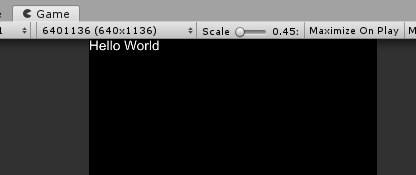
效果就是在Game视图显示HelloWorld。
做法:
1.新建场景HelloWorld,脚本HelloWorld。
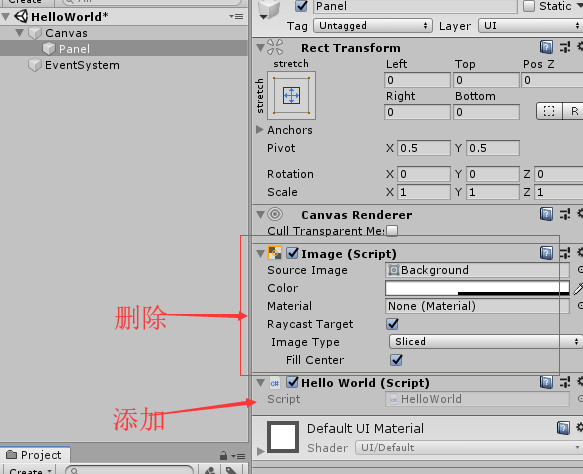
2.删除相机和灯光,加上Panel。把panel的Image组件删除了。
3.加一个HelloWorld到Panel上。
代码部分:
using Unity.UIWidgets.engine;
using Unity.UIWidgets.painting;
using Unity.UIWidgets.ui;
using Unity.UIWidgets.widgets;

namespace LearnUIWidgets {
    public class HelloWorld : UIWidgetsPanel
    {
        protected override Widget createWidget()
        {
            // 返回白色、字号30的Hello World
            return new Text(data: "Hello World",
                            style: new TextStyle(color: Color.white, fontSize:30));
        }
    }
}