第一个
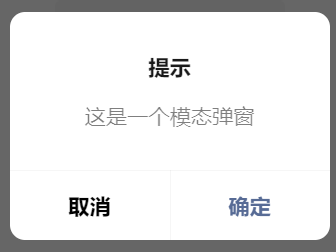
wx.showModal(Object object)
显示模态对话框
modal:function()
{
  wx.showModal({
    title: '提示',
    content: '这是一个模态弹窗',
    success (res) {
      if (res.confirm) {
        console.log('用户点击确定')
      } else if (res.cancel) {
        console.log('用户点击取消')
      }
    }
  })
},
调用后效果:
第二个
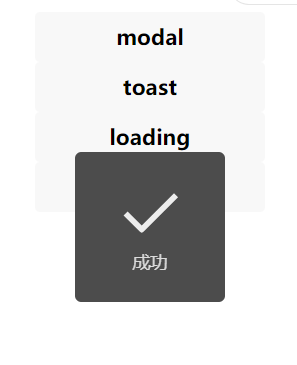
wx.showToast(Object object)
显示消息提示框
  toast:function()
  {
    wx.showToast({
      title: '成功',
      icon: 'success',
      duration: 2000
    })
  },
调用后效果:
第三个
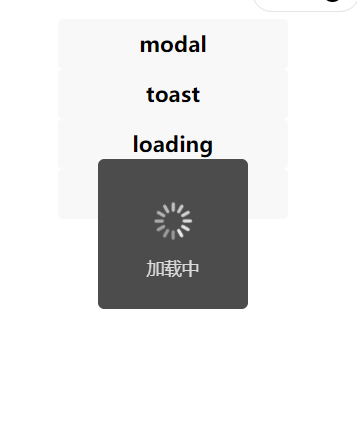
wx.showLoading(Object object)
显示 loading 提示框。需主动调用 wx.hideLoading 才能关闭提示框
  loading:function()
  {
    wx.showLoading({
      title: '加载中',
    })

    setTimeout(function () {
      wx.hideLoading()
    }, 2000)  //提示框持续时间//
  },
调用后效果:
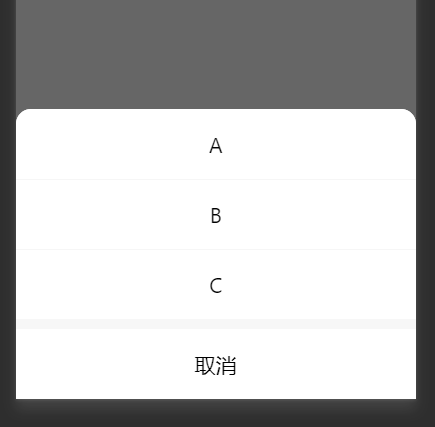
第四个
wx.showActionSheet(Object object)
显示操作菜单
  ActionSheet:function()
  {
    wx.showActionSheet({
      itemList: ['A', 'B', 'C'],
      success (res) {
        console.log(res.tapIndex)
      },
      fail (res) {
        console.log(res.errMsg)
      }
    })
  },
调用后效果: