下载各版本nginx地址http://nginx.org/download/
1.nginx默认占用80端口,so 安装的时候看你的服务器80端口是否被别的application程序占用了。
为什么nginx默认是80端口呢,因为浏览器访问的时候不加端口号也是80端口,这样输入域名或者ip就可以直接访问到服务器80所指向的服务了。
检查80端口是否被暂用
命令netstat -ntulp |grep 80
如果没有可以跳过此步骤直接进入第2步
可以看到以下有三条信息,分别是80 8005 8009端口,以上命令是模糊查询,查询出80开头的所有进程,我们看到这三个进程端口的PID都是6963,
其实这个是我服务器里面的tomcat服务,我们都知道tomcat配置文件里面有三个端口配置。
[root@iZ94j7ahvuvZ bin]# netstat -ntulp |grep 80
tcp        0      0 0.0.0.0:80                  0.0.0.0:*                   LISTEN      6963/java
tcp        0      0 127.0.0.1:8005              0.0.0.0:*                   LISTEN      6963/java
tcp        0      0 0.0.0.0:8009                0.0.0.0:*                   LISTEN      6963/java
好了 我们先关闭端口80端口吧,就是杀死进程PID,因为这三个进程是依赖关系,所使用的进程PID也是一样,所以杀死80端口PID 6963也等于关闭8005 8009端口。
命令如下 kill -9 PID是强制杀死进程/服务
kill -9 6963
2.安装nginx
给nginx配置安装目录,就是nginx存放的目录
我一般安装软件都是安装在/usr/local下面的
mkdir /usr/local/nginx
进入nginx目录
cd /usr/local/nginx
使用wget命令下载nginx资源包
wget http://nginx.org/download/nginx-1.5.9.tar.gz
解压
tar -zxvf nginx-1.5.9.tar.gz
执行 ./configure命令
cd nginx-1.5.9
./configure
执行./configure可能会存在一下错误,如果出现请执行一下命令
错误1
/configure: error: the HTTP rewrite module requires the PCRE library.
解决方法
安装pcre-devel解决问题
yum -y install pcre-devel
错误2
./configure: error: the HTTP cache module requires md5 functions
from OpenSSL library. You can either disable the module by using
--without-http-cache option, or install the OpenSSL library into the system,
or build the OpenSSL library statically from the source with nginx by using
--with-http_ssl_module --with-openssl=<path> options.
解决办法:
yum -y install openssl openssl-devel
3.编译
make 编译 (make的过程是把各种语言写的源码文件,变成可执行文件和各种库文件)
cd /usr/local/nginx/nginx-1.5.9
make
4.make install安装
make install 安装 (make install是把这些编译出来的可执行文件和库文件复制到合适的地方)
make install
5.启动nginx服务
cd /usr/local/nginx/sbin
./nginx
6.看nginx服务是否启动
[root@iZ94j7ahvuvZ sbin]# ps -ef|grep nginx
root      7017     1  0 11:07 ?        00:00:00 nginx: master process ./nginx
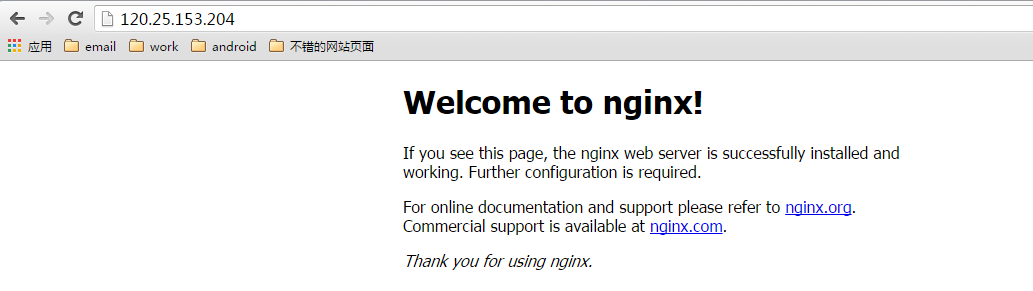
我们看到服务已经起来了,输入ip即可访问我们nginx目录下面的html文件夹下面的index.html文件
=========================
nginx -t -c /path/to/nginx.conf 测试nginx配置文件是否正确
关闭nginx:
nginx -s stop :快速停止nginx
quit :完整有序的停止nginx
其他的停止nginx 方式:
ps -ef | grep nginx
kill -QUIT 主进程号 :从容停止Nginx
kill -TERM 主进程号 :快速停止Nginx
pkill -9 nginx :强制停止Nginx
启动nginx:
nginx -c /path/to/nginx.conf
平滑重启nginx:
kill -HUP 主进程号
报错
./configure: error: the HTTP gzip module requires the zlib library.
执行这句话
yum install -y zlib-devel
