(以下代码试用vs2019创建,如果是2017请看参考文献)
Consul 服务发现
在Ocelot已经支持简单的负载功能,也就是当下游服务存在多个结点的时候,Ocelot能够承担起负载均衡的作用。但是它不提供健康检查,服务的注册也只能通过手动在配置文件里面添加完成。这不够灵活并且在一定程度下会有风险。这个时候我们就可以用Consul来做服务发现,它能与Ocelot完美结合。
Consul是什么
Consul是一个服务网格(微服务间的 TCP/IP,负责服务之间的网络调用、限流、熔断和监控)解决方案,它是一个一个分布式的,高度可用的系统,而且开发使用都很简便。它提供了一个功能齐全的控制平面,主要特点是:服务发现、健康检查、键值存储、安全服务通信、多数据中心。
新建一个api1:nuget 添加一个consul 依赖
startup 添加代码
public void Configure(IApplicationBuilder app, IWebHostEnvironment env, Microsoft.AspNetCore.Hosting.IApplicationLifetime lifetime)
        {
            if (env.IsDevelopment())
            {
                app.UseDeveloperExceptionPage();
            }
            //注册项目启动的方法
            lifetime.ApplicationStarted.Register(OnStart);
            //注册项目关闭的方法
            lifetime.ApplicationStarted.Register(OnStopped);
            app.UseRouting();

            app.UseAuthorization();

            app.UseEndpoints(endpoints =>
            {
                endpoints.MapControllers();
            });
        }
        //关闭的时候在consul中移除
        private void OnStopped()
        {
            var client = new ConsulClient();
            //根据ID在consul中移除当前服务
            client.Agent.ServiceDeregister("servicename:93");
        }
        private void OnStart()
        {
            var client = new ConsulClient();
            //健康检查
            var httpCheck = new AgentServiceCheck()
            {
                //服务出错一分钟后 会自动移除
                DeregisterCriticalServiceAfter = TimeSpan.FromMinutes(1),
                //每10秒发送一次请求到 下面的这个地址 这个地址就是当前API资源的地址
                Interval = TimeSpan.FromSeconds(10),
                HTTP = $"http://localhost:93/HealthCheck"
            };

            var agentReg = new AgentServiceRegistration()
            {
                //这台资源服务的唯一ID
                ID = "servicename:93",
                Check = httpCheck,
                Address = "localhsot",
                Name = "servicename",
                Port = 93
            };
            client.Agent.ServiceRegister(agentReg).ConfigureAwait(false);
        }
添加一个健康检查接口
新增一个控制器HealthCheck
 [Route("[controller]")]
    [ApiController]
    public class HealthCheckController : ControllerBase
    {
        // GET: api/HealthCheck
        [HttpGet]
        [HttpHead]
        public IActionResult Ping()
        {
            return Ok();
        }
    }
修改WeatherForecastController
 [ApiController]
    [Route("api/[controller]")]
    public class WeatherForecastController : ControllerBase
    {
        private static readonly string[] Summaries = new[]
        {
            "Freezing", "Bracing", "Chilly", "Cool", "Mild", "Warm", "Balmy", "Hot", "Sweltering", "Scorching"
        };

        private readonly ILogger<WeatherForecastController> _logger;

        public WeatherForecastController(ILogger<WeatherForecastController> logger)
        {
            _logger = logger;
        }

        [HttpGet]
        public string Get()
        {
            return "这个api1资源";
        }
    }
修改启动端口,修改文件launchSettings.json
{
  "profiles": {
    "API1": {
      "commandName": "Project",
      "launchBrowser": true,
      "launchUrl": "weatherforecast",
      "applicationUrl": "http://localhost:93",
      "environmentVariables": {
        "ASPNETCORE_ENVIRONMENT": "Development"
      }
    }
  }
}
然后 copy 一份api1 为api2,,我们启用端口为92 ,代码里面的93换成92(重点!!!)
添加项目 Api.Gateway(Ocelot网关服务器) 添加Ocelot包 添加Ocelot.Json配置 Ocelot服务器端口为91
Ocelot.Json
{
  "ReRoutes": [
    {
      //暴露出去的地址
      "UpstreamPathTemplate": "/api/{controller}",
      "UpstreamHttpMethod": [ "Get" ],

      //转发到下面这个地址
      "DownstreamPathTemplate": "/api/{controller}",
      "DownstreamScheme": "http",
      //资源服务器列表
      "DownstreamHostAndPorts": [
        {
          "host": "localhost",
          "port": 92
        },
        {
          "host": "localhost",
          "port": 93
        }
      ],
      //决定负载均衡的算法
      "LoadBalancerOptions": {
        "Type": "LeastConnection"
      },
      "UseServiceDiscovery": true
    }
  ],
  //对外暴露的访问地址  也就是Ocelot所在的服务器地址
  "GlobalConfiguration": {
    "BaseUrl": "http://localhost:91"
  }
}
Startup 修改
public void ConfigureServices(IServiceCollection services)
        {
            services.AddOcelot();
            services.AddControllers();
        }

        // This method gets called by the runtime. Use this method to configure the HTTP request pipeline.
        public void Configure(IApplicationBuilder app, IWebHostEnvironment env)
        {
            if (env.IsDevelopment())
            {
                app.UseDeveloperExceptionPage();
            }
            app.UseOcelot().Wait();
            app.UseRouting();

            app.UseAuthorization();

            app.UseEndpoints(endpoints =>
            {
                endpoints.MapControllers();
            });
        }
Program 修改
public class Program
   {
       public static void Main(string[] args)
       {
           CreateWebHostBuilder(args).Build().Run();
       }

       public static IWebHostBuilder CreateWebHostBuilder(string[] args) =>
           WebHost.CreateDefaultBuilder(args)
                     .ConfigureAppConfiguration((hostingContext, builder) =>
                     {
                         builder
                         .SetBasePath(hostingContext.HostingEnvironment.ContentRootPath)
                         .AddJsonFile("Ocelot.json");
                     })
             .UseUrls("http://+:91")
             .UseStartup<Startup>();
   }
启动 api3 和api2再启动Api.Gateway
执行 http://localhost:91/api/weatherforecast
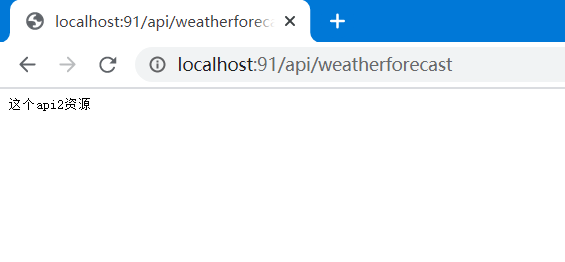
再执行
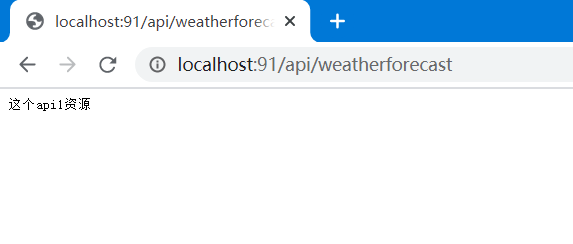
我们这里负载均衡算法是:LeastConnection
当然还可以选择其他的:
- RoundRobin - 轮询,挨着来
- LeastConnection - 最小连接数,谁的任务最少谁来
- NoLoadBalance - 不要负载均衡
如果api1 我们关掉 ,那么就只会请求到api2 ,api1的服务自动断开
Demo的 github地址:https://github.com/LGXQWER/OcelotAndConsulDemo