本文是作者原创,版权归作者所有.若要转载,请注明出处
下载spring源码,本文用的是版本如下:
springframework 5.1.x, IDE工具idea 2019.2.3 JAVA版本 jdk1.8.0_171 构建工具gradle-4.9
1.下载springframework 5.1.x源码
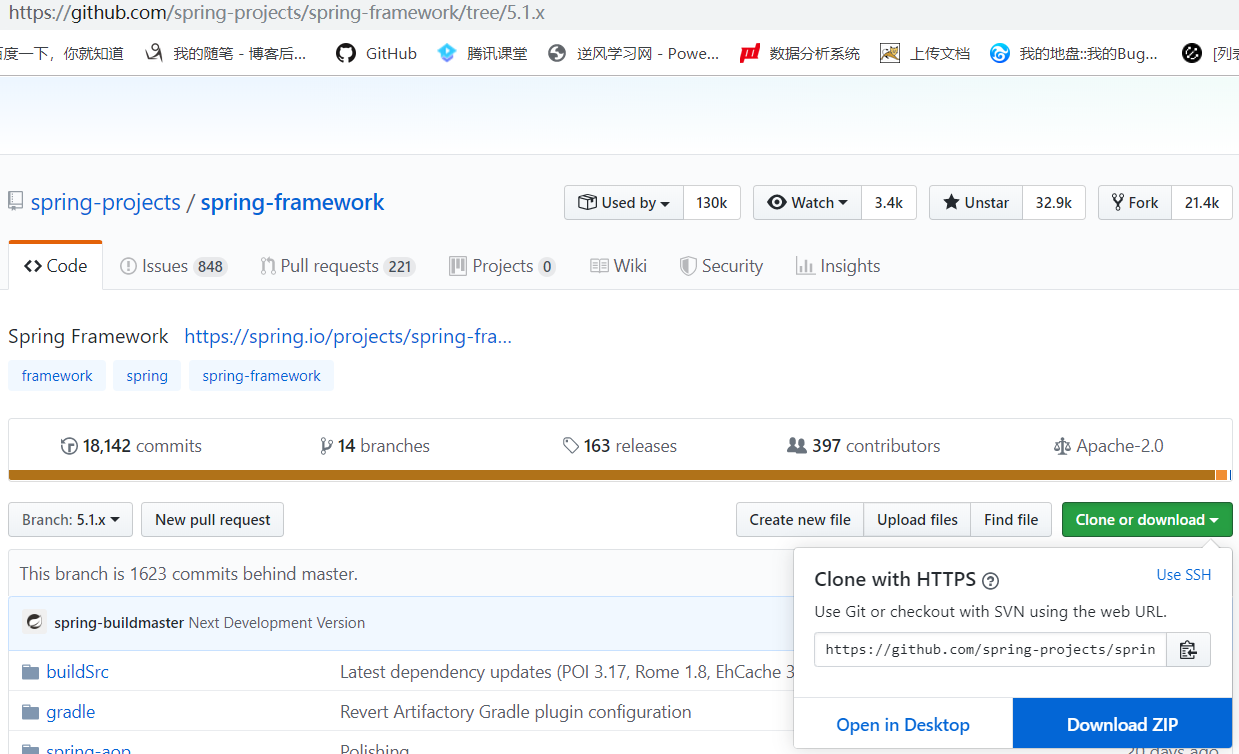
2.解压下载的压缩包,在已有工程中导入该项目
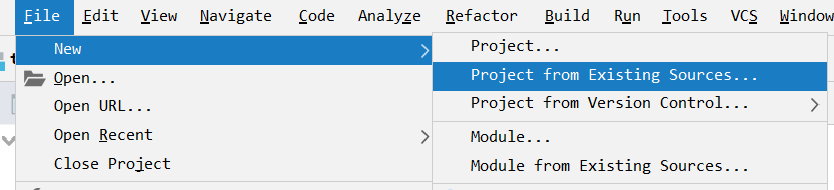
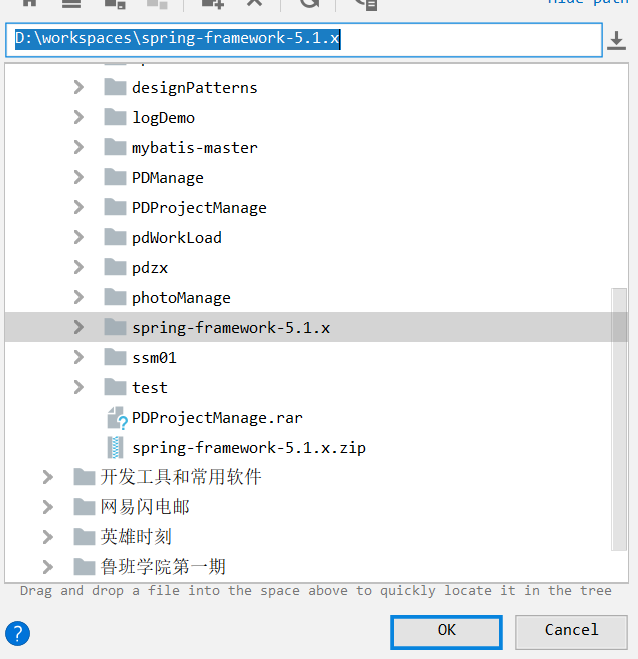
3.选择该项目路径
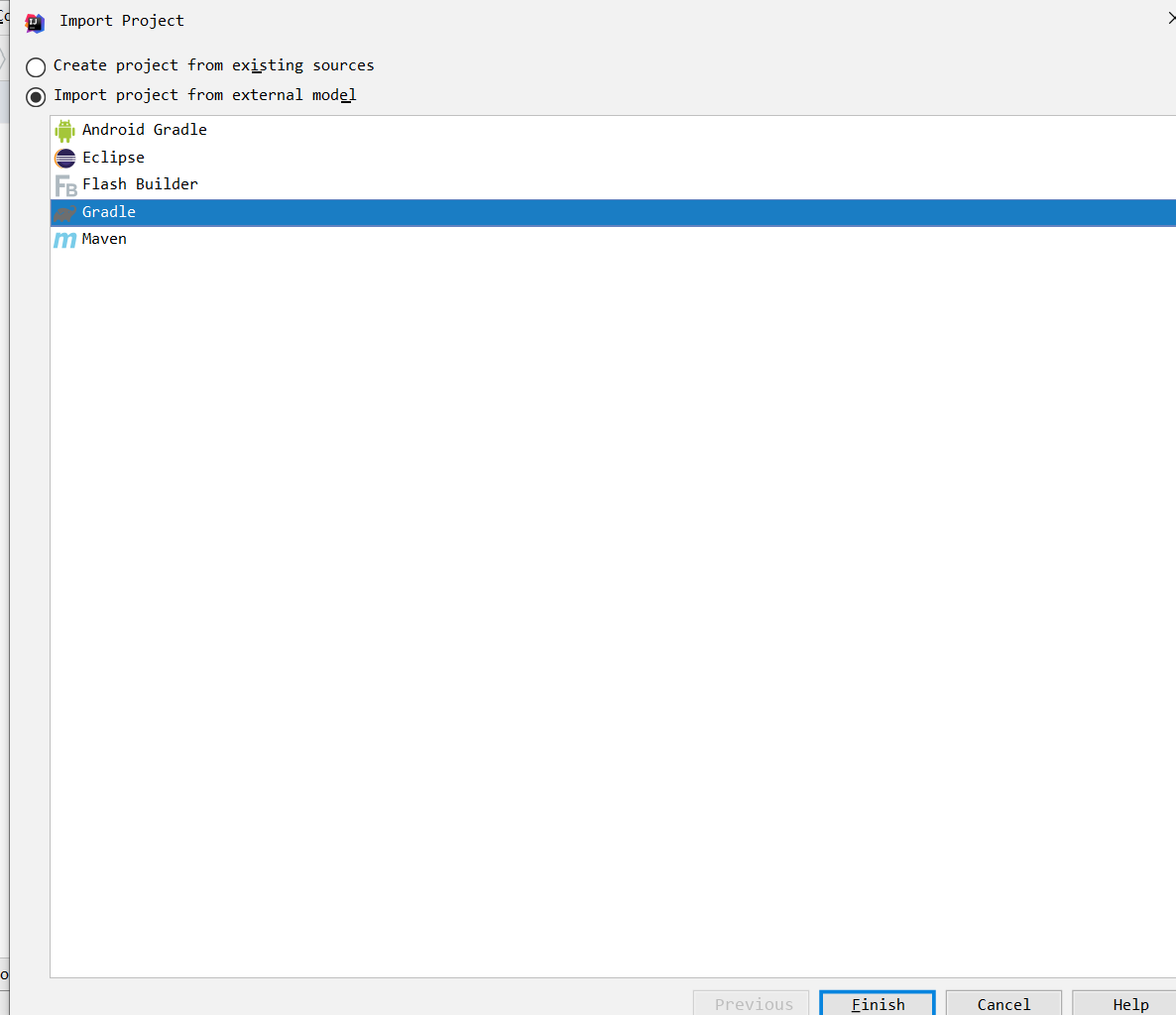
4.选择gradle导入
5.等待它自己构建
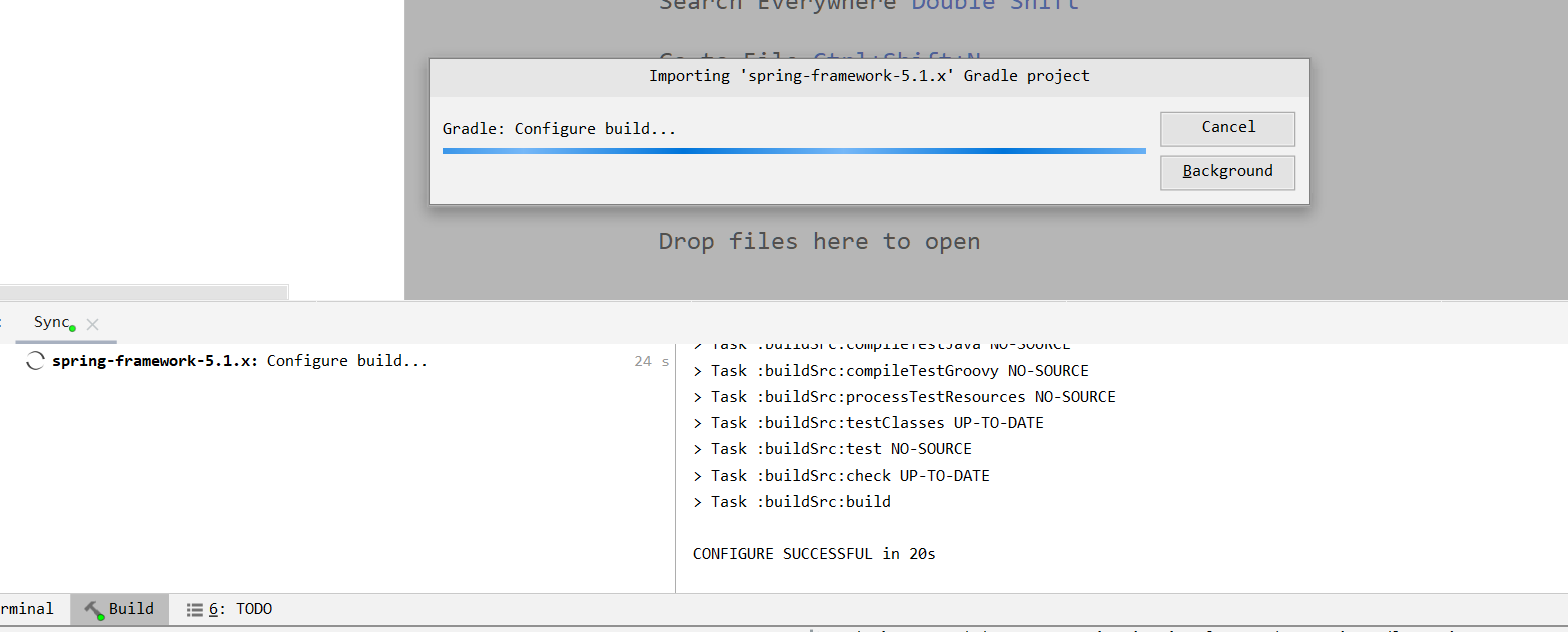
6.编译完,有个弹框出现,点击ok
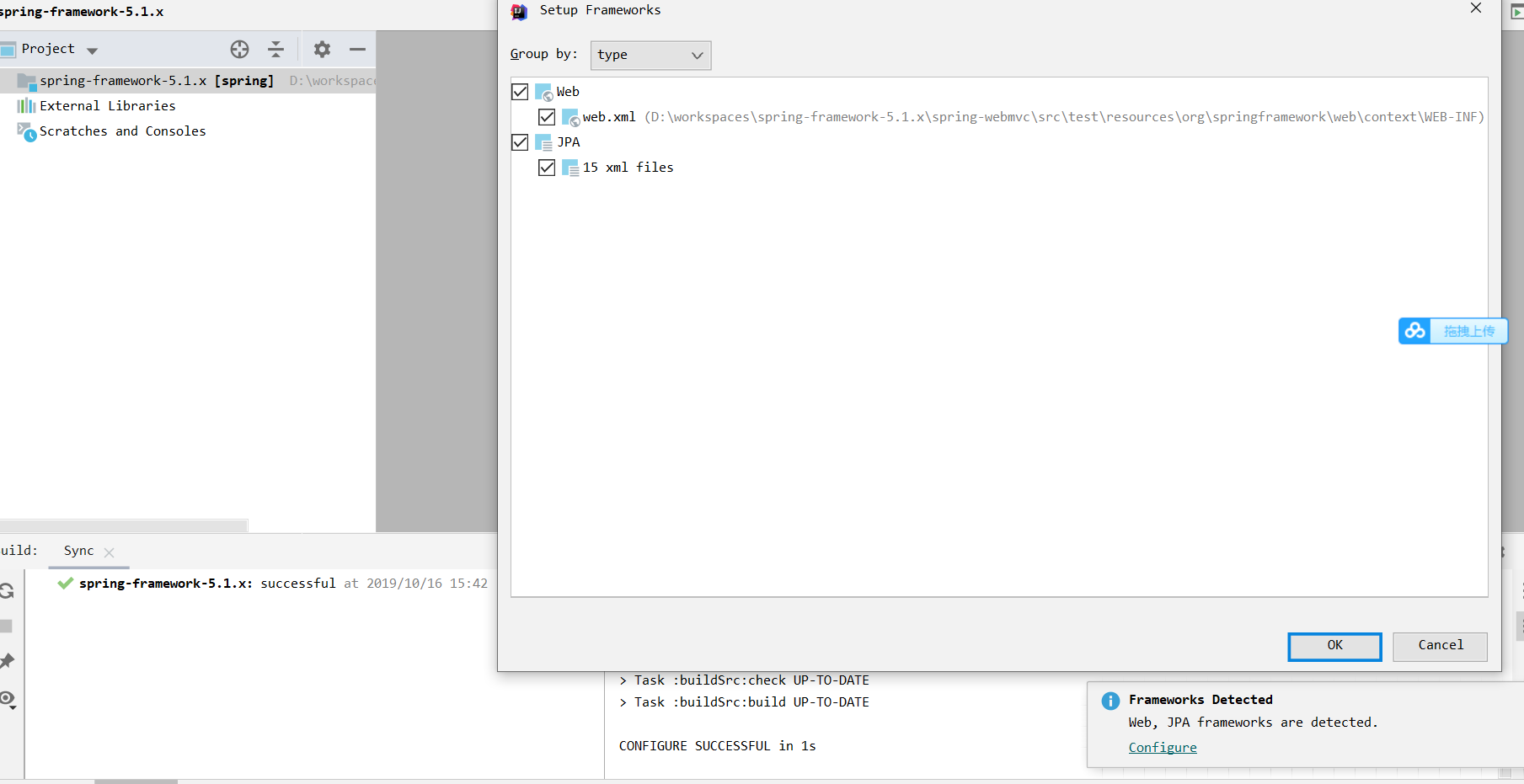
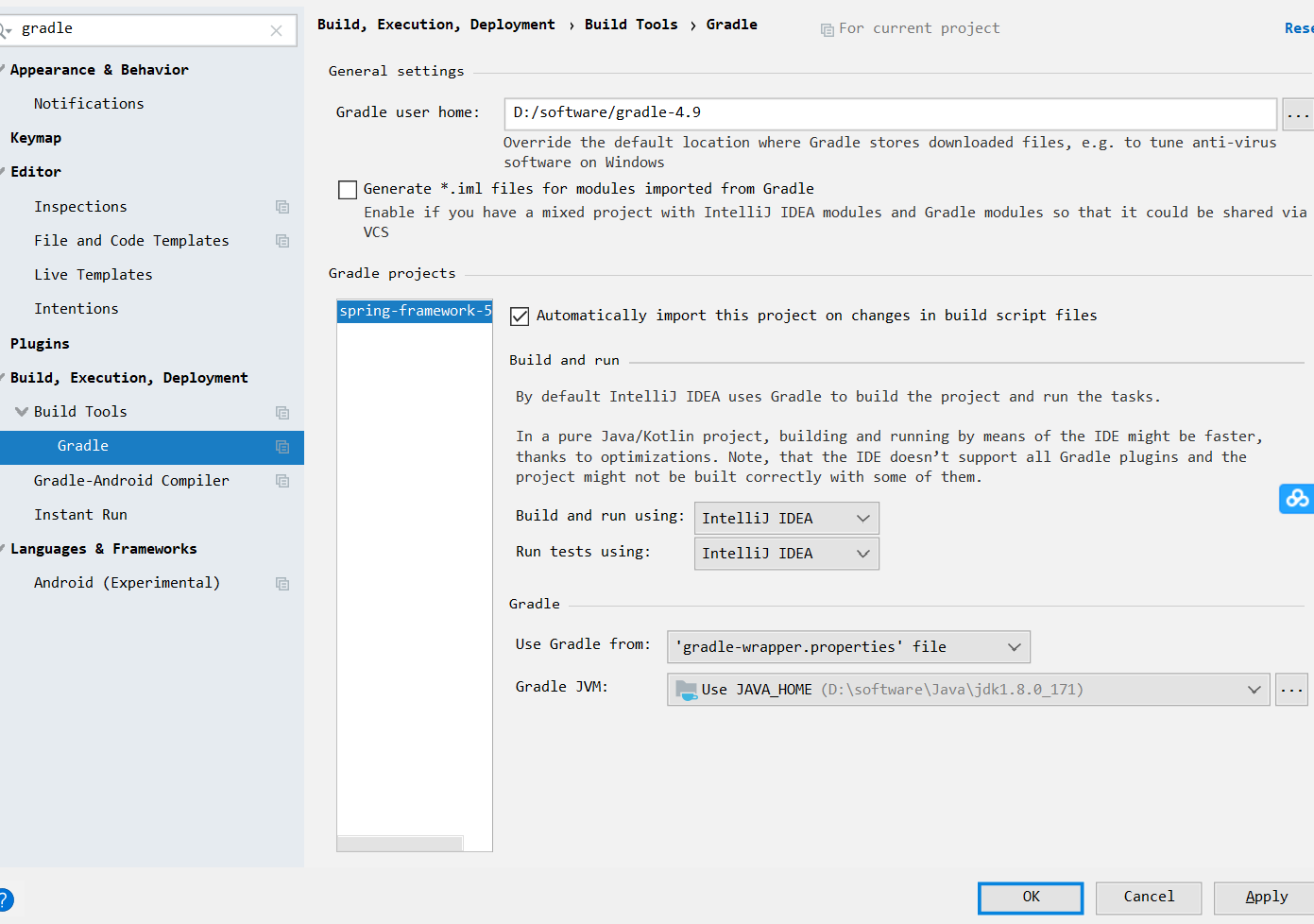
7.如图,设置gradle配置
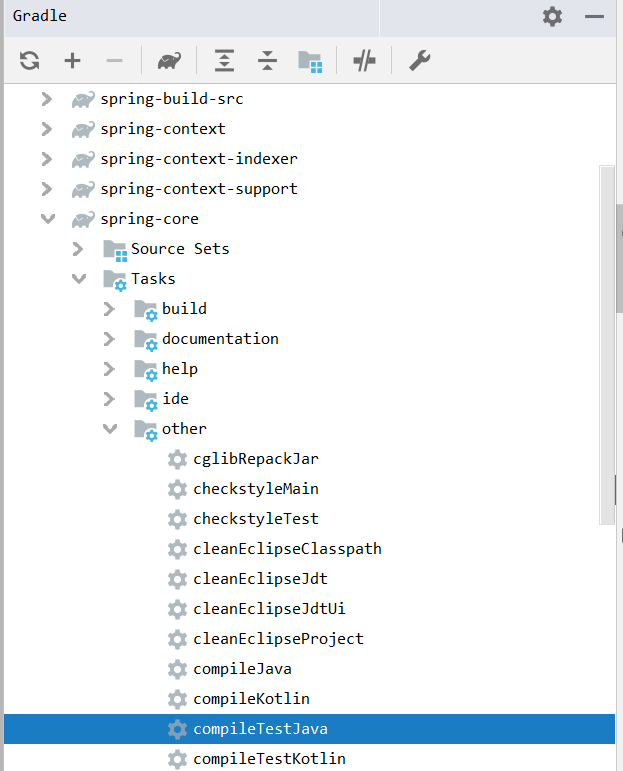
8.先编译spring-core模块
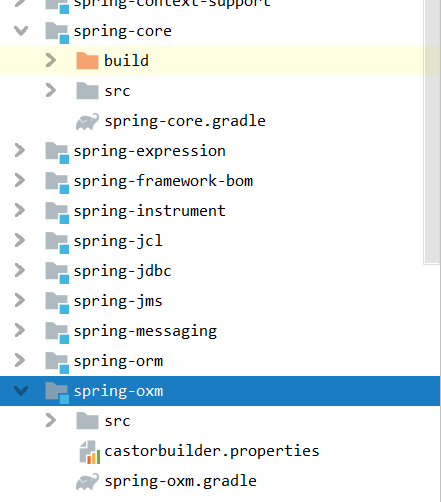
9.编译成功

我们可以看到,多了存放字节码文件的build文件夹
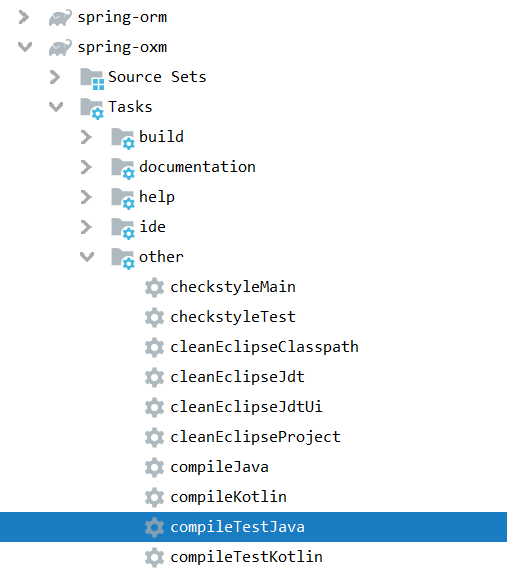
10.编译spring-oxm模块,和上面一样

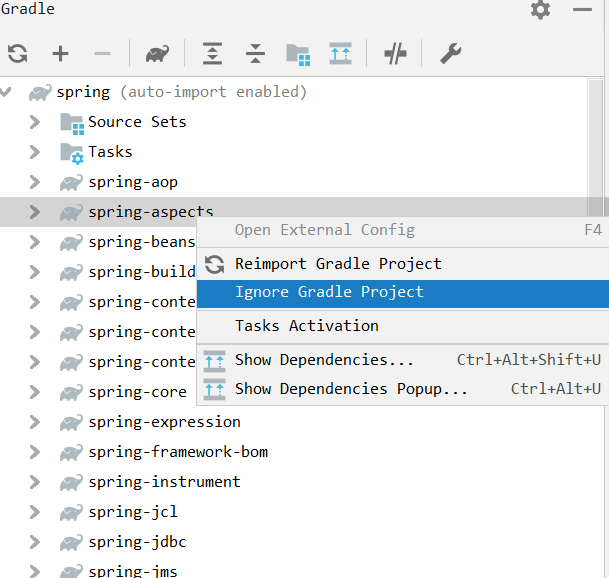
11.忽略spring-aspects模块
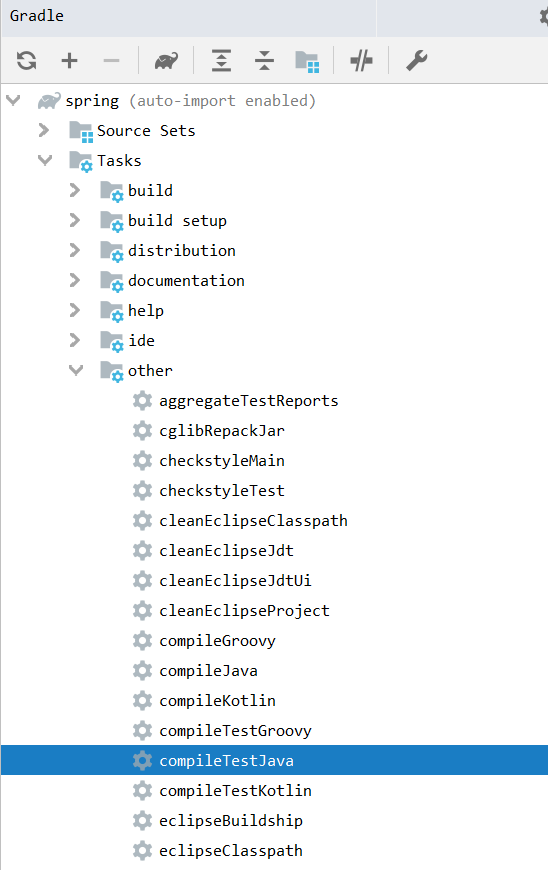
12.编译整个spring模块

13.放开spring-aspects模块,并编译
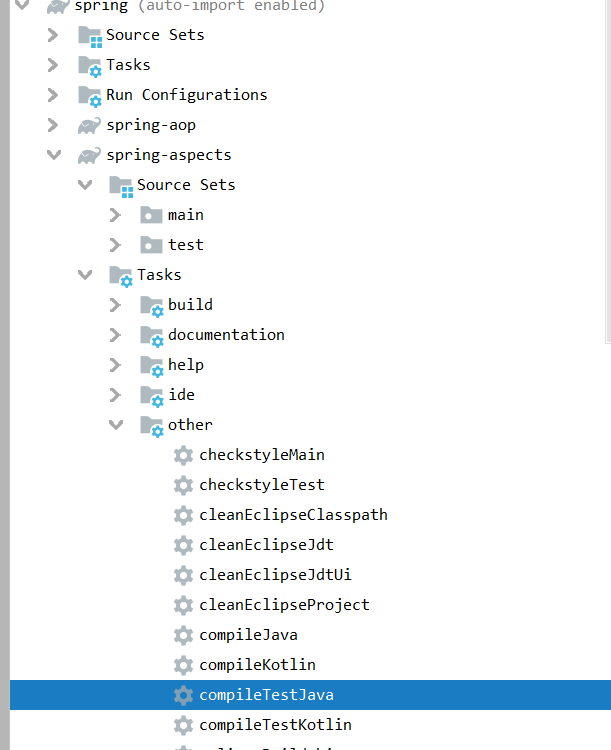

14.新建一个测试模块,测试spring是否编译成功

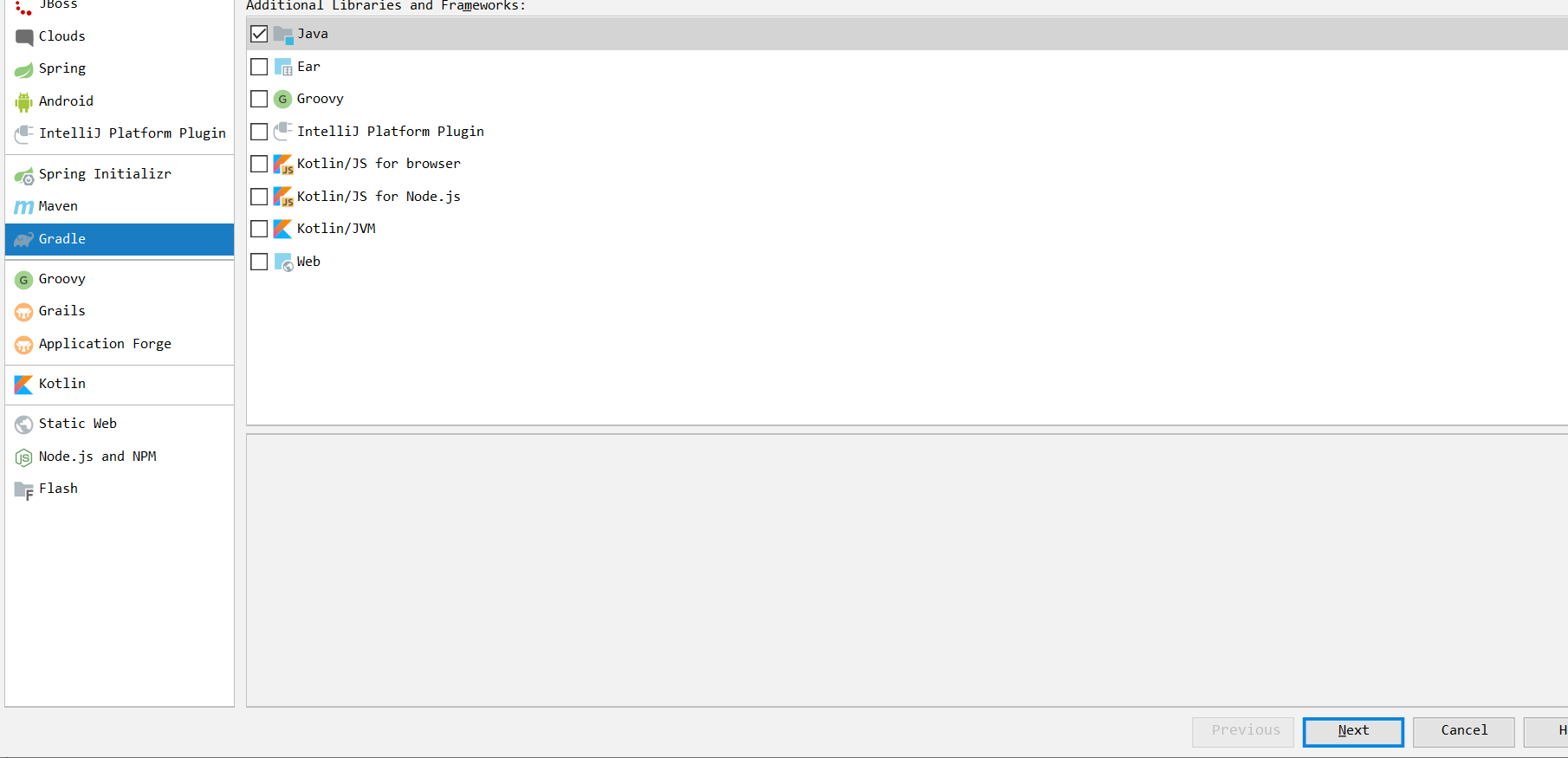
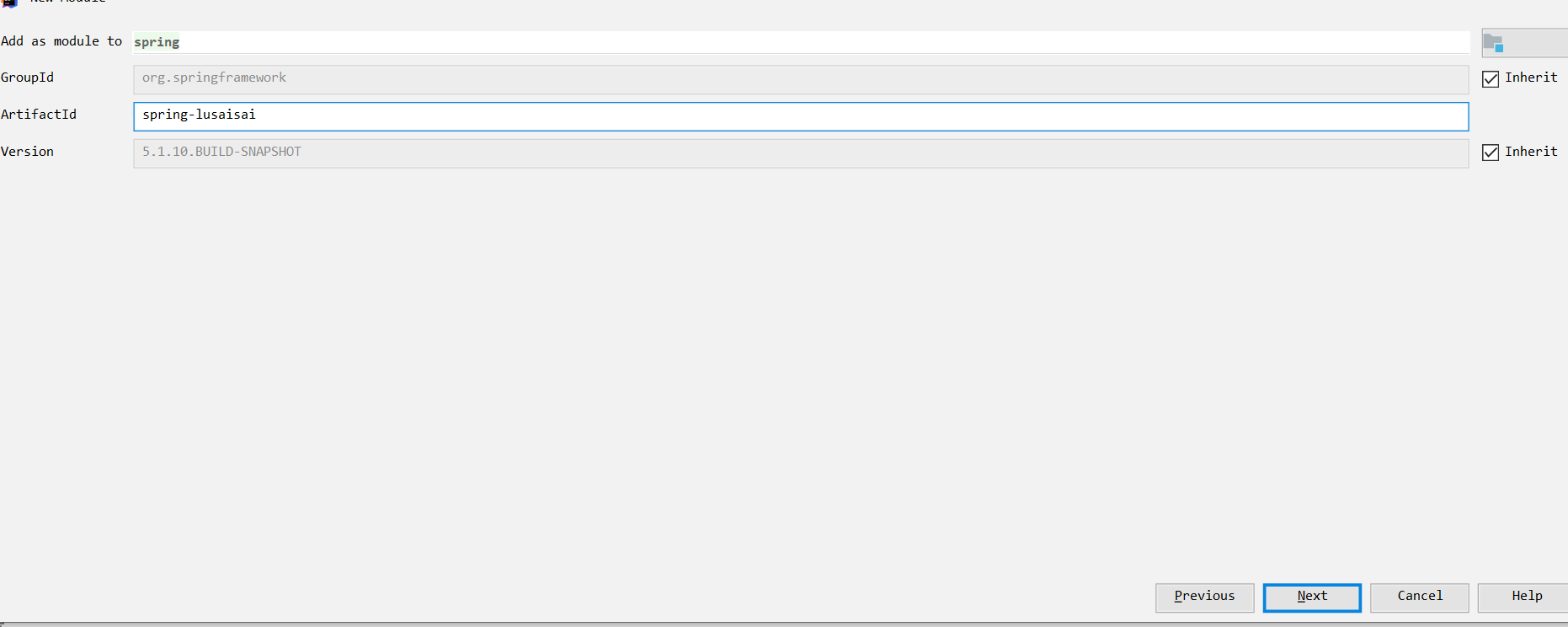

点击,右上角的ok
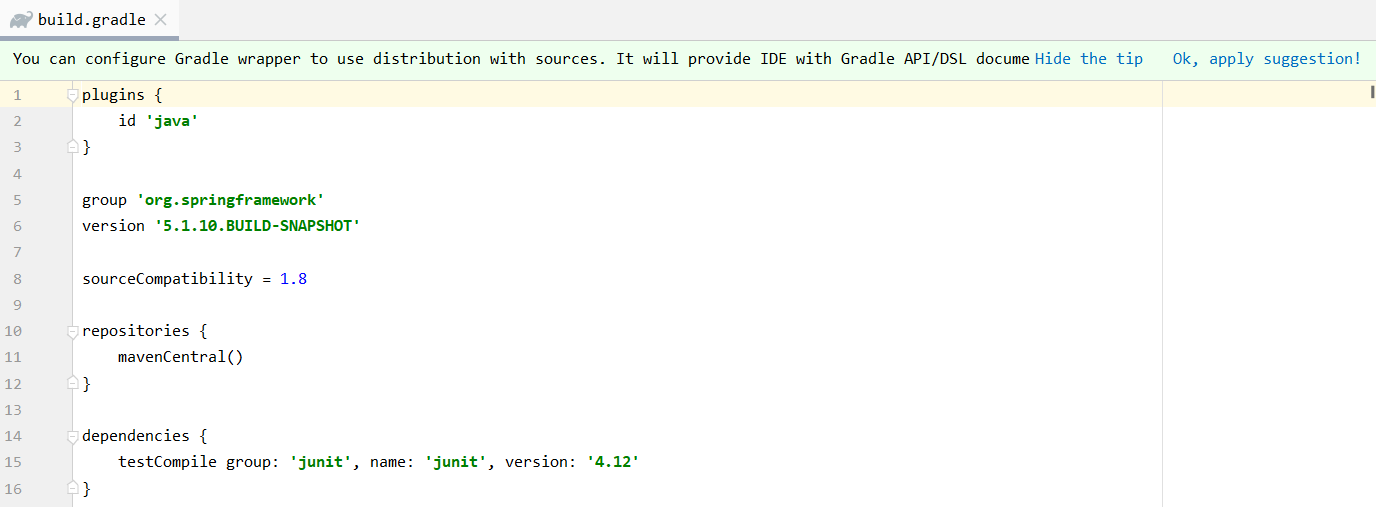
加上以下代码
//spring core
    compile(project(":spring-context"))
    //spring 对web的支持
    compile(project(":spring-webmvc"))
    //连接池
    compile(project(":spring-jdbc"))
    //mybatis core
    compile group: 'org.mybatis', name: 'mybatis', version: '3.5.0'

    //源码 spring mybaits的插件包
    compile group: 'org.mybatis', name: 'mybatis-spring', version: '2.0.0'

    //db
    compile group: 'mysql', name: 'mysql-connector-java', version: '6.0.6'

    //tomcat 容器
    compile group: 'org.apache.tomcat.embed', name: 'tomcat-embed-core', version: '8.5.5'
    // jsp
    compile group: 'org.apache.tomcat.embed', name: 'tomcat-embed-jasper', version: '8.5.5'
    // https://mvnrepository.com/artifact/com.alibaba/fastjson
    compile group: 'com.alibaba', name: 'fastjson', version: '1.2.50'
    // https://mvnrepository.com/artifact/org.aspectj/aspectjweaver
    compile group: 'org.aspectj', name: 'aspectjweaver', version: '1.9.0'
最后build.gradle文件内容如下
plugins {
    id 'java'
}

group 'org.springframework'
version '5.1.10.BUILD-SNAPSHOT'

sourceCompatibility = 1.8

repositories {
    mavenCentral()
}

dependencies {
    testCompile group: 'junit', name: 'junit', version: '4.12'
    //spring core
    compile(project(":spring-context"))
    //spring 对web的支持
    compile(project(":spring-webmvc"))
    //连接池
    compile(project(":spring-jdbc"))
    //mybatis core
    compile group: 'org.mybatis', name: 'mybatis', version: '3.5.0'
    //源码 spring mybaits的插件包
    compile group: 'org.mybatis', name: 'mybatis-spring', version: '2.0.0'
    //db
    compile group: 'mysql', name: 'mysql-connector-java', version: '6.0.6'
    //tomcat 容器
    compile group: 'org.apache.tomcat.embed', name: 'tomcat-embed-core', version: '8.5.5'
    // jsp
    compile group: 'org.apache.tomcat.embed', name: 'tomcat-embed-jasper', version: '8.5.5'
    // https://mvnrepository.com/artifact/com.alibaba/fastjson
    compile group: 'com.alibaba', name: 'fastjson', version: '1.2.50'
    // https://mvnrepository.com/artifact/org.aspectj/aspectjweaver
    compile group: 'org.aspectj', name: 'aspectjweaver', version: '1.9.0'
}
15.编写demo
package demo01;

import org.springframework.context.ApplicationContext;
import org.springframework.context.support.ClassPathXmlApplicationContext;


public class HelloSpring {

    private String input_str = null;

    public String getMyStr() {
        return this.input_str;
    }

    public void setMyStr(String strParam) {
        this.input_str = strParam;
    }

    public void Print() {
        System.out.println("Hello," + this.getMyStr());
    }

    public static void main(String[] args) {
        ApplicationContext context = new ClassPathXmlApplicationContext("applicationContext.xml");
        HelloSpring helloSpring = (HelloSpring) context.getBean("myFirstSpringDemo");
        helloSpring.Print();


    }

}
xml配置
<?xml version="1.0" encoding="UTF-8"?>
<beans xmlns="http://www.springframework.org/schema/beans"
       xmlns:xsi="http://www.w3.org/2001/XMLSchema-instance"
       xsi:schemaLocation="http://www.springframework.org/schema/beans
        https://www.springframework.org/schema/beans/spring-beans.xsd"
    default-autowire="byType">

    <bean id="myFirstSpringDemo" class="demo01.HelloSpring">
        <property name="myStr">
            <value>I am Spring</value>
        </property>
    </bean>
</beans>
16.运行,报错

可以看到错误信息提示我们在spring-context里找不到类,我们重新运行一下这个模块的所有java下的test文件
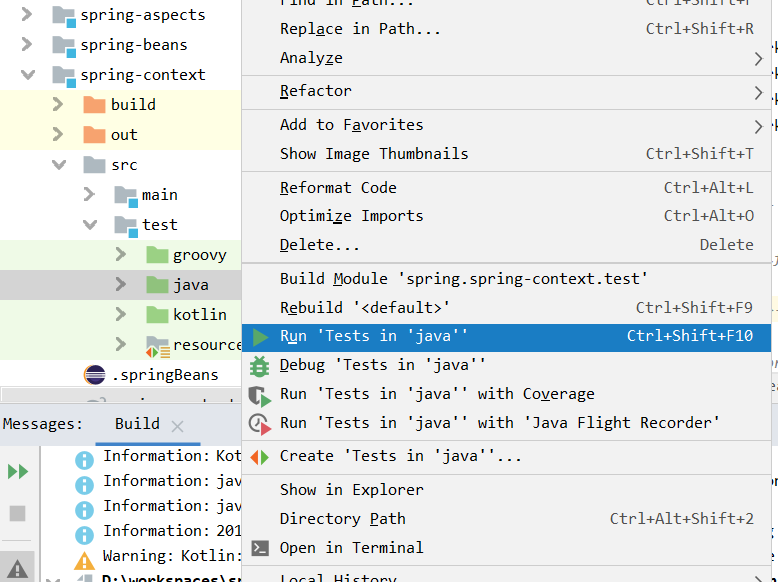
其他的问题也是一样的处理方式,全部处理完
继续运行demo
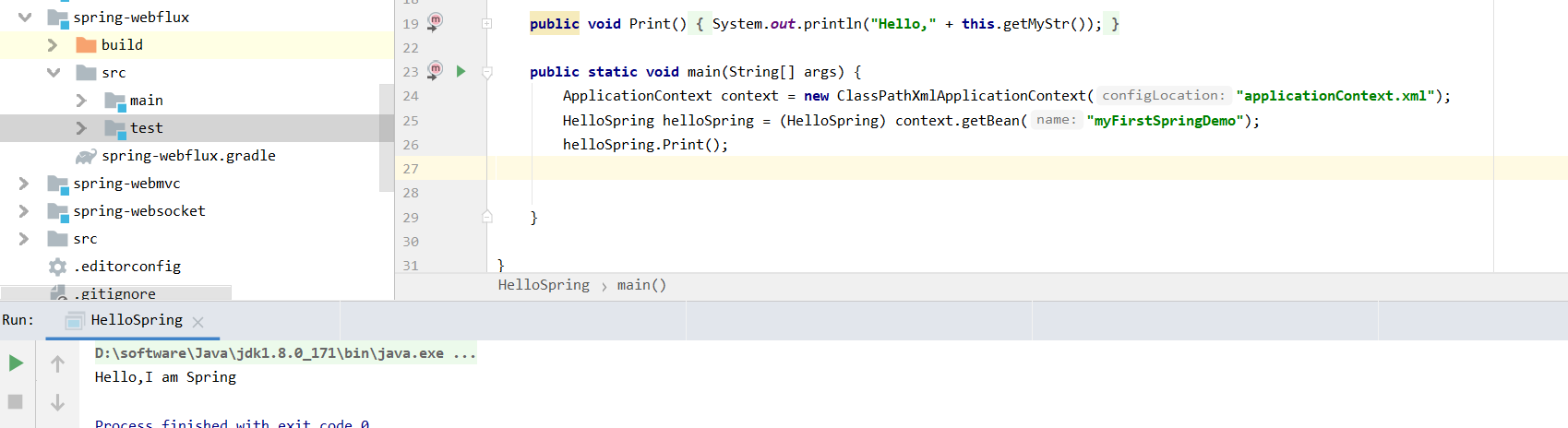
好,编译成功了,可以写注释了

至此,我们的spring源码编译成功.下面我会继续更新spring相关的应用和源码博客,欢迎大家继续关注,可以的话随手点个赞吧,谢谢大家