参考链接:
https://blog.csdn.net/csdnnews/article/details/80878945
1.安装xlrd
如何安装从pypi上下载的程序包:https://jingyan.baidu.com/article/2c8c281dbb5f9d0008252ad7.html
结合cmd命令(进入某个目录):cd /d 目录
2.例子
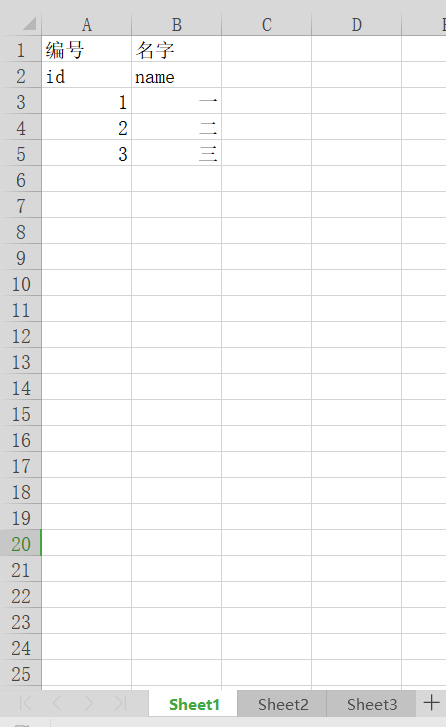
test.xls(与执行代码同一目录)
 1 import xlrd
 2
 3 file = "test.xls"
 4
 5 wb = xlrd.open_workbook(filename=file)#打开文件
 6 print(wb.sheet_names())#获取所有表格名字
 7
 8 sheet1 = wb.sheet_by_index(0)#通过索引获取表格
 9 print(sheet1.name,sheet1.nrows,sheet1.ncols)
10
11 rows = sheet1.row_values(2)#获取行内容
12 cols = sheet1.col_values(1)#获取列内容
13 print(rows)
14 print(cols)
15
16 print(sheet1.cell(1,0).value)#获取表格里的内容,三种方式
17 print(sheet1.cell_value(1,0))
18 print(sheet1.row(1)[0].value)
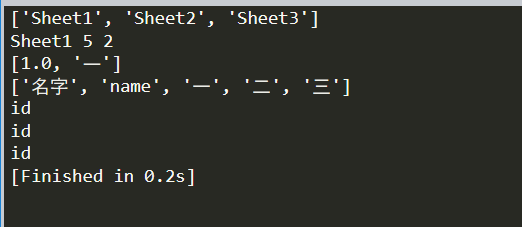
执行结果:
3.遍历读取
 1 import xlrd
 2
 3 file = "test.xls"
 4
 5 wb = xlrd.open_workbook(filename=file)#打开文件
 6 sheet = wb.sheet_by_index(0)#通过索引获取表格
 7
 8 #遍历
 9 for row in range(sheet.nrows):
10     for col in range(sheet.ncols):
11         value = sheet.cell_value(row,col)
12         print(value)
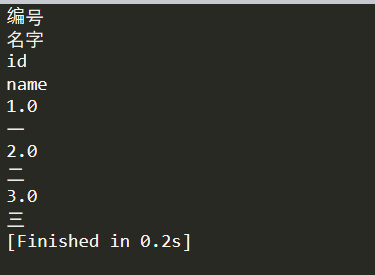
执行结果: