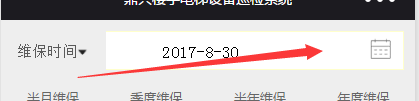
一: wxml:
<view class="navbarlift" style="background:#ffffff;padding:20rpx">
<picker mode="date" value="{{date}}" start="2010-09-01" end="2020-09-01" bindchange="bindDateChange">
<view class="picker">
{{date}}
<image style="height:20rpx;20rpx" src="pic/日期.png"></image>
</view>
</picker>
</view>
wcss:
.picker{
float:left;
margin-left: -10rpx;
margin-top: -20rpx;
margin-bottom: -20rpx;
}
.navbarlift
{
float:left;
margin-left: 20rpx;
margin-top: 20rpx;
border:1px solid rgba(0, 0, 0, 0.2);
}
js:
// 点击日期组件确定事件
bindDateChange: function (e) {
var that = this;
this.setData({
date: e.detail.value,
});}
ui: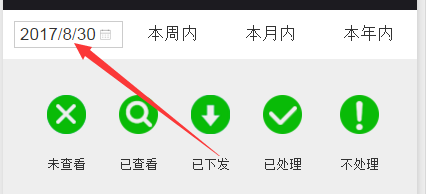
二:wxml
<view class="navbarlift" style="background:#ffffff;padding:20rpx;margin-right:20rpx;">
<picker mode="date" value="{{date}}" start="2010-09-01" end="2020-09-01" bindchange="bindDateChange"style="margin-top:-8rpx">
<view class="picker" style="">
{{date}}
<image src="../../../images/日期.png" style="40rpx;height:40rpx;float:right"></image>
</view>
</picker>
</view>
wcss:
/*日期选择组件样式*/
.picker{
margin-left: 250rpx;
margin-bottom: -12rpx;
align-items: center;
}
.navbarlift
{
margin-left: 20rpx;
margin-top: 20rpx;
border:1px solid rgba(255, 255, 0, 0.2);
}
js:
// 点击日期组件确定事件
bindDateChange: function (e) {
var that = this;
that.setData({
date: e.detail.value,
currentTab: 4
});}
UI: