1、app.vue: app加载时候,获取app版本号
//获取版本号
plus.runtime.getProperty(plus.runtime.appid,(wgtinfo)=>{
    uni.setStorage({
        key: 'wgtinfoVersionCode',
        data: wgtinfo.versionCode
    })
})
2、index:首页页面加载时,获取后端返回的app版本号
getSysVersion() {
    const _this = this;
  //获取缓存中,当前app的版本号
    uni.getStorage({
        key: 'wgtinfoVersionCode',
        success: (res) => {
            this.wgtinfoVersionCode = res.data;
            uni.request({
                url: this.$url + '/sysNotice/querySysVersion', //后端接口
                method: 'post',
                sslVerify: false,//不验证ssl证书
                success: res => {
                    console.log(res.data.data, this.wgtinfoVersionCode);
                    if(res.statusCode == 200) {
              //后端返回的app版本和当前app版本比较
                        if(Number(res.data.data) != Number(this.wgtinfoVersionCode)) {
                            // this.showModal = true;
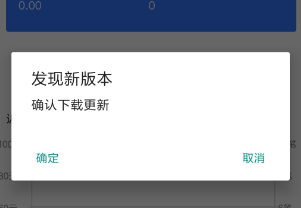
                            uni.showModal({
                                title: "发现新版本",
                                content: "确认下载更新",
                                success: (res) => {
                                    if (res.confirm == true) {//当用户确定更新,执行更新
                                        _this.appdownLoad();
                                    }
                                }
                            })
                        }
                    }
                },
                fail: err => {
                    console.log(err)
                    this.$api.msg('请求错误!');
                    this.logining = false;
                },
            });
        }
    })
},

3、执行下载app:
appdownLoad(){
    var that = this;
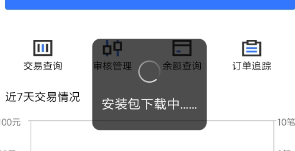
    uni.showLoading({
        title: '安装包下载中……'
    })
    const downloadTask = uni.downloadFile({
        url: 'http://XXXXXXXXXXXX.apk', //服务器 app 的下载地址
        success: (downloadResult) => {
            uni.hideLoading();
            if (downloadResult.statusCode === 200) {
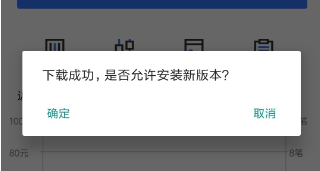
                uni.showModal({
                    title: '',
                    content: '下载成功,是否允许安装新版本?',
                    confirmText: '确定',
                    success: function(res) {
                        if (res.confirm == true) {
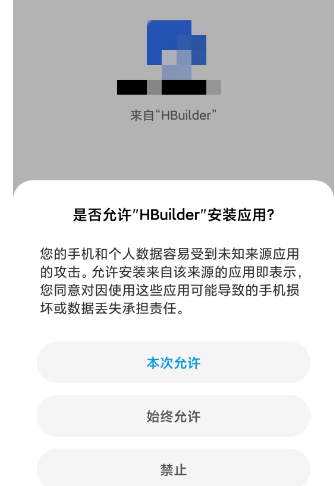
                            plus.runtime.install(//安装
                                downloadResult.tempFilePath, {
                                    force: true
                                },
                                function(res) {
                                    utils.showToast('更新成功,重启中');
                                    plus.runtime.restart();
                                }
                            );
                        }
                    }
                });
            }
        }
    });
},
附图: