让这个模块跑起来,太费劲了,多半原因是自己太粗心,opencmf.php中“uid”写成了“pid”,de了好几天的bug也没有搞出来,又加上最近发生了些事(brokenhearted)。。。
上报错图:
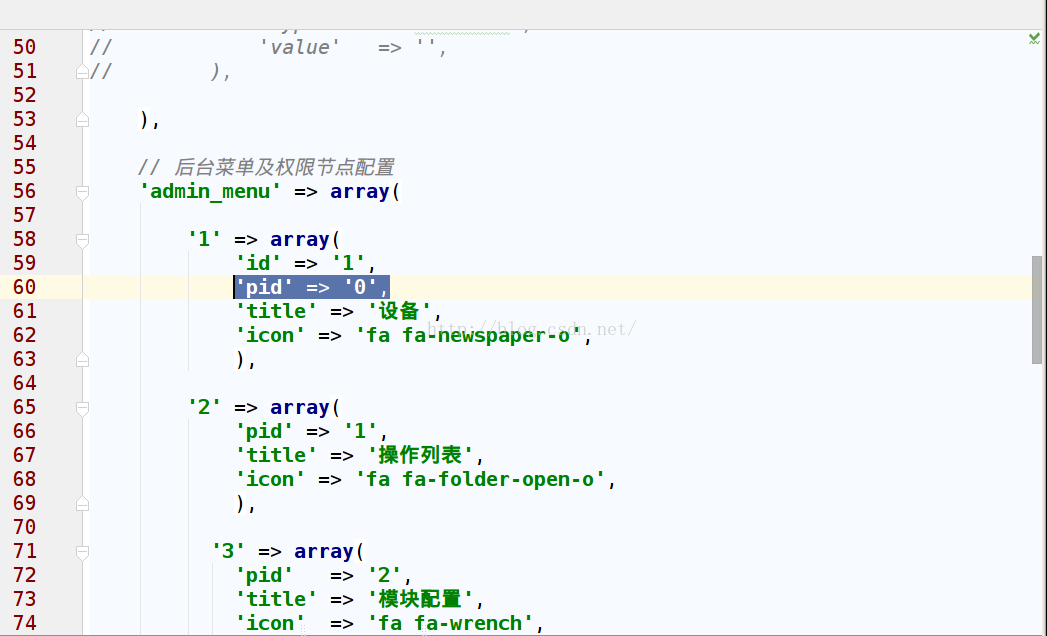
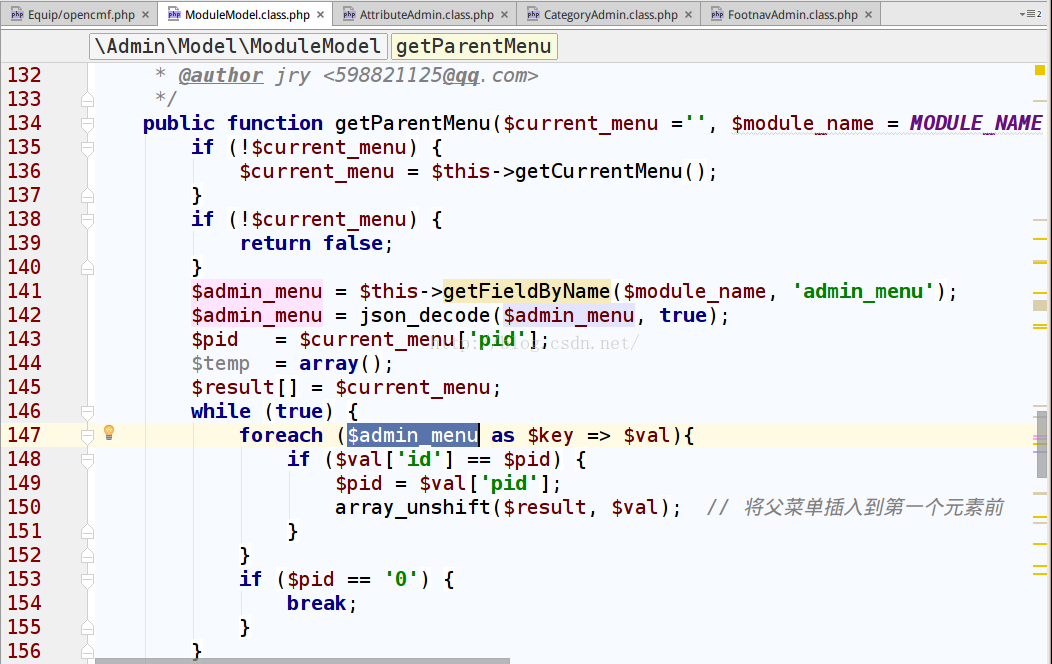
显示147行错误。而且打开那个页面apache占用率能到了100%+
上正事,让这个模块跑起来:
1.编辑Equip/opencmf.php给后台列表添加url
    <?php
    // 模块信息配置
    return array(
          // 模块信息
        'info' => array(
             'name'        => 'Equip',
            'title'       => '设备',
            'icon'        => 'fa fa-newspaper-o',
            'icon_color'  => '#9933FF',
            'description' => 'BZU网络设备模块',
            'developer'   => 'pangPython',
            'website'     => 'http://www.bzu.edu.cn',
            'version'     => '1.0.0',
            'dependences' => array(
                'Admin'   => '1.1.0',
                ),
            ),

         // 用户中心导航
        'user_nav' => array(

            ),

        // 模块配置
        'config' => array(

              'show_equip' => array(
                'title'   => '前台设备总体情况',
                'type'    => 'radio',
                'options' => array(
                    '1' => '显示',
                    '0' => '关闭',
                ),
                'value' => '1',
            ),

            'show_repaire' => array(
                'title'   => '是否开启前台报修',
                'type'    => 'radio',
                'options' => array(
                    '1' => '开启',
                    '0' => '关闭',
                ),
                'value' => '1',
            ),

              'show_repaire_phone_num' => array(
                'title'   => '报修手机号',
                'type'    =>'textarea',
                'value'   => '',
            ),

        ),

        // 后台菜单及权限节点配置
        'admin_menu' => array(

            '1' => array(
                'id' => '1',
                'pid' => '0',
                'title' => '设备',
                'icon' => 'fa fa-newspaper-o',
                ),

            '2' => array(
                'pid' => '1',
                'title' => '操作列表',
                'icon' => 'fa fa-folder-open-o',
                ),

              '3' => array(
                'pid'   => '2',
                'title' => '模块配置',
                'icon'  => 'fa fa-wrench',
                'url'   => 'Equip/Test/index',
            ),

            '4' => array(
                'pid'   => '2',
                'title' => '设备管理',
                'icon'  => 'fa fa-dashboard',
                'url'   => 'Equip/DeviceManage/index',
            ),

            '5' => array(
                'pid'   => '4',
                'title' => 'add',
                'url'   => 'Equip/DeviceManage/add',
            ),

            '6' => array(
                'pid'   => '2',
                'title' => '设备类型',
                'icon'  => 'fa fa-th-large',
                'url'   => 'Equip/DeviceManage/index',
            ),


            '7' => array(
                'pid' => '2',
                'title' => '设备报修',
                'icon' => 'fa fa-user',
                ),

              '8' => array(
                'pid'   => '2',
                'title' => '设备概况',
                'icon'  => 'fa fa-area-chart',
            ),

             '9' => array(
                'pid'   => '2',
                'title' => '拓展',
                'icon'  => 'fa fa-cogs',
            ),


            '10' => array(
                'pid' => '2',
                'title' => '关于模块',
                'icon' => 'fa fa-commenting-o',
                ),


            ),

        );
2.建立页面的控制器
新建DeviceManageAdmin.class.php
Equip/Admin/DeviceManageAdmin.class.php
    <?php
    /**
     * Created by PhpStorm.
     * User: root
     * Date: 16-3-23
     * Time: 下午10:10
     */
    namespace EquipAdmin;
    use AdminControllerAdminController;
    use CommonUtilThinkPage;
    class DeviceManageAdmin extends AdminController {

        public function index(){
                         //使用Builder快速建立列表页面
                $builder = new CommonBuilderListBuilder();
                $builder->setMetaTitle('设备管理') //设置页面标题
                        ->addTableColumn('id', 'ID')
                        ->addTableColumn('create_time', '设备名称', 'time')
                        ->addTableColumn('sort', '排序', 'text')
                        ->addTableColumn('status', '状态', 'status')
                        ->addTableColumn('right_button', '操作', 'btn')
                        ->setExtraHtml('<div class="alert alert-success">请点击左侧的列表树进行操作</div>')
                        ->display();

        }

        public function add(){

        }

    }
效果图:
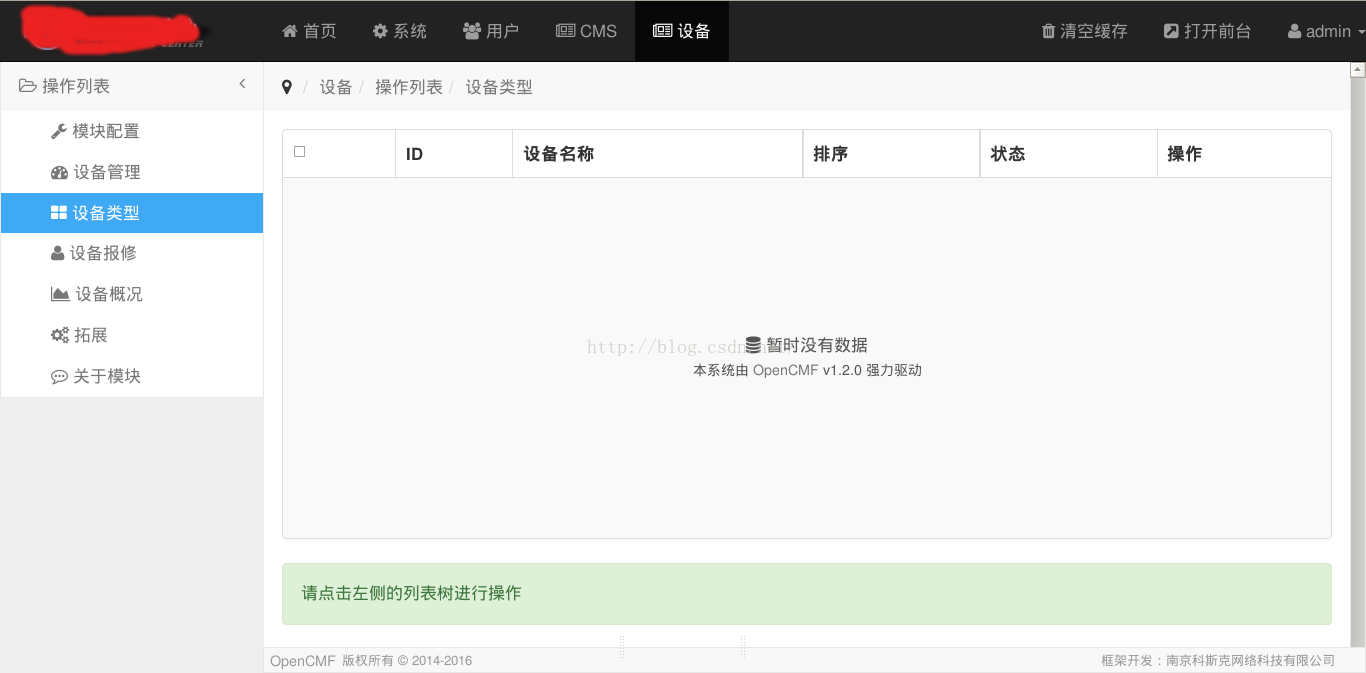
完成了。
其实思路也不难:在配置文件中添加按钮的跳转链接,创建控制器,这里的控制器事opencmf重写的命名为abcdAdmin.class.php,Model可以不写,试图可以使用opencmf的Builder创建。