zoukankan      html  css  js  c++  java
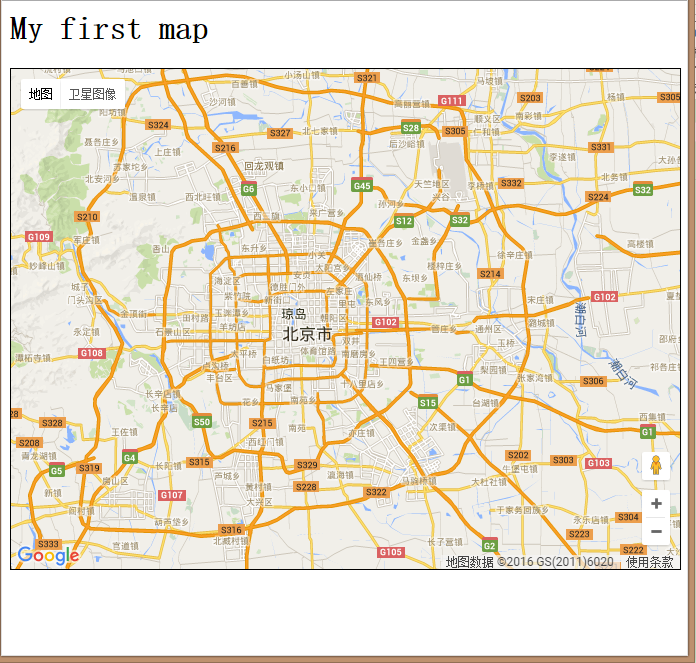
  • Google Maps API3 之 Hello World

    <html xmlns="http://www.w3.org/1999/xhtml">

        <head>

            <meta http-equiv="Content-Type" content="text/html; charset=UTF-8" />

            <title>My first map</title>


            <style type="text/css">

                <!-- #map {

                    width: 100%;

                    height: 500px;

                    border: 1px solid #000;

                }

                -->

            </style>


            <script type="text/javascript" src="http://maps.google.com/maps/api/js?sensor=false"></script>

            <script>

                window.onload = function() {

                    // Creating a reference to the mapDiv

                    var mapDiv = document.getElementById('map');

                    // Creating a latLng for the center of the map

                    var latlng = new google.maps.LatLng(39.92, 116.46);

                    // Creating an object literal containing the properties

                    // we want to pass to the map

                    var options = {

                        center: latlng,

                        zoom: 10,

                        mapTypeId: google.maps.MapTypeId.ROADMAP

                    };

                    // Creating the map

                    var map = new google.maps.Map(mapDiv, options);

                }

            </script>

        </head>


        <body>

            <h1>My first map</h1>

            <div id="map"></div>

        </body>


    </html>
     

  • 相关阅读:
    sql 有条件计数
    easyui combox 手动添加项
    只有设置了 name 属性的表单元素才能在提交表单时传递它们的值
    除湿方法
    android 页面跳转,数据回传
    android studio 乱码
    android studio 工具
    gridlaylout 简单布局
    android 开发 简单的页面布局
    android sdk
  • 原文地址:https://www.cnblogs.com/my4piano/p/5326562.html
Copyright © 2011-2022 走看看